Participating Frequently
June 18, 2024
Answered

How to handle the basic input event 'compositionupdate' in premiere panel development

  • June 18, 2024
  • 2 replies
  • 520 views
hello
While developing the panel input function, I would like to inquire about how to handle the basic event of input.
 
The processing code is as follows. A simple 'compositionupdate'
Handling the ‘compositionend’ event


With this code, events are not detected on the panel at all.
The test was conducted at Premier 2024.

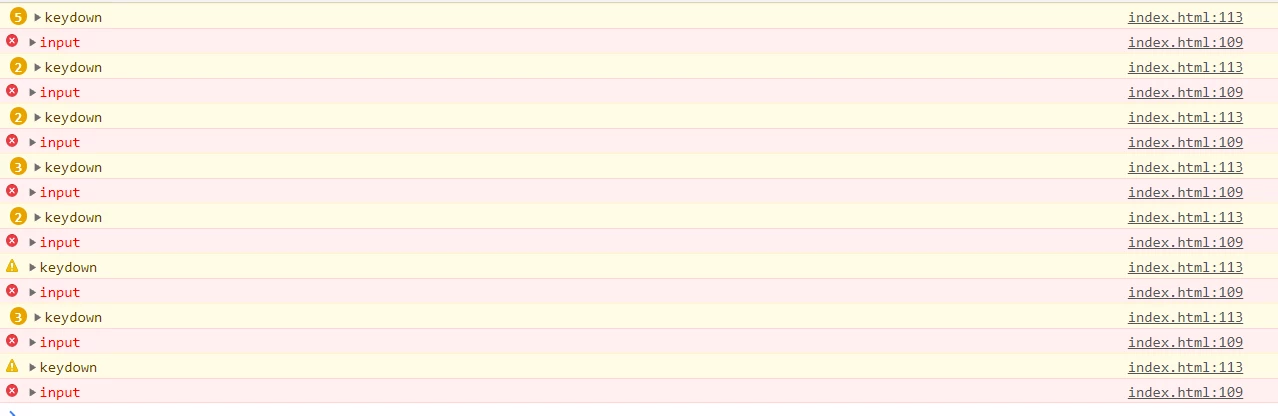
So, I tested it in Premiere 2020 and confirmed that it was detected.
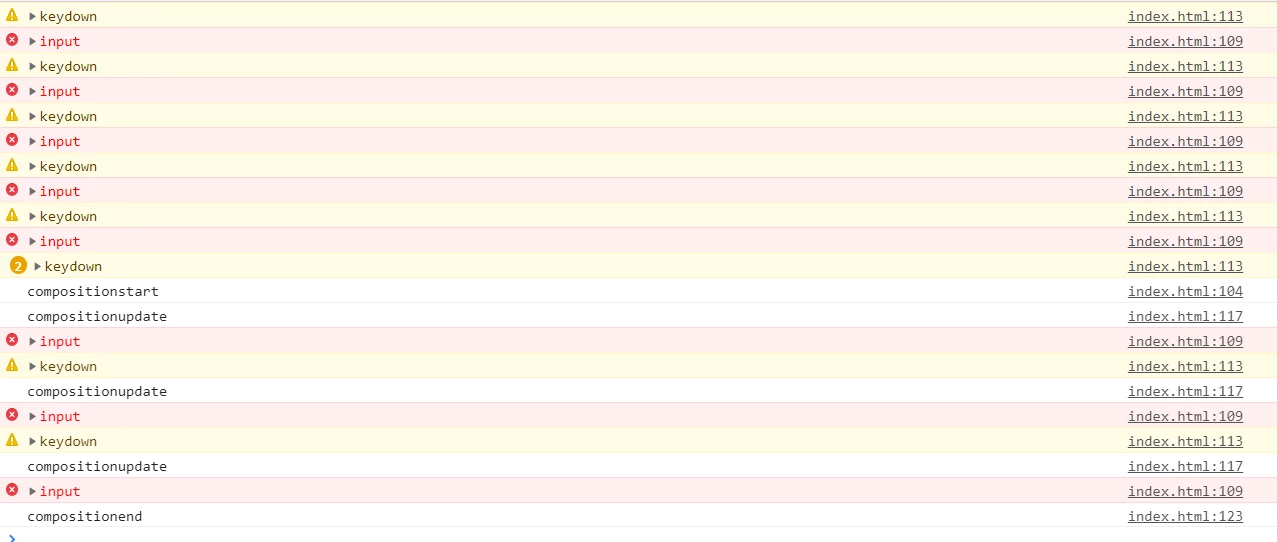
 
 
not detected event. (in Prmiere 2024)
 
The difference between the two is between cep 10 and cep 11, but I wonder if cep11 does not support the event.

 

This topic has been closed for replies.
Correct answer Bruce Bullis

It seems CEP11 does not support the event. 

2 replies

Bruce Bullis
Community Manager
Bruce BullisCommunity ManagerCorrect answer
Community Manager
June 24, 2024

It seems CEP11 does not support the event. 

Participating Frequently
June 25, 2024

Thank you for answer.
I would like to know when it will be updated to cep12 and whether the event-related issue will be resolved in the next version

Participating Frequently
June 18, 2024

Test Code 

<input type="text" id="inputField" placeholder="input text">
<input type="text" id="outputField" readonly>

<script>
	const inputField = document.getElementById('inputField');
	const outputField = document.getElementById('outputField');
	let compositionData = '';

	inputField.addEventListener('compositionstart' , (e) => {
		console.log('compositionstart');
		compositionData = e.data;
	});

	inputField.addEventListener('input', (e) => {
		console.error('input');
	});

	inputField.addEventListener('keydown', (e) => {
		console.warn('keydown');
	});

	inputField.addEventListener('compositionupdate' , (e) => {
		console.log('compositionupdate');
		compositionData = e.data;
		outputField.value = `compositionupdate: ${compositionData}`;
	});

	inputField.addEventListener('compositionend', (e) => {
		console.log('compositionend');
		compositionData = e.data;
		outputField.value = `compositionend: ${compositionData}`;
	});
</script>