

S_ A
Inspiring
May 18, 2025
Answered

how to join/merge/connect two sound clip to make one

  • May 18, 2025
  • 2 replies
  • 1026 views

hi,

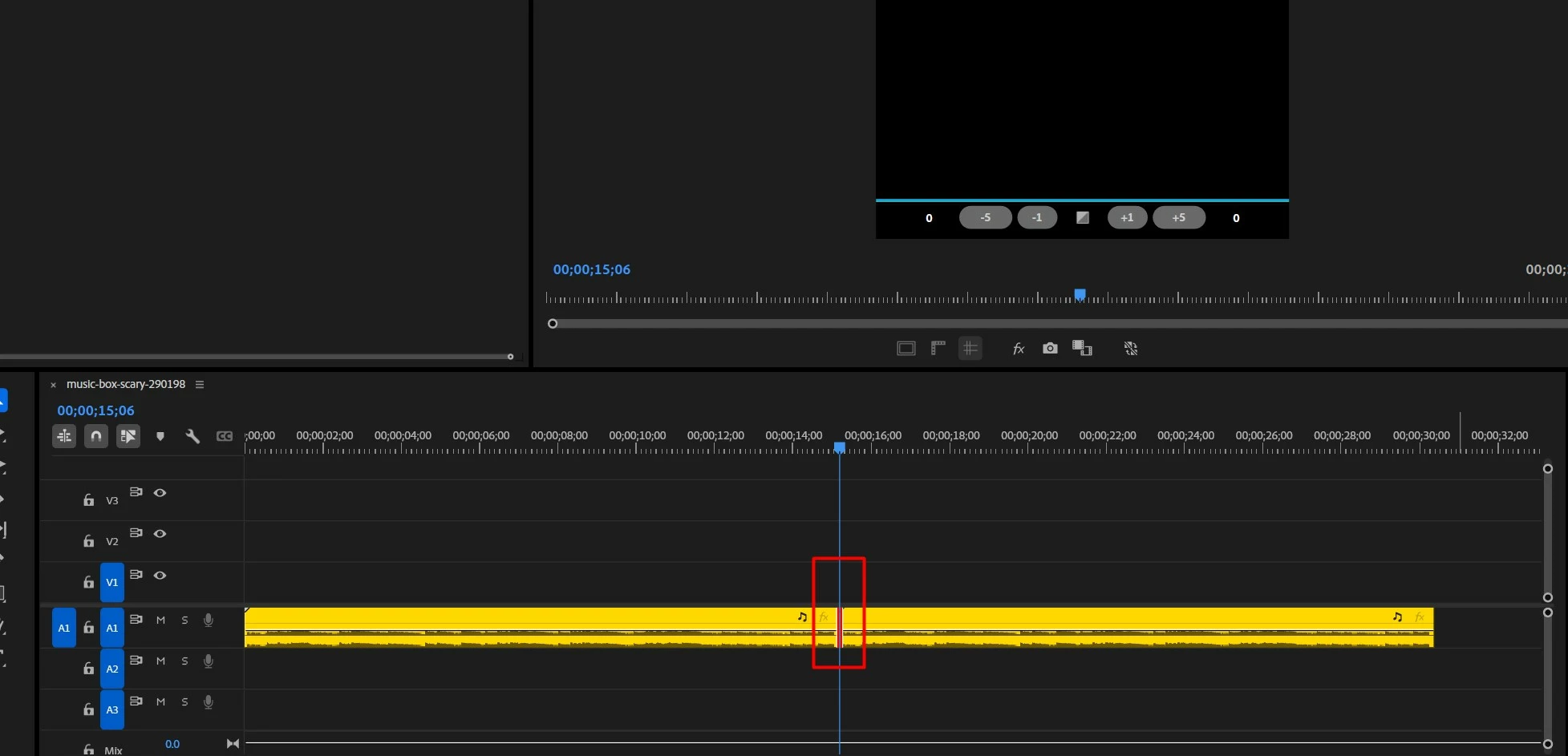
How can I make this two sound clip into one so that it sounds like one. I want a smooth fininishing at the end of the first clip and the start of the 2nd clip so that it doesnot obvious to ears. 


NB- both are same audio, I just want to use it as a BG in my animation in AE. my Ae project is 30 sec long and the audio is only 10 sec. So I wanna join it 3 times to make it fit as a BGM in AE.


I tried all that cross fade. But I am not getting the result I want. That means I have to try something different. I googled but all the tutorial shows how to join them, some says nesting. But I dnt want that. I WANT ALL OF THEM TO ACT LIKE ONE AUDIO CLIP WITH NO INTERRUPTION IN BETWEEN WHERE THE JOINING TOOK PLACE.  Please someone hlep me, please. 


just give me some hints, or show ways, or suggest me some plugins .... ANYTHNG!!! I will do the rest. I just need some help from seniors to solve this. I am soo sad for hours... 😥😥😥 No way I could solve it.


Thank you.
 

Correct answer Peru Bob

You will likely have to do a cut in one or both audio clips before adding a transition.

Expand the audio waveform and look for similar beats.

2 replies

Mathias Moehl
Community Expert
Community Expert
May 19, 2025

You can create beat markers with my (paid) extension BeatEdit for Premiere Pro or BeatEdit for After Effects then just make sure that the beats line up nicely in the timeline.
Here is a slightly more complex example, where the tempo of one song needs to be changed, in order to make the beats line up. But if both audio clips are the same, they already have the same tempo, so you can skip that step:

Mathias Möhl - Developer of tools like BeatEdit and Automation Blocks for Premiere Pro and After Effects
S_ A
S_ AAuthor
Inspiring
May 20, 2025

Thank you so much.

Peru Bob
Community Expert
Peru BobCommunity ExpertCorrect answer
Community Expert
May 18, 2025

You will likely have to do a cut in one or both audio clips before adding a transition.

Expand the audio waveform and look for similar beats.

S_ A
S_ AAuthor
Inspiring
May 18, 2025

Thank you so much. Thank you.

Peru Bob
Community Expert
Community Expert
May 18, 2025

You're welcome.