
Santiago M Calisto
Participant
April 27, 2019
Question

how to keyframe animate tracking number in title

  • April 27, 2019
  • 1 reply
  • 1924 views

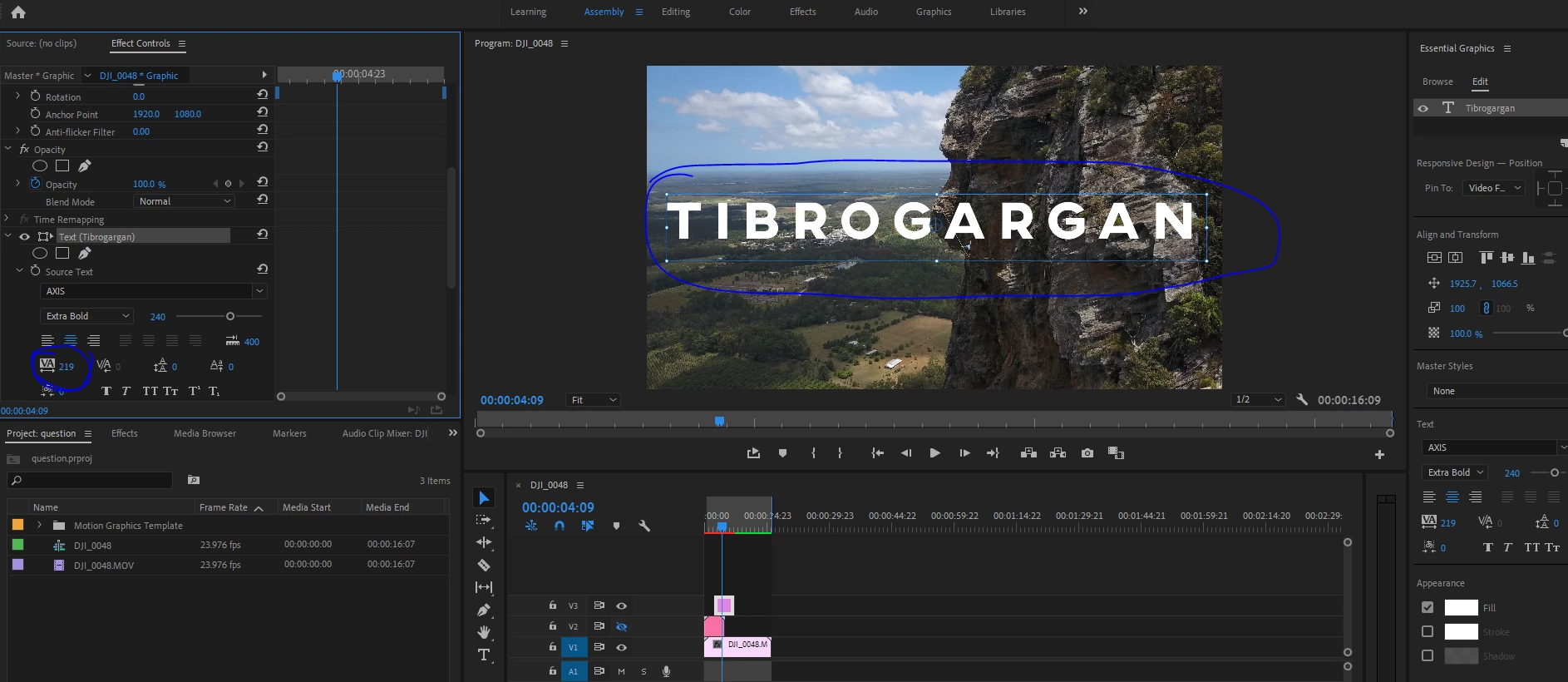
Basically I am trying to animate, enlarge the space between letters in my title, see from photo 1 to photo 2 to understand. I want to do this in premiere without going to after effects, it seems like a fairly simple thing to do but yet I can't find the way. My best approach is by keyframing (as if it was possible) the tracking value in my text. How can I do this? Thanks

photo 1
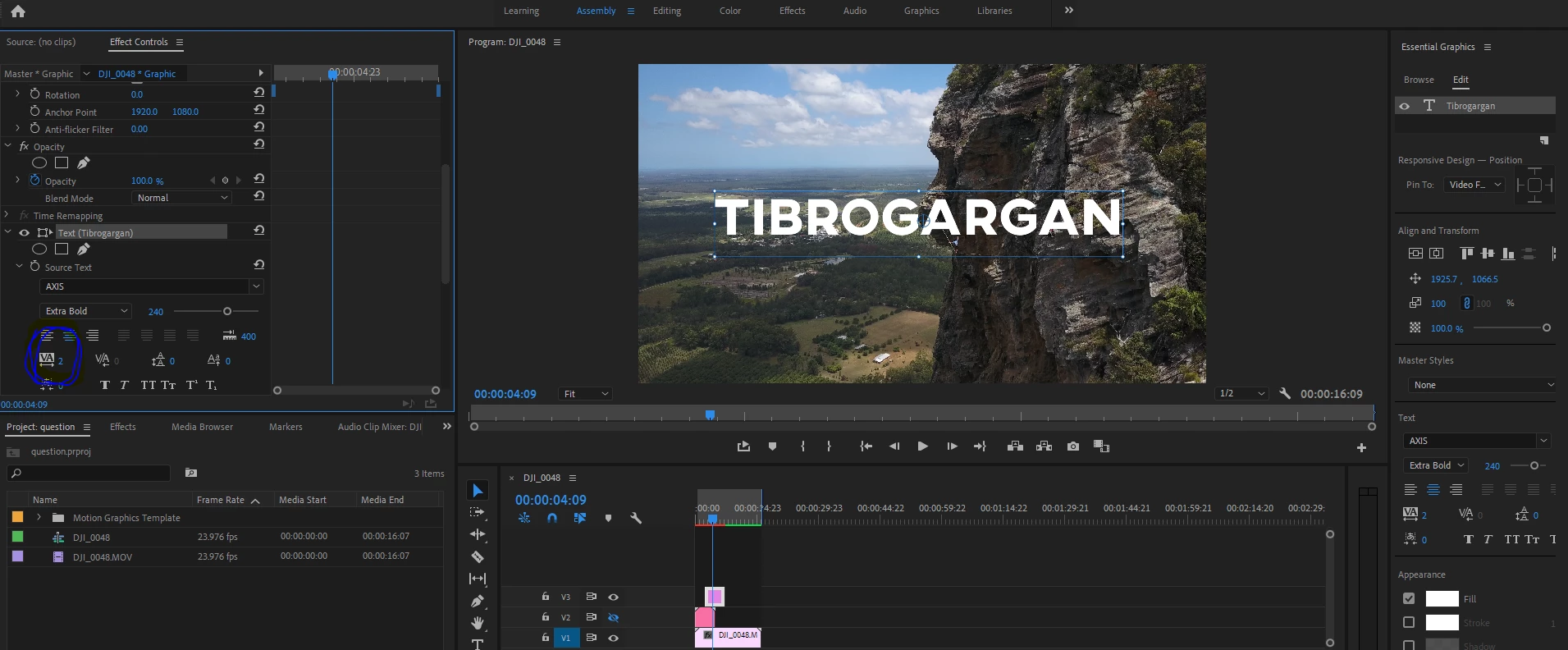
photo 2
This topic has been closed for replies.

1 reply

Roland Kahlenberg
Legend
April 27, 2019

Take a look at my product, typeGEMs V2 (t2). The download link to the FREE version is below, after the promo video. t2 was designed as an alternative to PPro's type tool, with an emphasis on creating per character text animation directly in PPro. t2 is based off of AE's Text Animation Engine.

Original Promo Video

per Character Text Animation in Adobe Premiere Pro - Coming Soon - YouTube

Download Link

typeGEMs V2 - FREE Version

Very Advanced After Effects Training | Adaptive & Responsive Toolkits | Intelligent Design Assets (IDAs) | MoGraph Design System DEV
Santiago M Calisto
Participant
April 27, 2019

Unless if your solution is the only one, I prefer not to download anything but actually learn how to do it myself. It should be fairly simple!

Roland Kahlenberg
Legend
April 28, 2019

I doubt it is easy to do in PPo since there is no built in feature to animate tracking. I've read of folks keyframing the Source Text parameter to achieve what you want but that's slow, imprecise and there's no guarantee it'll look good once you're done.

Very Advanced After Effects Training | Adaptive & Responsive Toolkits | Intelligent Design Assets (IDAs) | MoGraph Design System DEV