

Answered
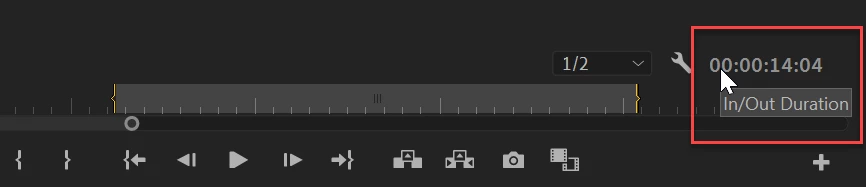
How to know time duration of In and Out section (or time duration of any area in timeline)
(Premiere Pro 2019)
Often I'll have a section of my timeline that I want to swap out and add a different video clip in but I need to know the duration of the section to which I'll be replacing so when I search for a video clip I will know if the clip is long enough to fill the space needed.
I can manually figure out the time with the program monitor panel's timecode but this seems very tedious and seems like there must be an easier more exact way. I've tried to select the desired section with In and Out and this seems like it should work but I'm not seeing any timecode of the selected area?
Hope this is a simple fix that I'm missing, thanks for any help.
 AdChoices