
How to make Premiere effect control marker not jump to next video (work like it used to)
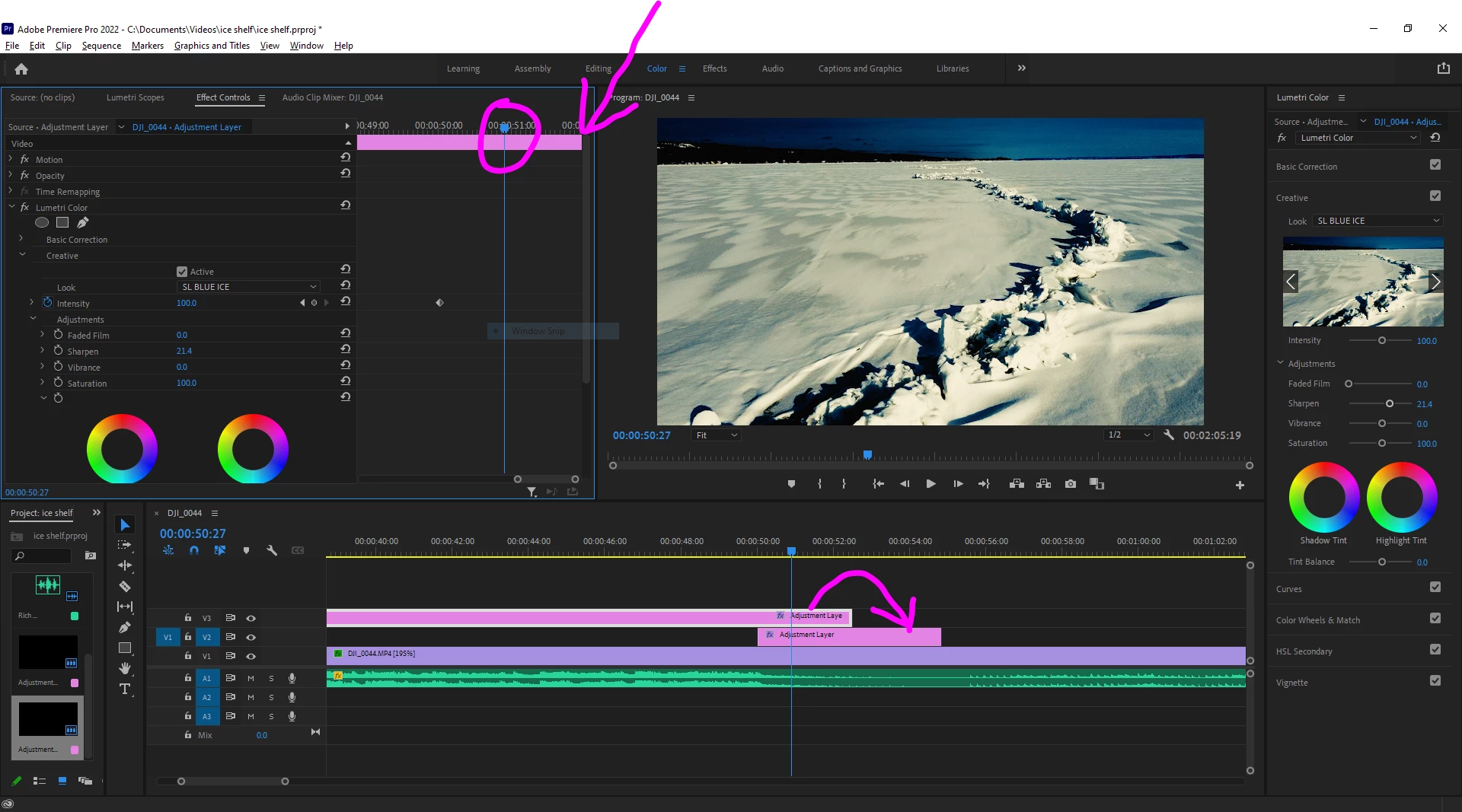
The effect control marker would drag to the end of the video and stop. It would stop right at the end and not allow me to drag any further. This ensured my automation was at the very end of the video clip to avoid little blips without the automation at the end. The trouble is, at some point, this changed over the few months, and I've been "trying" to deal with it. But I'm hoping there is a setting to revert the behavior.
You see, now, when you drag the effect control marker of the selected clip to the end, it automatically focuses on the following clip. When that happens, I have to go back and fix the way I had set before and go through the re-zoom and such all over again.
This change almost doubled my edit time and added a lot of unnecessary frustration. Is there a setting to make it go back so dragging the marker to the end doesn't automatically jump to the following clip?
 AdChoices