orphicpixel
Participating Frequently
April 16, 2021
Answered

How to mask 3 video layers...

  • April 16, 2021
  • 3 replies
  • 1048 views

I am trying to achieve this kind of layout of 3 videos in my project. How can I mask the 3 videos with this kind of shape.


 

This topic has been closed for replies.
Correct answer Ann Bens

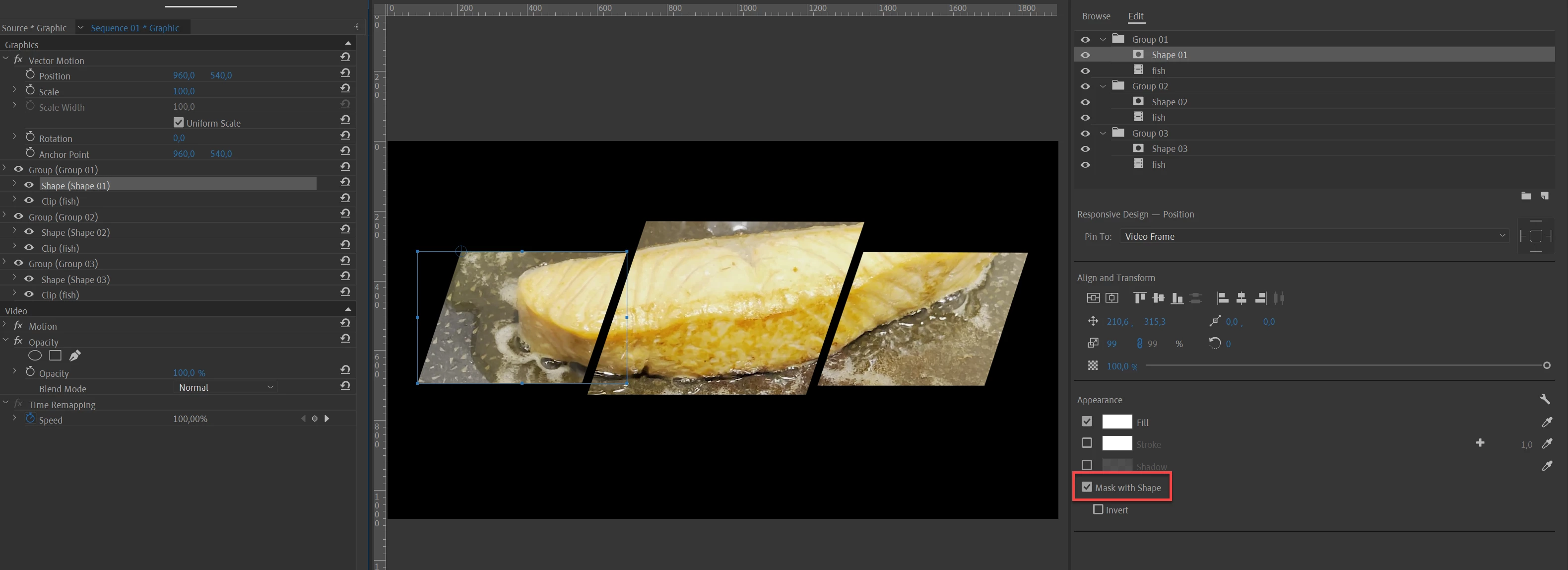
If you don't want to use the Track Matte draw the shapes in the Ess Graphic then Mask with Shape.

One video
3 different videos
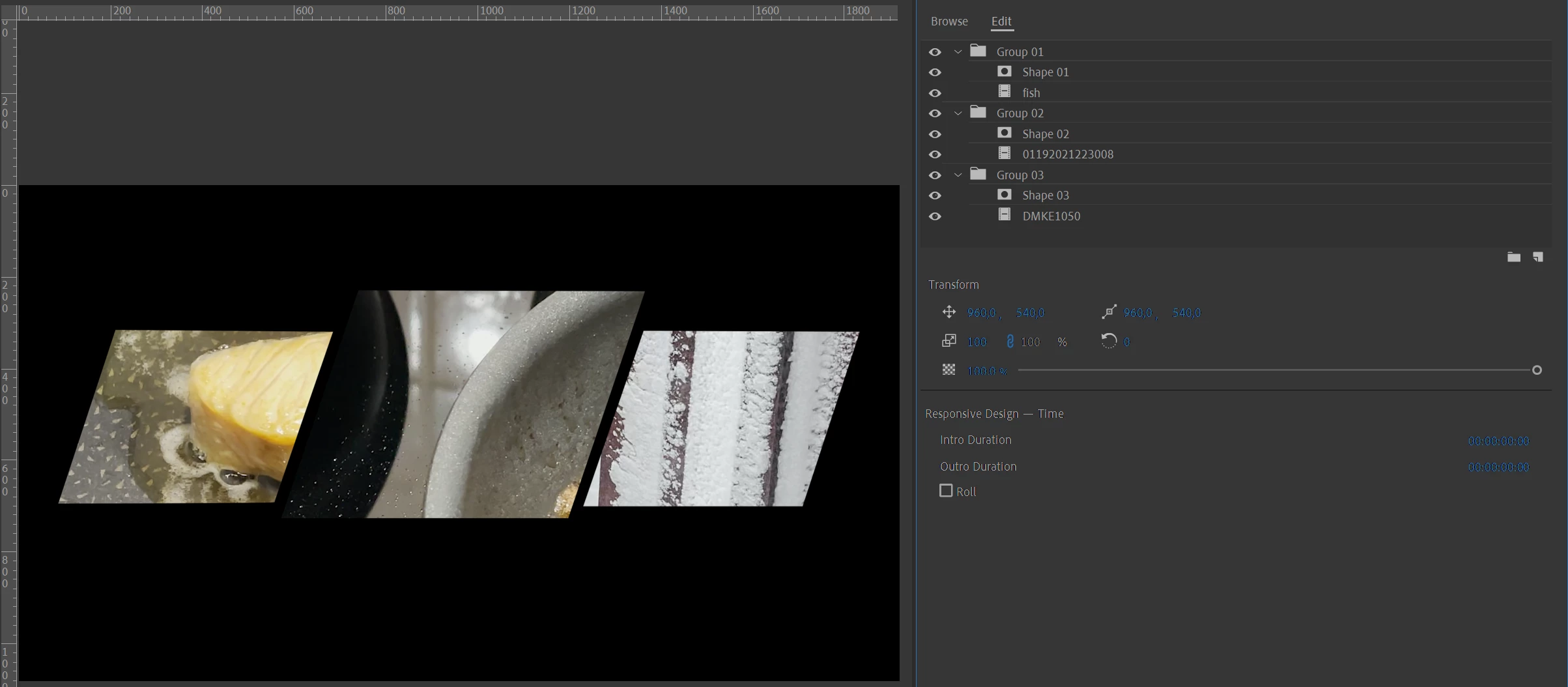
Shapes and videos can be animated independently.

3 replies

Community Expert
April 16, 2021

For some reason I couldn't make the track matt key work with your stills, might have been due to the scalling I did.

Community Expert
April 16, 2021

Put the mask still on a video track and add 3 mask paths to the inbuilt opacity effect I used the pen tool clicking on each point of the boxes. Copy the clip and 'paste attributes' to the people video. There are many ways to do this but this is one of the easier.

orphicpixel
Participating Frequently
April 16, 2021

Thanks will try that.

I can see that you tried using track matte key. Is it possible to achieve the layout using track matte key?

orphicpixel
Participating Frequently
April 17, 2021

You can change anything in the EC panel except the length.

You will have to make your clips the exact length you want them to be before dropping them into the EssG.


Thanks for the idea, so what I did is follow your setup and setting and I have to draw the shape and add the clip then applied the mask. So now I have the graphics with the shape and video. Next thing I did is to place the original clip plus the graphic on top of it then disabled the video track of the original clip then extend the graphic length corresponding to the original clip length, viola!


orphicpixel
Participating Frequently
April 16, 2021

Here is my initial layout