This topic has been closed for replies.
Correct answer Kevin-Monahan

I think I know what you mean, Luis. Let's try!


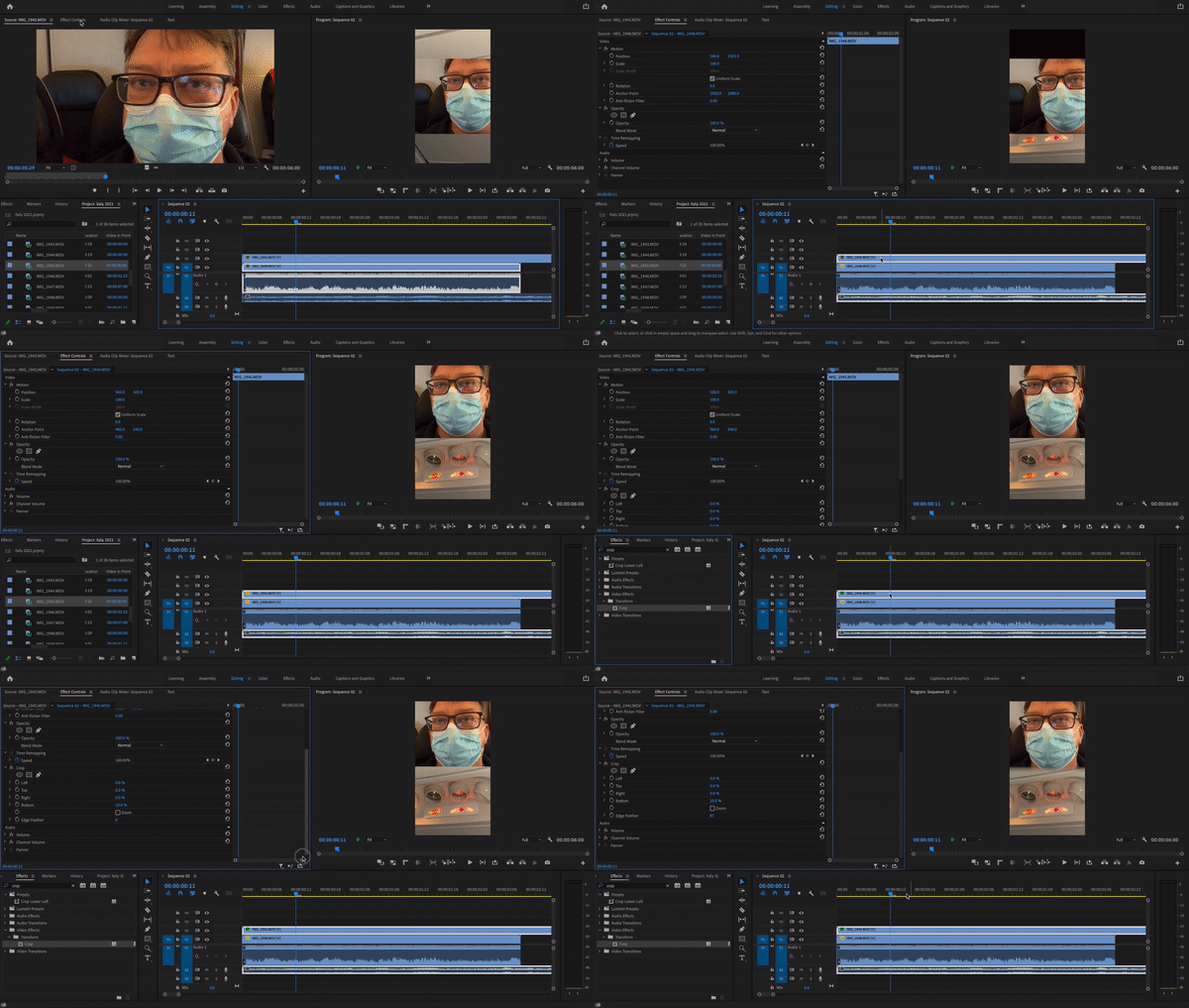
  1. Stack up the clips on V1 and V2.
  2. Roughly position the clips using "Position" in the Effect Controls panel.
  3. Add a Crop effect to the V2 clip.
  4. Crop the bottom of the V2 clip.
  5. Within the Crop effect, use Feather to soften the edges V2 clip.


I created a quick .gif that shows how I achieved this. If this was not the effect you were looking for, let us know.


Thanks,

Kevin

1 reply

Kevin-Monahan
Community Manager
Kevin-MonahanCommunity ManagerCorrect answer
Community Manager
January 6, 2022

I think I know what you mean, Luis. Let's try!


  1. Stack up the clips on V1 and V2.
  2. Roughly position the clips using "Position" in the Effect Controls panel.
  3. Add a Crop effect to the V2 clip.
  4. Crop the bottom of the V2 clip.
  5. Within the Crop effect, use Feather to soften the edges V2 clip.


I created a quick .gif that shows how I achieved this. If this was not the effect you were looking for, let us know.


Thanks,

Kevin

Kevin Monahan - Sr. Community and Engagement Strategist – Adobe Pro Video and Audio
Luís5FE9Author
Participant
January 6, 2022

thanks bro i'd very much like if you would add me on discord and i go live and u help me with it please ahah

sun#7116
