
Participant
May 11, 2018
Answered

How to remove mic clicking noise from the audio

  • May 11, 2018
  • 1 reply
  • 12736 views

Hello! I am using Premiere Pro CC 2018 for an organization and I came across this issue. This issue is persistent throughout the whole video. Please tell me how can I solve it. The link is attached below. I have tried every audio effect in PP but nothing works.

adobe community.mp3 - Google Drive

Thanks
This topic has been closed for replies.
Correct answer _keyframer

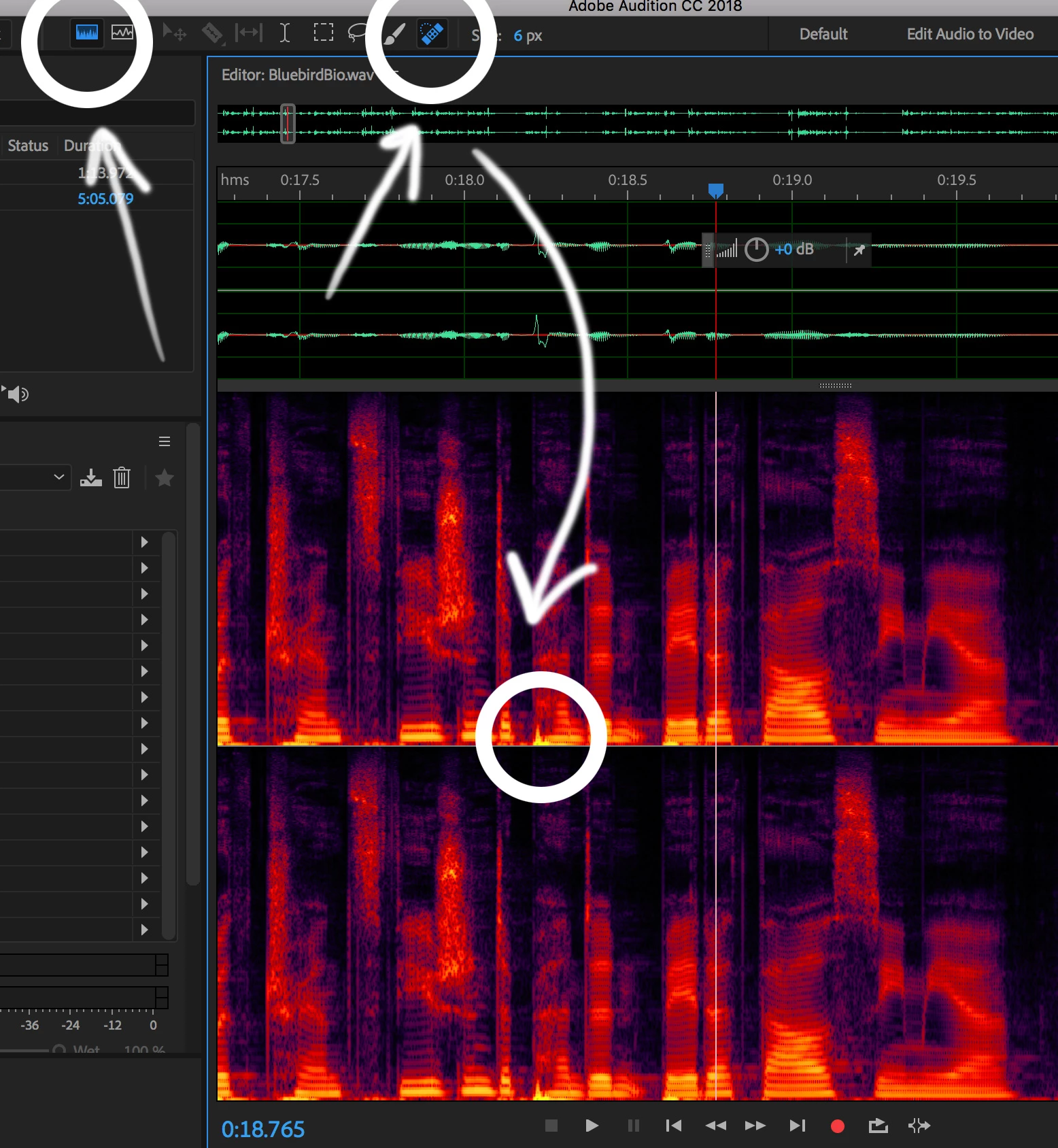
I agree. Audition is well suited for this and a better/easier application to use for removing unwanted pops and click. Open up your audio in Audition and pretty much follow the 3 areas I circled in the screen shot below. Look for the areas that peak and simply use the healing brush to click on that area and Audition will do the rest with pretty amazing results.

1 reply

Richard van den Boogaard
Community Expert
Community Expert
May 11, 2018

Your best bet is to use Adobe Audition instead of Premiere Pro for this.

Inside Audition, you can either use the Click-Pop eliminator effect, or use a visual representation of the waveform to erase specific frequencies.

Hope this helps.

_keyframer
Community Expert
_keyframerCommunity ExpertCorrect answer
Community Expert
May 11, 2018

I agree. Audition is well suited for this and a better/easier application to use for removing unwanted pops and click. Open up your audio in Audition and pretty much follow the 3 areas I circled in the screen shot below. Look for the areas that peak and simply use the healing brush to click on that area and Audition will do the rest with pretty amazing results.

Animator and content creator for Animate CC
Participant
May 11, 2018

If its a 4 minute long video, do I have to heal every single part or is there anything like Audacity's noise profile in Audition?