

Participant
August 1, 2024
Answered

How to replace text use Premiere script

  • August 1, 2024
  • 2 replies
  • 1346 views

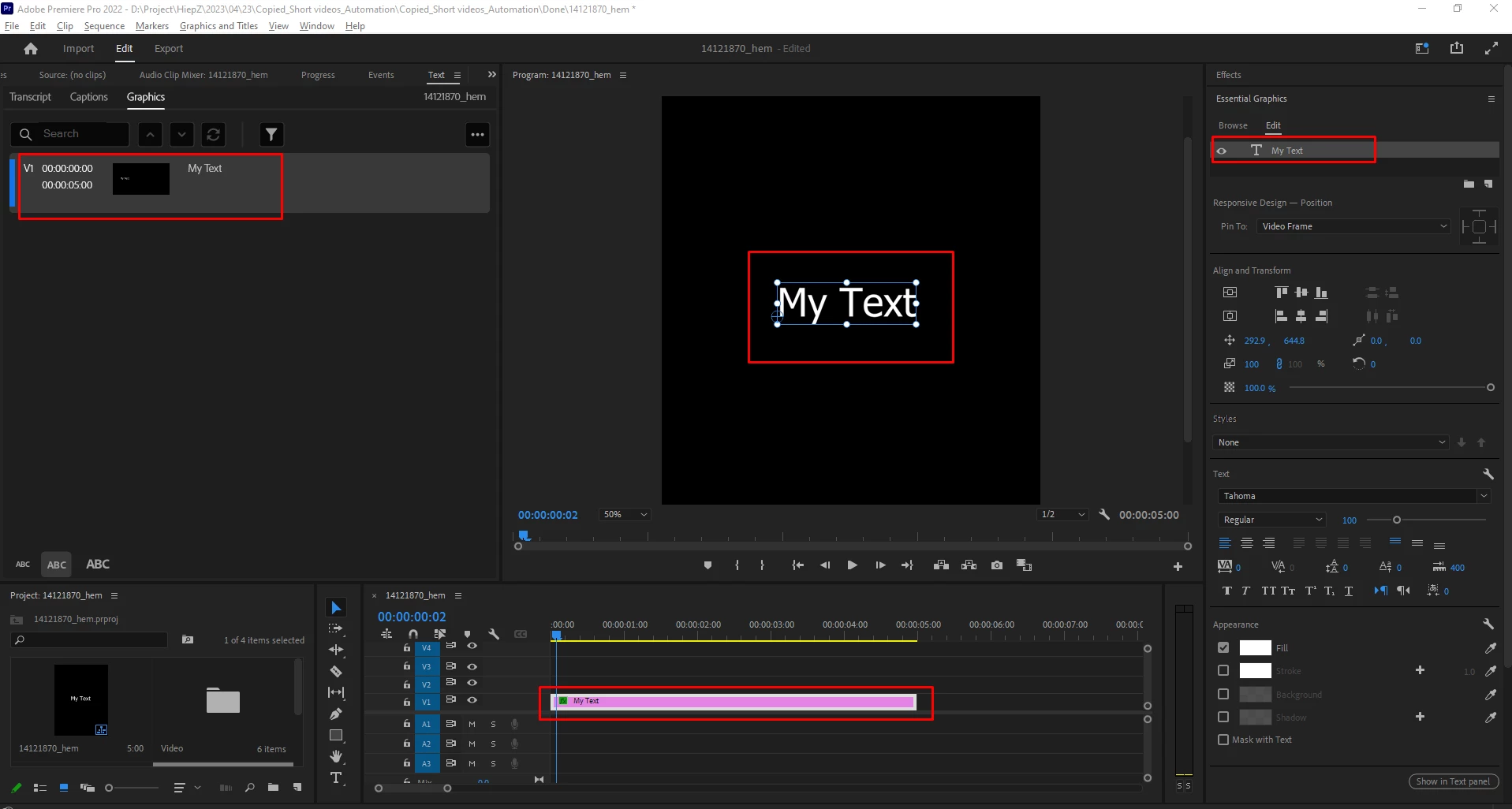
I can't change the text content in Premiere with a script. There are a lot of documents but I can't find my problem
Is there any way to solve this problem?
Thank.

 
This topic has been closed for replies.
Correct answer Bruce Bullis

Here is how: https://github.com/Adobe-CEP/Samples/blob/e60d6a22ef44d8eb4cca3904c35a0c050576b697/PProPanel/jsx/PPR...

The API works with motion graphics templates created in After Effects.

2 replies

Mathias Moehl
Community Expert
Community Expert
August 2, 2024

As Bruce says, you can change the texts of Motion Graphics Templates (Mogrts) created in After Effects, but there is no way to change the texts created natively in Premiere Pro with the scripting API.

If you want to try the way to change Ae Mogrts, and look for a ready to use solution, my (paid) extension Automation Blocks has a good solution.

See:

https://docs.mamoworld.com/automation-blocks/tools-pr/templateTools

This video shows the basic workflow and at 3:23 also explains how to figure out if the texts are a Mogrt created in Ae or not:


Mathias Möhl - Developer of tools like BeatEdit and Automation Blocks for Premiere Pro and After Effects
Participant
August 7, 2024

So can replace text in plugin Premiere c++?

Bruce Bullis
Community Manager
Community Manager
August 7, 2024

No.

Bruce Bullis
Community Manager
Bruce BullisCommunity ManagerCorrect answer
Community Manager
August 1, 2024

Here is how: https://github.com/Adobe-CEP/Samples/blob/e60d6a22ef44d8eb4cca3904c35a0c050576b697/PProPanel/jsx/PPR...

The API works with motion graphics templates created in After Effects.