
Adnan7
Known Participant
November 14, 2020
Question

How to view two videos at once in the view window?

  • November 14, 2020
  • 2 replies
  • 354 views

Hello guys,

how can I view two vidoes at the same time? in this example:
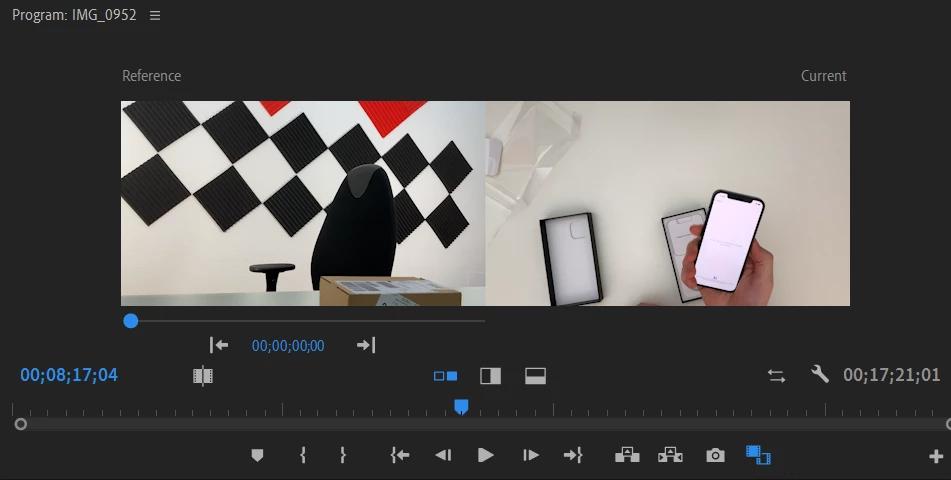
The left video is not moving. It is only this frame that being showed the entire timeline. On the right side I can see the top layer and when I hide it I can see the one underneath. I just want to be able to see layer 1 on the left side and layer 2 on the right side simultaneously. Thank you and have a nice day!

This topic has been closed for replies.

2 replies

Legend
November 15, 2020

maybe if you tell us why you want to see the 2 videos, we might be able to help...  If you want to actually have the 2 videos side by side in the finished piece, you could create a sequence with double the width of your sources and place the right side all on v 1 and the left side on v2 and use the effects controls to position all of v 1 on the right and all of v2 on the left...  

Community Expert
November 15, 2020

This view is used for color correction, you can't view the content of 2 tracks together side by side (why you want to do that?). A workaround would be to nest the clips on the 2 tracks and enable the multicamera option for the new created sequence and use the multicamera view.