
ConsfusedUser
Inspiring
May 24, 2023
Answered

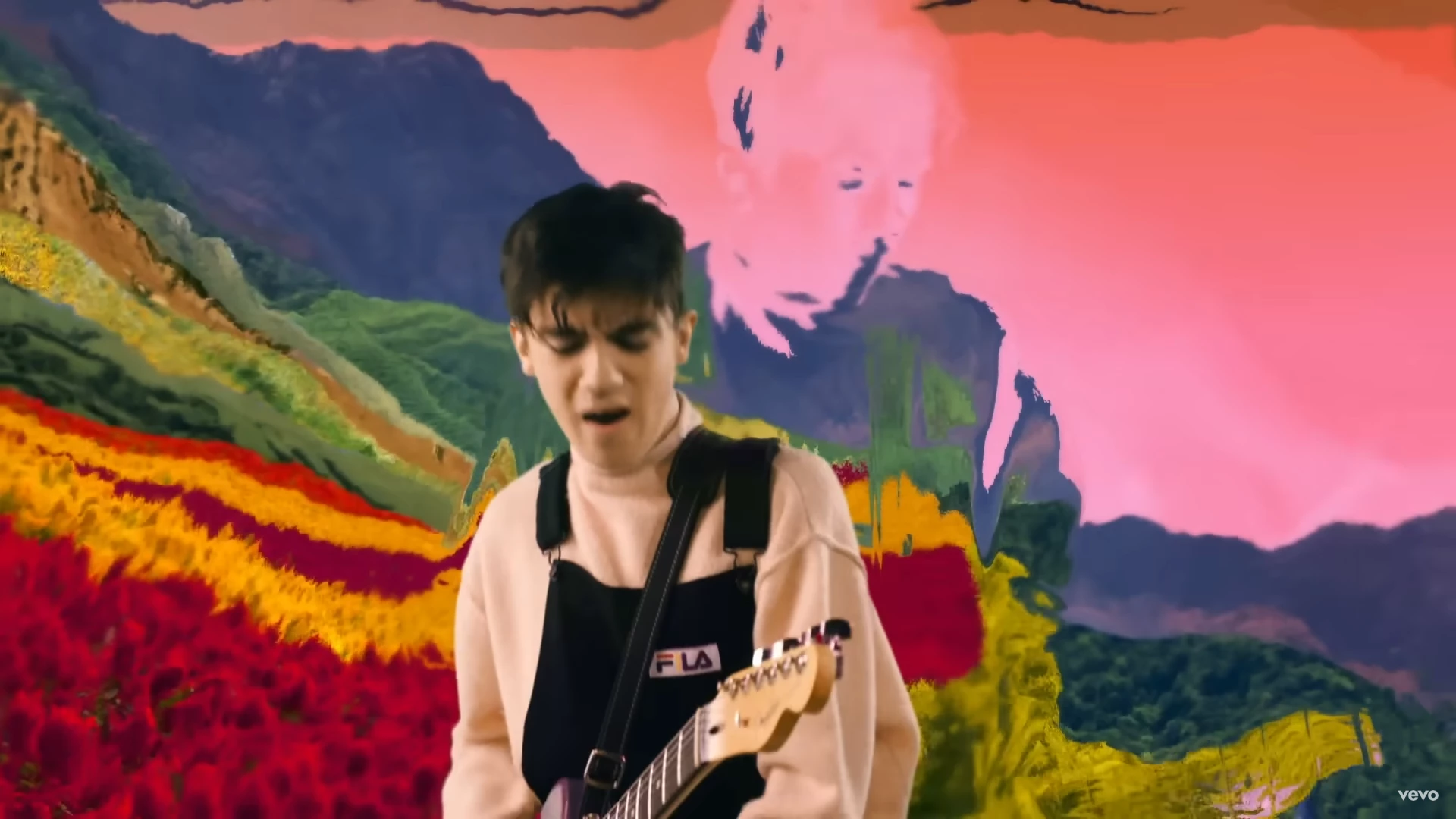
How would I create this transparent glassy effect in Premiere Pro (or AE if need be)
  • May 24, 2023
  • 2 replies
  • 733 views

How do I turn a video transparent but glassy so that it refracts the image behind it?

 

This topic has been closed for replies.
Correct answer ConsfusedUser
I figured out how to do it in After Effects. Above a background layer I put the layer I wanted to become glassy. Then I added an adjustment layer above that and applied a displacement map. I set the source layer to the layer 2 and set the modes to luminance, so that brightness would displace the underlying background. Finally, I hid layer 2 to just leave the transparency.

2 replies

ConsfusedUser
ConsfusedUserAuthorCorrect answer
Inspiring
May 24, 2023
I figured out how to do it in After Effects. Above a background layer I put the layer I wanted to become glassy. Then I added an adjustment layer above that and applied a displacement map. I set the source layer to the layer 2 and set the modes to luminance, so that brightness would displace the underlying background. Finally, I hid layer 2 to just leave the transparency.
Inspiring
May 24, 2023

You can do it in Premiere with a combination of Turbulent Displace and Blending Modes.

1 - Put the background on V1.

2 - Put the video you want to glassify on V2.

3 - Put the foreground on V3.

4 - Create your mask (or key) on the clip on V2.

5 - Add a Turbulent Displace effect, and play around with it until you get the desired effect.

6 - Adjust the Blending Mode under Opacity of the clip on V2. Multiply could work.

ConsfusedUser
Inspiring
May 24, 2023

Thanks for your suggestion Sami.


I tried this, but unfortunately, none of the blend modes do the trick. All of them maintain some vestige of colour from the original V2 clip. What I'm seeking is total transparency that displaces and bends the background behind it, perhaps based on certain values like brightness