Bo28167933h668
Participant
December 28, 2023
Answered

hugh contrast and exposure change after exporting (LUT not working)

  • December 28, 2023
  • 1 reply
  • 443 views

Hi All,


I have a problem exporting my Premier Pro to H.264 (or mov). The contrast and exposure explodes. 

I have Iphone filmed .mov files. 


This is the original color in my premier pro project: 
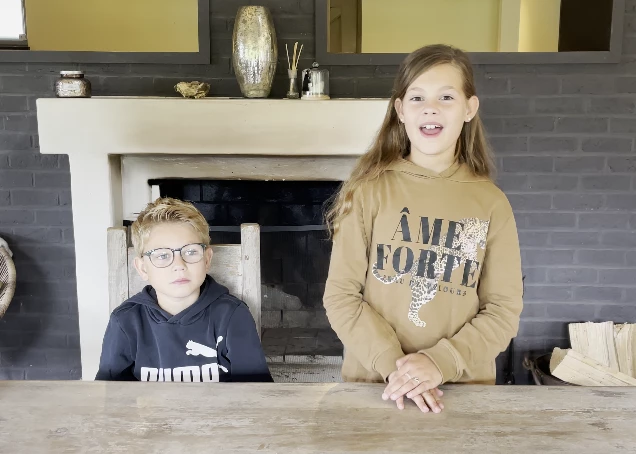
 

The color after exporting:

 

i found on the internet that i have to use a gamma correction lut. I tried that but it isn't working. I also tried to export to mov with quicktime settings, also not working. 


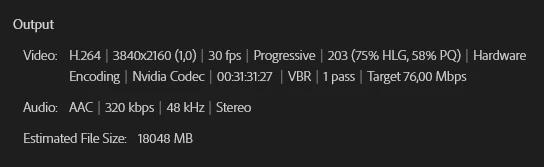
My export settings:
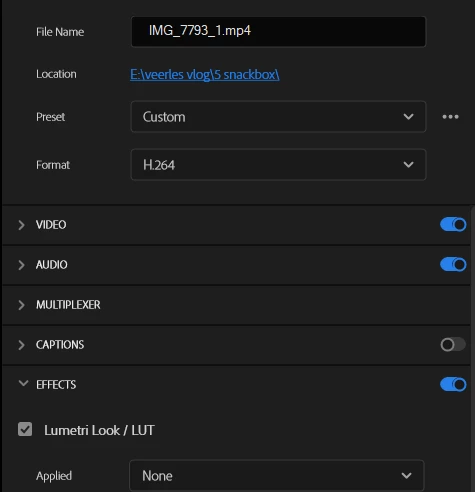


I use Media Encoder to make the export. 


Can someone tell me how to fix this and make good exports? 


This topic has been closed for replies.
Correct answer Ann Bens

It all has to do with color managment, no need for a lut.

Everything needs to be the same, clip, sequence and export.

Tone mapping in Premiere Pro

Color management in Premiere Pro


1 reply

Ann Bens
Community Expert
Ann BensCommunity ExpertCorrect answer
Community Expert
December 28, 2023

It all has to do with color managment, no need for a lut.

Everything needs to be the same, clip, sequence and export.

Tone mapping in Premiere Pro

Color management in Premiere Pro


Bo28167933h668
Participant
December 28, 2023

Thanks for your fast response.


The problem was solved with the tone mapping. I had to change the Working Color Space from Rec. 2100 HLG to Rec. 709. After that chantge the colors where exported normal.