Answered
I am new to Editing and have run in to an issue
I am told there should be a triangle at the top of the a1 audio to open effects and sends, however i am unable to see it. Answers much appreciated!

I am told there should be a triangle at the top of the a1 audio to open effects and sends, however i am unable to see it. Answers much appreciated!
What I'd suggst is to first change your workspace - from the Window menu at the top, choose Workspaces > Effects. Then click on your audio in the sequence.
You should see audio Effects Controls in the top left panel and an Effects panel in the top right (as in the image below).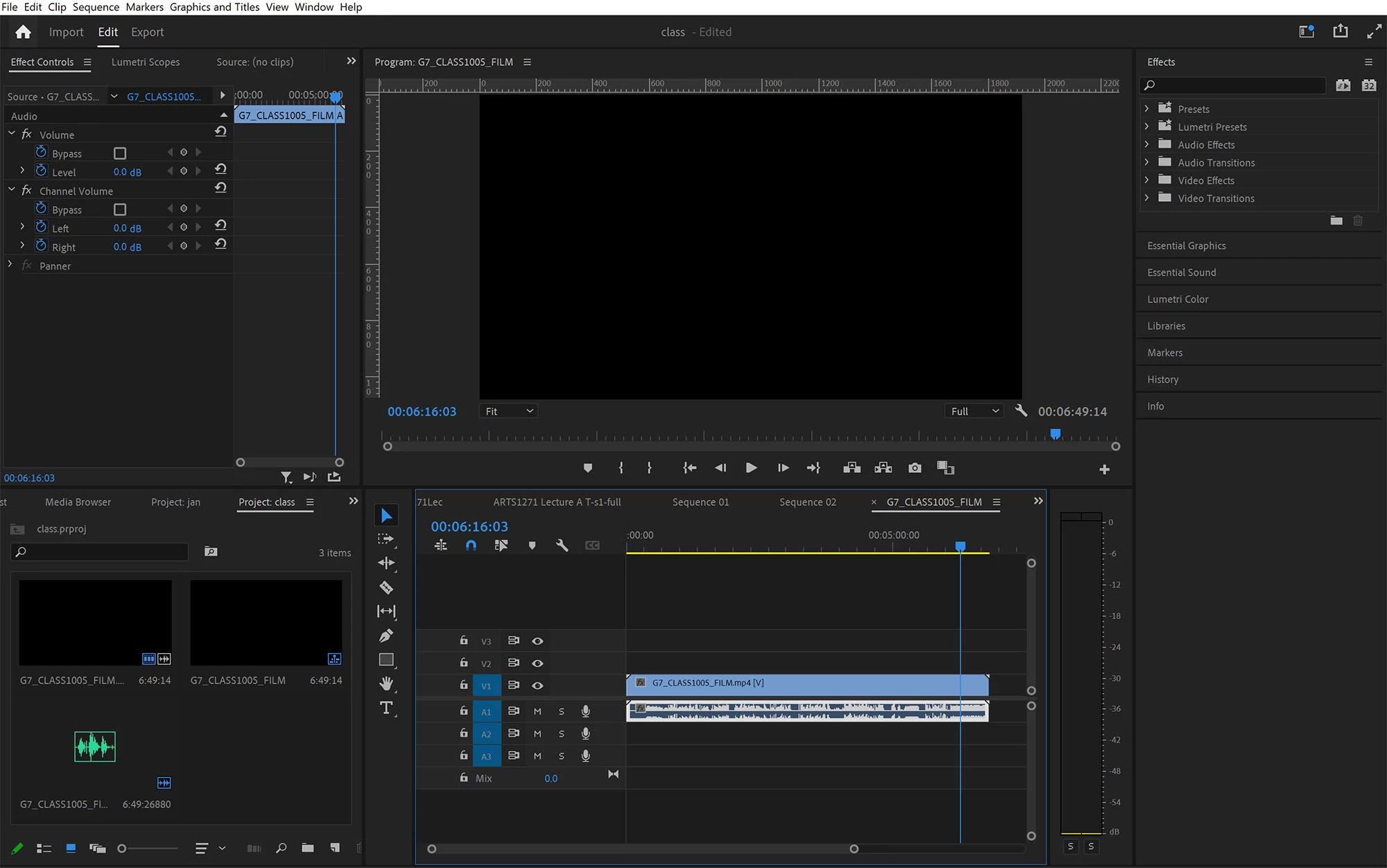
More info on workspaces can be found at:
https://helpx.adobe.com/premiere-pro/using/workspaces.html
Already have an account? Login
Enter your E-mail address. We'll send you an e-mail with instructions to reset your password.
 AdChoices