Participating Frequently
October 30, 2020
Answered

I don't want the bounce back

  • October 30, 2020
  • 7 replies
  • 2638 views

Hello there,


I have a problem with easy animations (beginner problems - I think...).

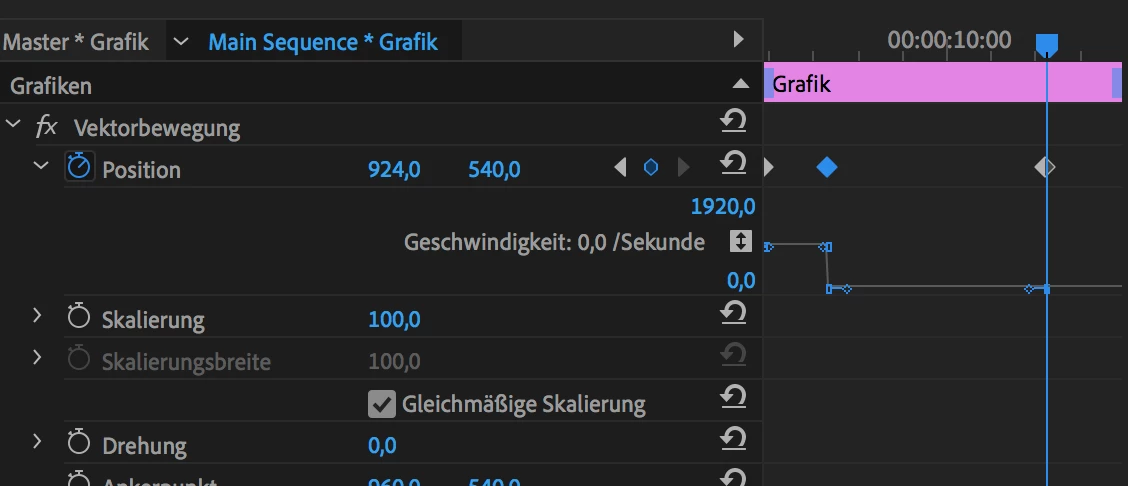
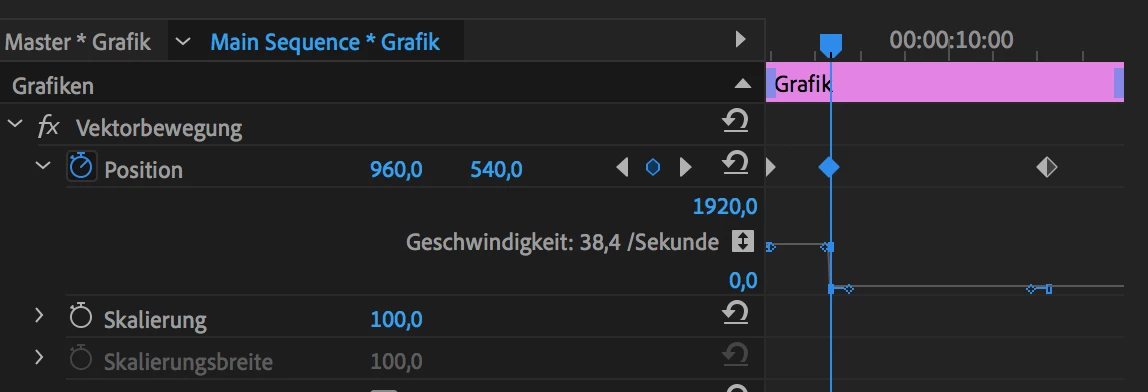
I will animate a simple graphic from A to B to C. I click (in the settings) on "Vektor animation" (I don't know how it really calls in English) and then on "position". I ceate tree keyframes:

1. Moving from A to B -> the animation is correct -> a simple moving from A to B

2. Moving from B to C -> the animation is not like I want -> I move over the point C and then a litte back to C (like a bounce back).


I don't want the bounce back. I only want the normal movement from B to C.


I hope someone can help me 🙂 
    This topic has been closed for replies.
    Correct answer Sami Succar

    Right click on the keyframes, and make sure Spatial and Temporal interpolation is set to linear.

    7 replies

    Participating Frequently
    November 2, 2020

    Got it! Thanks!

    The D Keyframe hasn't the "linear" at the "Temporal interpolation"...

    I thought I checked all... I was so fixed on B to C that I didn't check the D Keyframe... I never thought, that D has something to do between B->C. That's a bit confusing, but now it works 🙂 Thank you for reminder me 🙂


    Sami SuccarCorrect answer
    Inspiring
    November 2, 2020

    Right click on the keyframes, and make sure Spatial and Temporal interpolation is set to linear.

    Joëlle Bh
    Community Expert
    Community Expert
    October 30, 2020

    Then you simply need to remove the keyframe between the B and the C so it will not bounce back cause in the boomerang effect after the B point they put a keyframe where it bounces back so dont 'put this keyframe  and you should select the keyframes right click on the keyframes and change the type from linear to bezier if you want a  curvy motion

    Participating Frequently
    November 2, 2020

    Thank you for your answers, but a delete don't bring me to the wanted solution 😞 


    I added a video from the problem, I hope that helps 🙂

    https://www.dropbox.com/s/rg9z22qm53vv946/BounceBackProb.mp4?dl=0 


    All Keyframes have the same "Linear" settings.

    A->B = works

    B->C = Bounce back problem

    C->D = works

    Averdahl
    Community Expert
    Community Expert
    October 30, 2020

    I don't want the bounce back. I only want the normal movement from B to C.


    Maybe this is what you are looking for to avoid it. It´s for After Effects but valid for PremierePro as well: Keyframe Boomerang Effect, Part 1

    Community Expert
    October 30, 2020

    Right click on the keyframe and make sure the temporal and spatial interpolation is set to linear

    Participating Frequently
    November 2, 2020

    I had to check all keyframes... I only check A, B & C, not D... D wasn't set to linear 😕😕

    Now it works 🙂 thank you for your help!

    Joëlle Bh
    Community Expert
    Community Expert
    October 30, 2020

    Hello,

    I think there's a hidden keyframe that you can't see!

    delete the B keyframe and everything near to this keyframe and repeat the B to C keyframes

    PS: you can find if there's a hidden keyframes if you enlarge the timeline in the keyframes area in the effect controls(vektor animation) press Plus (+) or Minus (-) for zoom in and out

    October 30, 2020

    Hi

    Can you tell us which application you are using so we can move the thread to the correct forum

    Participating Frequently
    October 30, 2020

    Sorry, Premiere Pro 🙂

    October 30, 2020

    OK I'll move the thread to the Premiere Pro forum