
JGG4049
Participant
July 19, 2018
Answered

I drag a video and doesn't start

  • July 19, 2018
  • 2 replies
  • 355 views

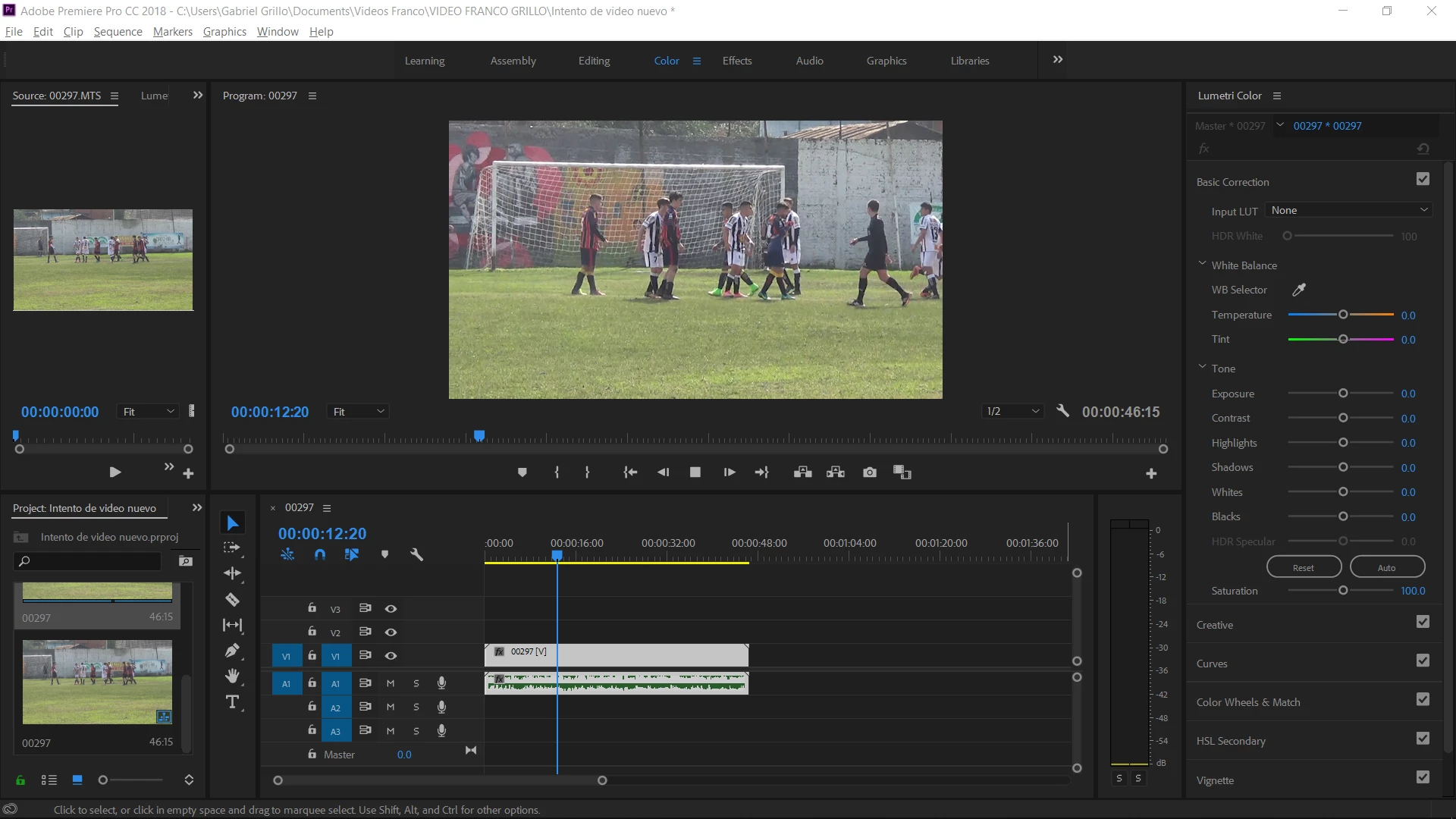
Hi everybody, my problem is that every video that i drag into the timeline does not start when i play it in the 'program' panel.

I thought that maybe was the version, so i updated it, but still, nothing changes.

Below is a print of it. The video upload apparently right, but when you want to play it, it doesn't run, so it's impossible to edit.

Thank you all for your answers!!
This topic has been closed for replies.
Correct answer Sumeet Kumar Choubey

Hi jgg4049,

The issue you have reported mostly occurs due to audio hardware configuration.

You may try these steps. Open Pr, then go to edit> preferences > audio hardware.

Set device class as MME and set the default input and output to the system default audio device

The options for default input/output may look something like Speakers ( 2- High Definition Audio Device )

If doing this still doesn’t resolve the issue, please provide us a screenshot of the audio hardware configuration window in Pr preferences and also a screenshot for the windows sound panel ( this can be opened by clicking on the settings button on the audio configuration window in Pr preferences )

Thanks,

Sumeet Kumar Choubey

2 replies

Sumeet Kumar ChoubeyCommunity ManagerCorrect answer
Community Manager
July 19, 2018

Hi jgg4049,

The issue you have reported mostly occurs due to audio hardware configuration.

You may try these steps. Open Pr, then go to edit> preferences > audio hardware.

Set device class as MME and set the default input and output to the system default audio device

The options for default input/output may look something like Speakers ( 2- High Definition Audio Device )

If doing this still doesn’t resolve the issue, please provide us a screenshot of the audio hardware configuration window in Pr preferences and also a screenshot for the windows sound panel ( this can be opened by clicking on the settings button on the audio configuration window in Pr preferences )

Thanks,

Sumeet Kumar Choubey

Jeff Bugbee
Community Expert
Community Expert
July 19, 2018

Can you try switching to the Editing worksplace? Sometimes I notice having the Lumetri color panel up can bug out playback.