
Participating Frequently
August 10, 2022
Question

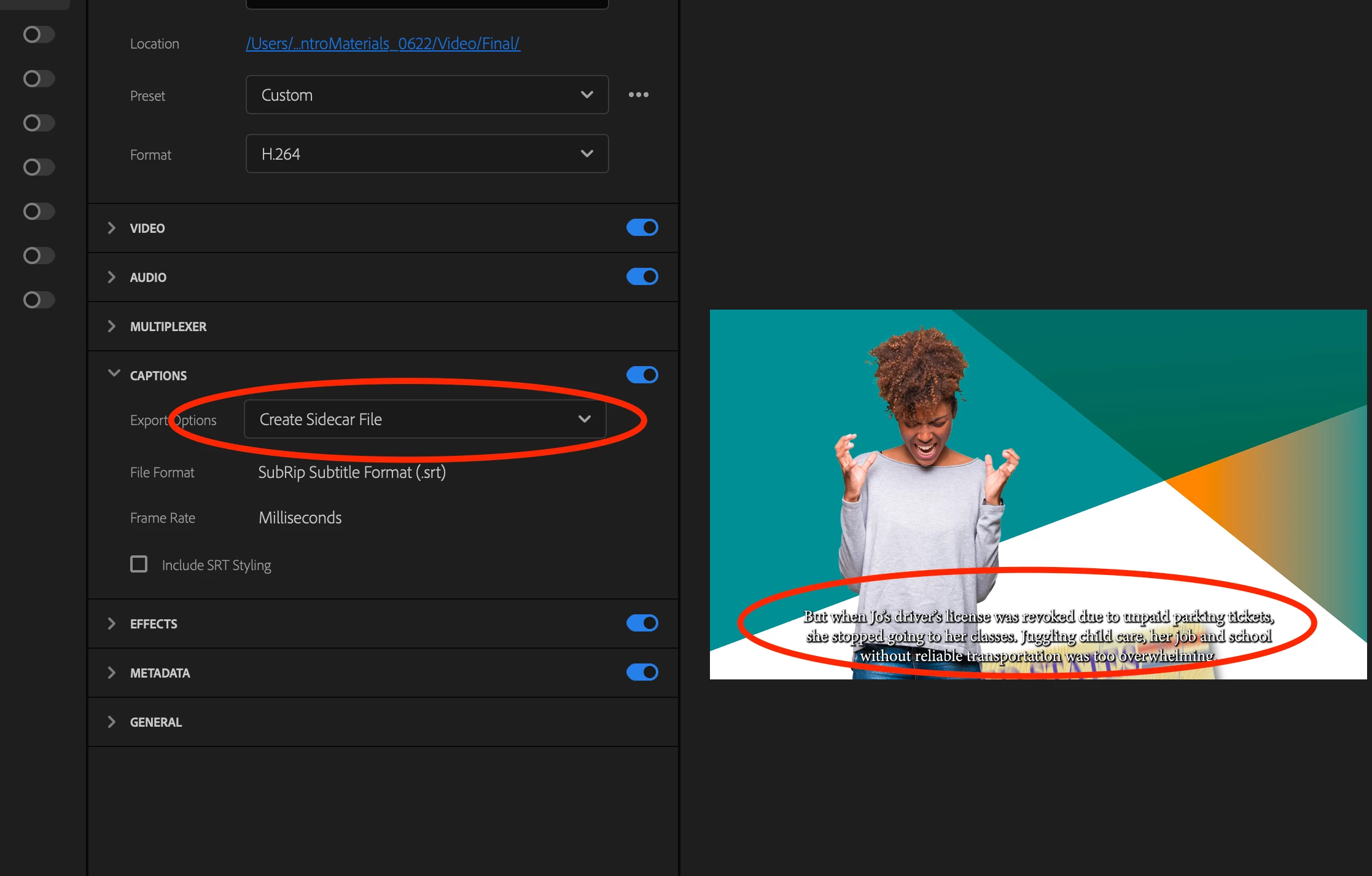
I'm unable to hide captions when selecting "Create sidecar file"

  • August 10, 2022
  • 2 replies
  • 613 views

Unlike in this video:

https://youtu.be/efeteVKqPUo?t=50

When I select "create sidecar file", my captions do not "go away" they are burned into the video anyway.

I'm using Premiere 2022 v22.5.0 (build 62) - I created my captions manually with the Text>captions feature.
This topic has been closed for replies.

2 replies

Participating Frequently
September 28, 2022

Any further help on this? Again, I choose not to burn in captions, but they burn in anyway. I viewed the file in both a browser, and in Finder. So not just in Quicktime (which in fact does not have subtitles as a selectable option - see attached)

To work around this I have to export the video 2 times - one with the subtitle track visible (so SRT file is an option) and one with the subtitles hidden. Please advise.

Stan Jones
Community Expert
Community Expert
September 28, 2022

I just tested in PR 22.6.2, and still cannot replicate.


I tested this time (with a new Sequence each time) and exporting once or not made no difference.


I assume there is no bug being investigated currently, due to the belief that it was fixed in 22.4, and the possibility that reports of problems were due to the false positive I reported and corrected. So I think it would be helpful for you to do a simple test for you to check. I think the best one does not actually require exporting:


Create a simple sequence with a single video. Make it short (mine is only 17 seconds). Transcribe and create captions or simply create one caption. Go to the export window. I tried with mp4 and quicktime/prores. In captions, set it to burn in. Set the Export Preview playhead so you see a caption. Now change the Caption option to "none." The caption still showing demonstrates the bug. (When I switch, the caption no longer shows.)


To clarify my earlier question about Quicktime player, I was wondering if you could mistakenly think you have captions burned in when the player was "seeing" them in a sidecar it automatically attached. I still think is possible (and is the mistake I made with VLC). But your screenshot shows that Quicktime did not "see" any subtitles to attach - and therefore there presence meant they were burned in.


Is anyone else seeing this in 22.4 or later?


Stan


Stan Jones
Community Expert
Community Expert
August 10, 2022

Daniel,


How are you testing that the captions are burned in? This was a problem in an earlier version, fixed by PR 22.4. See this thread:

https://community.adobe.com/t5/premiere-pro-discussions/captions-burning-into-video-even-when-not-selected-to/m-p/13112306#M424268


I incorrectly thought I had reproduced the problem in 22.5, but it was because VLC player was set to automatically read the sidecar file.


Stan


Participating Frequently
August 10, 2022

I was testing with Quicktime player (also, the captions are visible in the preview window, which by my understanding, they should not be)

Stan Jones
Community Expert
Community Expert
August 10, 2022

Does Quicktime Player have an option to show captions form a sidecar file?


Yes, correct, in the Export settings window, if you you set Captions to be "None" or "Sidecar," the captions should not show in the Export Preview window. This is working correctly for me in 22.5 on Win 10.


I think the problem reported previously (and noted as "fixed" in 22.4) was only when picking "sidecar" on export. So a test/workaround is to pick "None" for captions - does that show captions in Preview and burn in?


Also, I got the impression that the problem occured only after exporting the sequence previously.


Stan