Participating Frequently
July 28, 2025
Question

HDR export too bright

  • July 28, 2025
  • 2 replies
  • 1207 views

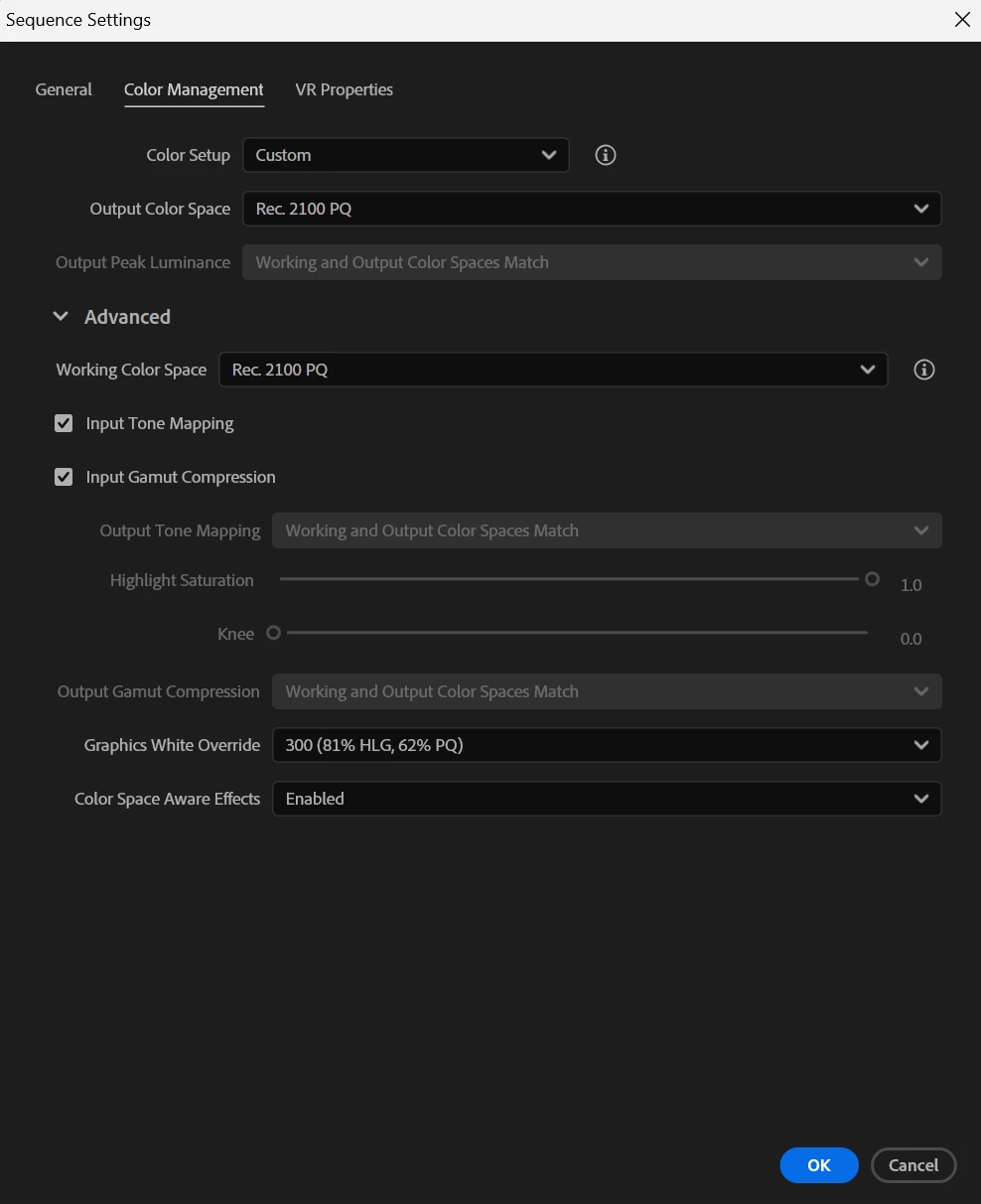
i am trying to export a gaming video on 1440p with HDR for youtube

the problem is that the video either become too BRIGHT or in SDR

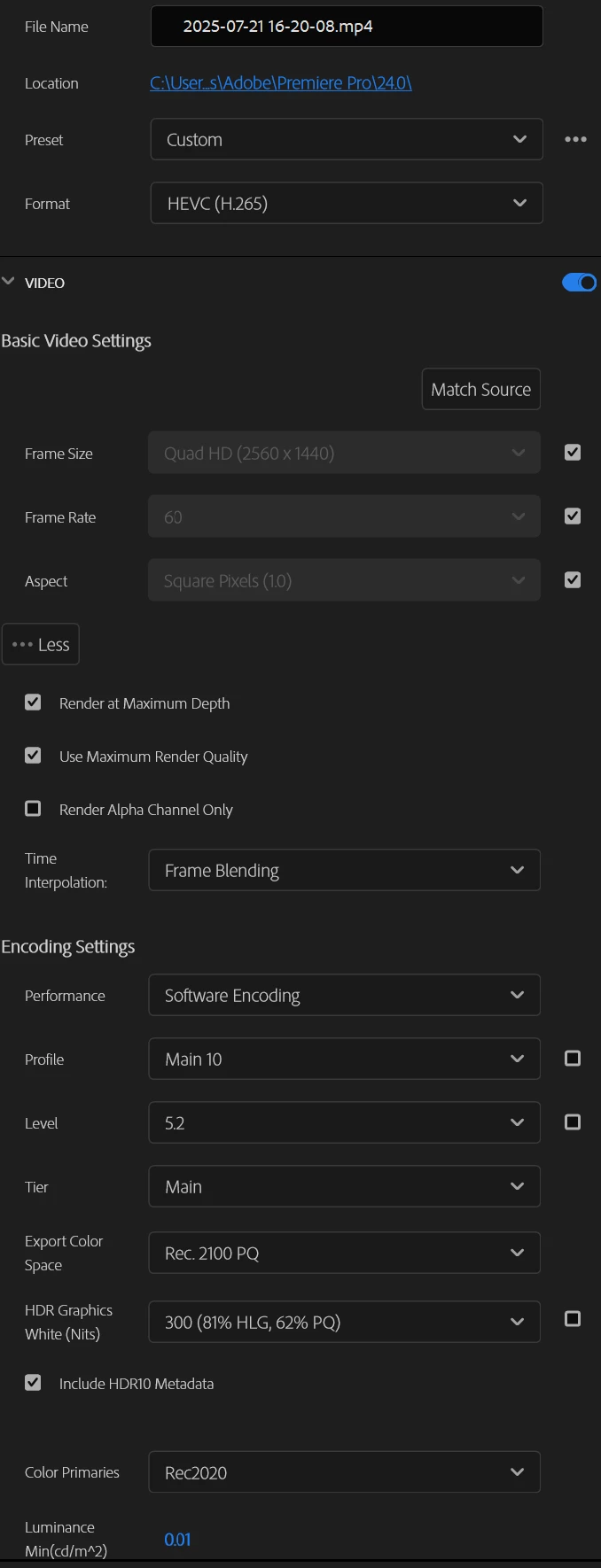
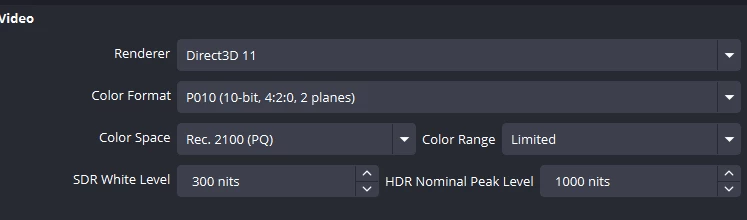
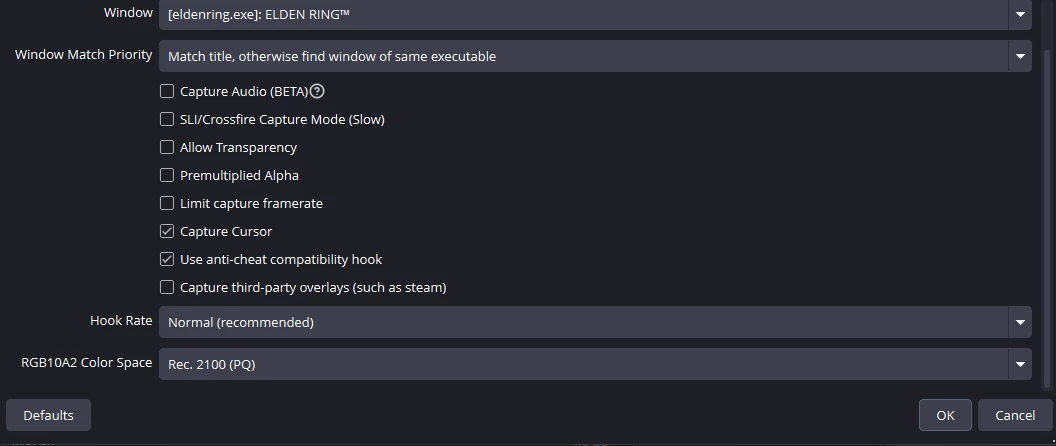
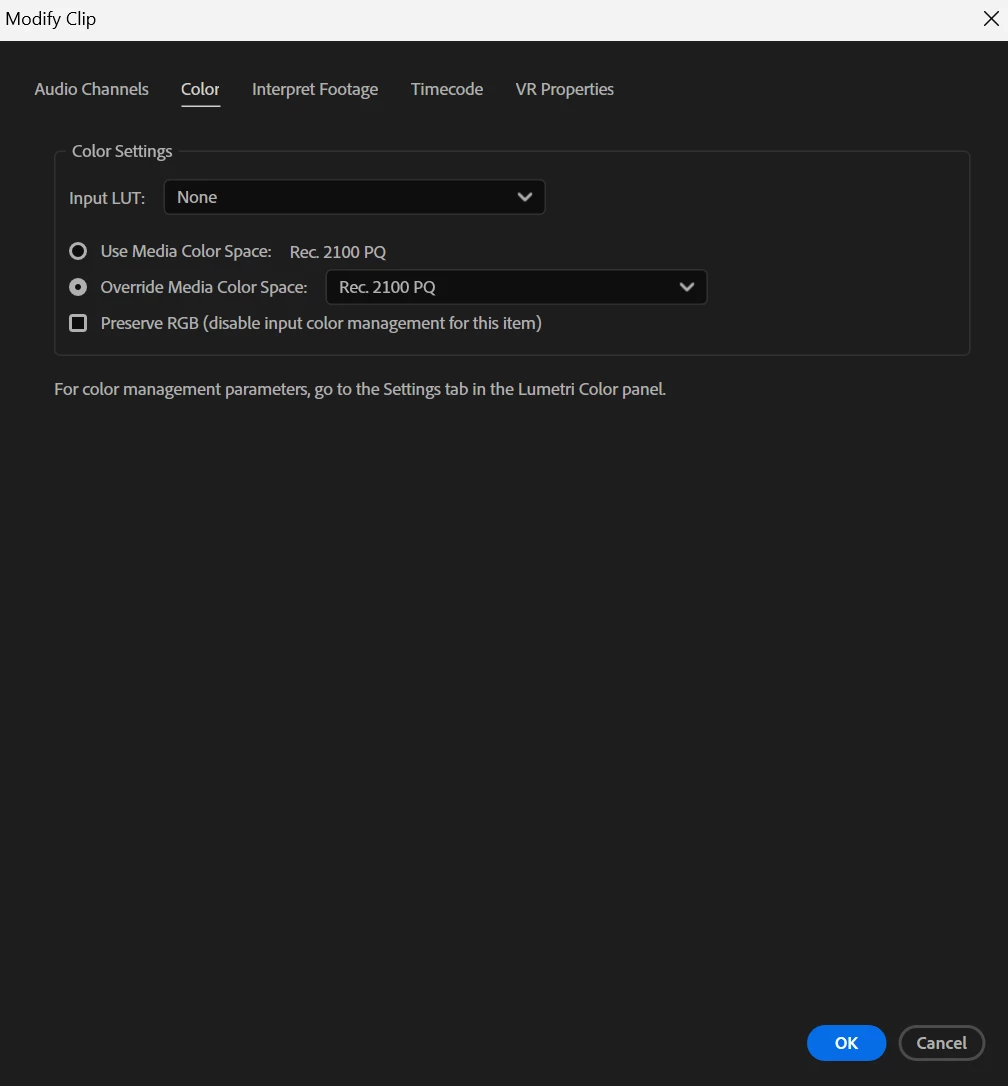
in the screenshots you'll find all the settings i use in obs and premiere pro 

i tried all the sulotions on the website. yet, i can't figure the problem


Screenshots :
 

2 replies

R Neil Haugen
Legend
July 29, 2025

First of course, all color management controls should be used from the Lumetri panel's Settings tab ... the tab named Settings. With everything from project to input to monitor to working space to sequence there, that's the main place for all CM stuff.


Next, after getting all the correct CM settings, and working on a sequence, you need to export using the sequence presets designed for the color space of the sequence.


So for an HLG HDR workflow, you need display color management, extended dynamic range (if on a Mac), auto detect log, and auto tonemapping on ... set the sequence CM to HLG, and make sure your OS and monitor are both set to their HDR settings.


Then you use an export preset with HLG in the preset name.


I would recommend leaving the 'graphics white' option at the native 203 nits setting, as that is the typical pro colorist's setting area for graphics white.


Everyone's mileage always varies ...
bandar367Author
Participating Frequently
July 29, 2025

The original video colors are perfect the problem is that after exporting the video  premiere ruins the colors


So i should never use PQ2100 ?

Because i imported the video with it, should i override it with HLG ?

Kevin-Monahan
Community Manager
Community Manager
July 28, 2025

Hey Bandar,

Thanks for the notes. I was looking at your screenshots and did not see anything unusual. Can you show us any screenshots of the actual issue in the Program Monitor? You say it is a screen capture in OBS, right? Let us know more. I hope the community can help. Sorry for the frustration.


Thanks,
Kevin


Kevin Monahan - Sr. Community and Engagement Strategist – Adobe Pro Video and Audio
bandar367Author
Participating Frequently
July 29, 2025

The original video colors are perfect.

But after exporting the video it becomes too bright and when i try to export it on rec709 it becomes washed out 

R Neil Haugen
Legend
July 29, 2025

From previous communications, you have media which is in the HLG color space, and wanted to know how to deliver HDR video to YouTube. With the arrival of HDR media, video production got more complicated. Which can be very confusing, especially at first. But it still is, for most workflows, very easy to get set. As I've suggested, and their documentation on this discusses.


I've not heard if you have results from following the suggestions given you. Which should fix your issues if you want, as you originally asked, to deliver HLG HDR to YouTube.


As to working in SDR/Rec.709, that includes other complications at times.


If you are on a Mac and having issues with Rec.709 and QuickTime player, view the same clip in VLC and Potplayer. Seriously, please do! It will illustrate the problem quite clearly.


Because the Rec.709 playback issues on Mac computers is caused because Apple uses an incorrect display transform for Rec.709 video playback in their ColorSync utillity. Essentially gamma 1.96, rather than the correct by-the-standards requirement of gamma 2.4.


But VLC and PotPlayer do not allow ColorSync to set display for video playback, and they use the correct display transform of essentially gamma 2.4.


Apple's weird choice there has simply caused a mess that my many colorist buds, most of them Apple geeks by the way, are still furious about all these years later.

Everyone's mileage always varies ...