
Inspiring
November 27, 2019
Answered

Image size changes in program window when I play video clip

  • November 27, 2019
  • 3 replies
  • 3142 views

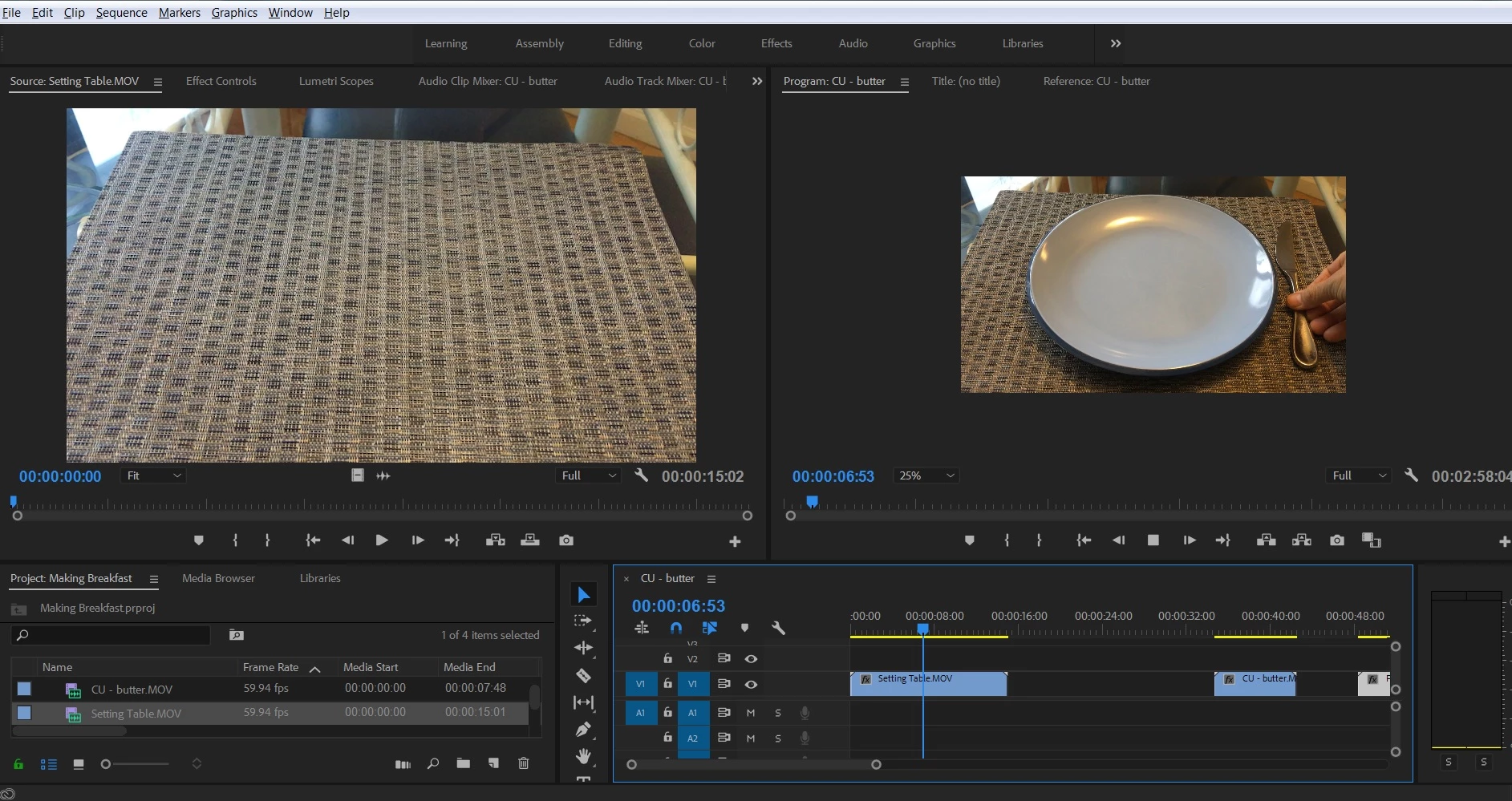
I have a clip on my timeline. When I hit play, the image size changes in the Program Window to 25%, but as soon as I hit stop, the image resumes it's "fit" frame size. How do I keep image in "fit" siZe the entire time?
This topic has been closed for replies.
Correct answer JonnyD14

I don't remember exactly what I did, but it turns out that the Program Window was set to 25% on one of the workspaces I was in. I don't know how I did that. But when I sized it back to "Fit" everything worked fine.

3 replies

JonnyD14AuthorCorrect answer
Inspiring
November 29, 2019

I don't remember exactly what I did, but it turns out that the Program Window was set to 25% on one of the workspaces I was in. I don't know how I did that. But when I sized it back to "Fit" everything worked fine.

Legend
November 27, 2019

what format is the clip and the sequence (codec, pixel dimensions, frame rate)?  Does this happen all the time or just with specific clips?

November 27, 2019

That's weird. What happens when you export the project? Are you using CUDA or Metal acceleration?