A_Andreev1
Participant
March 17, 2020
Question

Photoshop Lasso Tool selection issue

  • March 17, 2020
  • 1 reply
  • 407 views

good) when using a lasso, such a tail appears. when using brushes the same thing. what to do? (((
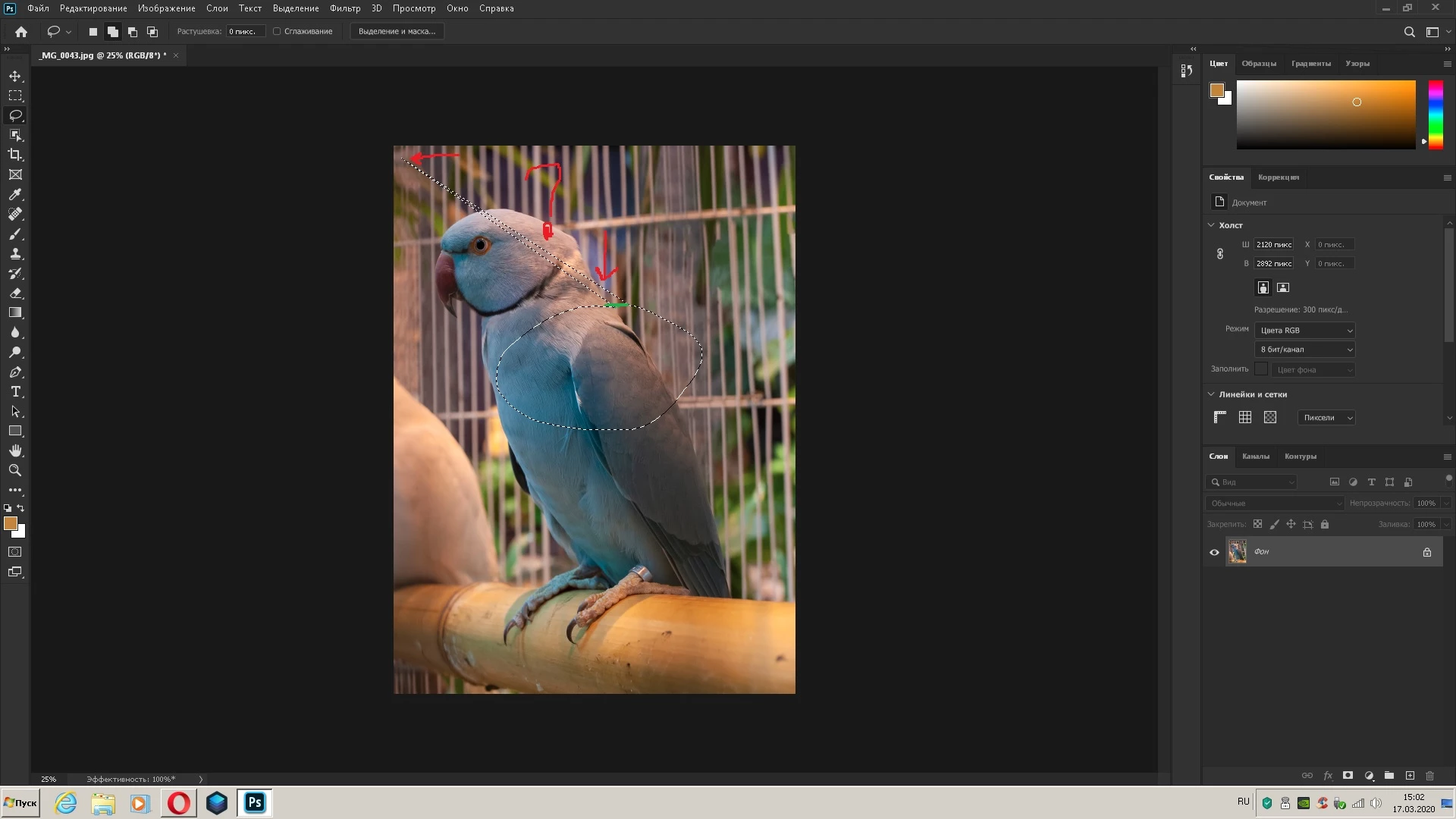

{Thread renamed by moderator}

This topic has been closed for replies.

1 reply

Sahil.Chawla
Adobe Employee
Adobe Employee
March 17, 2020

Hi there,

That does not sound good, are you using a tablet with Photoshop? Also, what version of Photoshop and the operating system are you working on?

This seems like a known issue, would you mind checking this conversation and let us know if you're facing the same issue?
https://feedback.photoshop.com/photoshop_family/topics/ps-21-1-every-drawing-action-snaps-to-upper-left-hand-screen-corner You may try the workaround suggested by Jeff Tranberry and see if it helps.

Regards,
Sahil


A_Andreev1
Participant
March 18, 2020
yes I had the same
 
Версия Adobe Photoshop: 21.1.0 20200212.r.106 2020/02/12: 4dd027efb58 x64
Количество запусков: 6
Операционная система: Windows 7 64-бит
Версия: 7 SP1 6.1.7601.23915


put this. everything works. stationary computer
 
 
Версия Adobe Photoshop: 20.0.8 20191122.r.92 2019/11/22: 1208122  x64
Количество запусков: 14
Операционная система: Windows 7 64-бит
Версия: 7 SP1 6.1.7601.23915
Архитектура системы: cемейство проце
 
 
-----------------------------------
С уважением,Алексей Андреев