
Participant
January 19, 2024
Answered

Import and Export Tabs not available Premiere Pro

  • January 19, 2024
  • 1 reply
  • 969 views

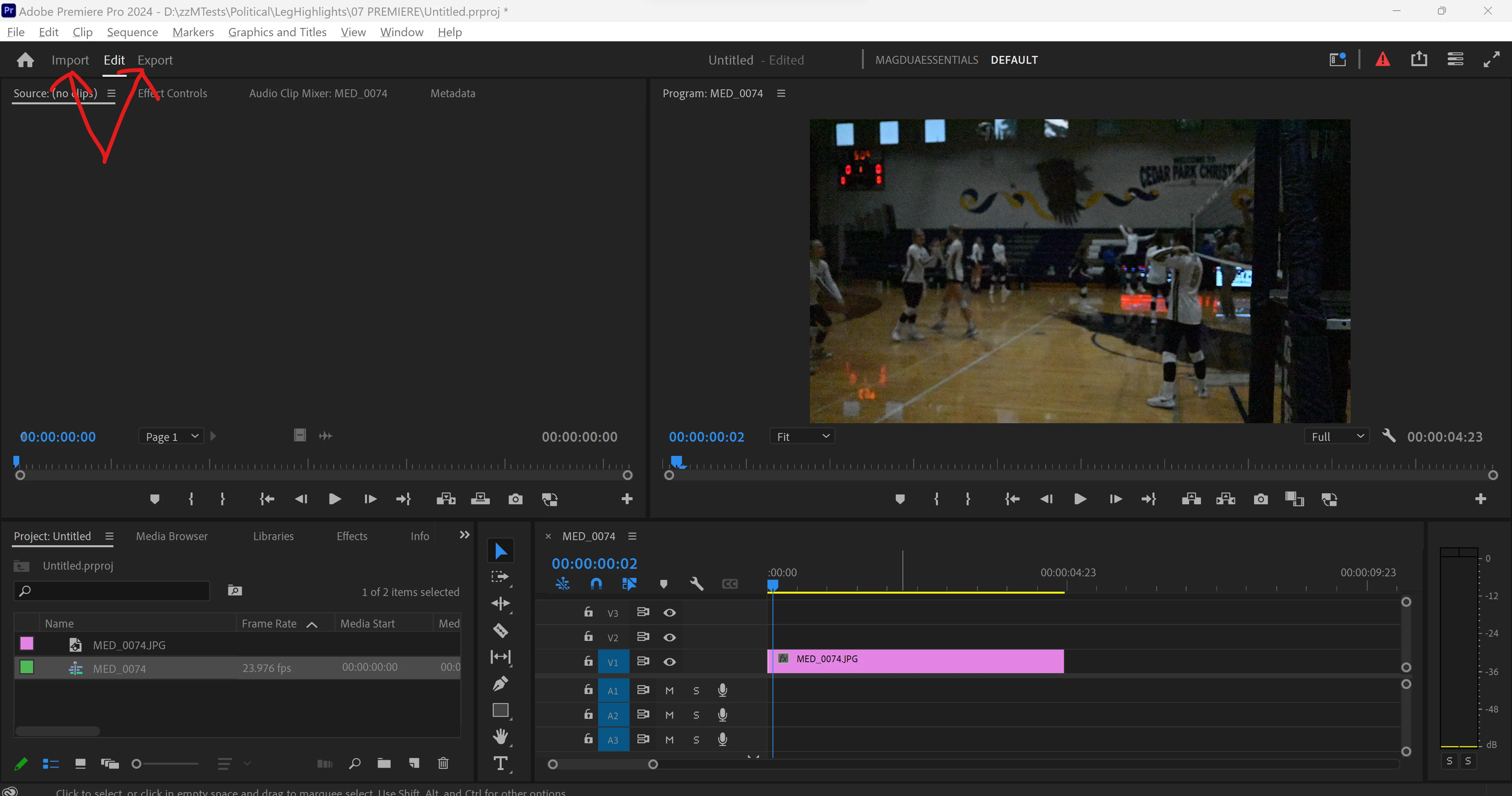
When I am in a project and want to import assets, I cannot click on the Import tab at the top of the screen (under the File menu). I can see the word "Import," but nothing happens when I click on it. I can right-click in the project panel and import and I can click on File>Import, but I want to scrub through clips in the Import Media browser like we can when we first create a new project.

The Export button is also unavailable, even when I have the Timeline selected. Again, I can go to File>Export>Media and it's all available, but the Import and Export tabs at the top of the screen do nothing.
 

Correct answer Peru Bob

Try resetting the preferences:
https://community.adobe.com/t5/premiere-pro/faq-how-to-reset-trash-preferences-in-premiere-pro/td-p/8236158?page=1

If that doesn't work, try resetting the Workspaces:
Reset a workspace
Reset the current workspace to return to its original, saved layout of panels.
1. Do one of the following:
• Click the Workspace menu icon and select Reset to Saved Layout.
• Choose Window > Workspace > Reset to Saved Layout.
from here:
https://helpx.adobe.com/premiere-pro/using/workspaces.html


If that doesn't work, try creating a new project and import the old one into it.

1 reply

Peru Bob
Community Expert
Peru BobCommunity ExpertCorrect answer
Community Expert
January 19, 2024

Try resetting the preferences:
https://community.adobe.com/t5/premiere-pro/faq-how-to-reset-trash-preferences-in-premiere-pro/td-p/8236158?page=1

If that doesn't work, try resetting the Workspaces:
Reset a workspace
Reset the current workspace to return to its original, saved layout of panels.
1. Do one of the following:
• Click the Workspace menu icon and select Reset to Saved Layout.
• Choose Window > Workspace > Reset to Saved Layout.
from here:
https://helpx.adobe.com/premiere-pro/using/workspaces.html


If that doesn't work, try creating a new project and import the old one into it.

Participant
January 19, 2024

Resetting the preferences worked! I looked in Preferences before and couldn't find something that related to the issue. I didn't think of an overall reset. Thank you so much!

Peru Bob
Community Expert
Community Expert
January 19, 2024

You're welcome.