
Participant
August 20, 2024
Question

Import Corrected Transcript does not work

  • August 20, 2024
  • 12 replies
  • 2165 views

I'm currently working on a long form (2 hours) multicam edit that will rely on transcription to create subtitles for the final product. I've completed the multicam, and exported the transcript to be checked by external reviewers. The original language is in Japanese.

I've recieved the corrected transcript, which I checked for formatting errors and found none.
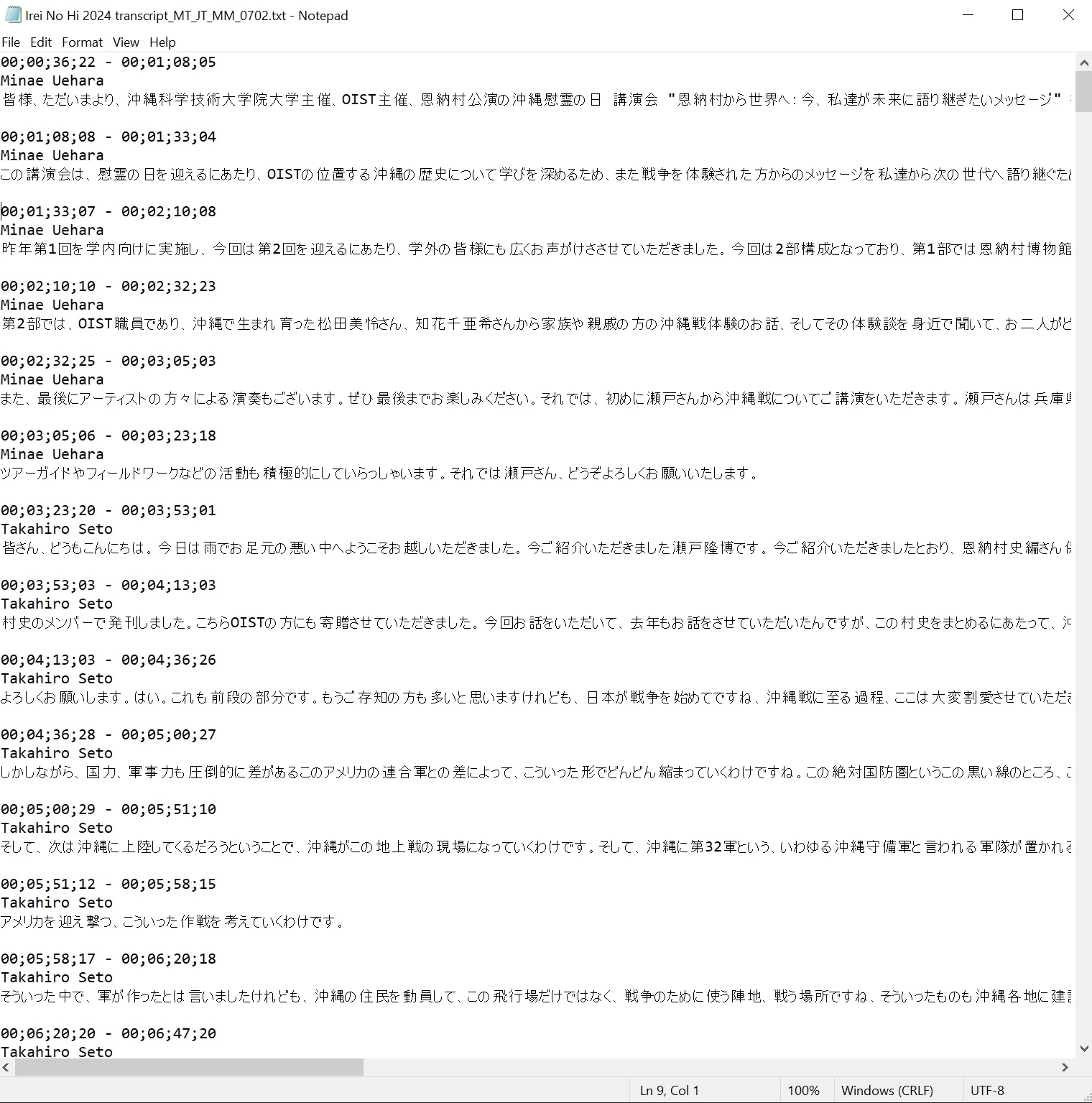
However, re-importing the new transcript results in an unusable edit. While the first few lines are correctly imported, after the sixth line, the entire rest of the transcript is dumped into one segment, rendering it useless.


This had brought
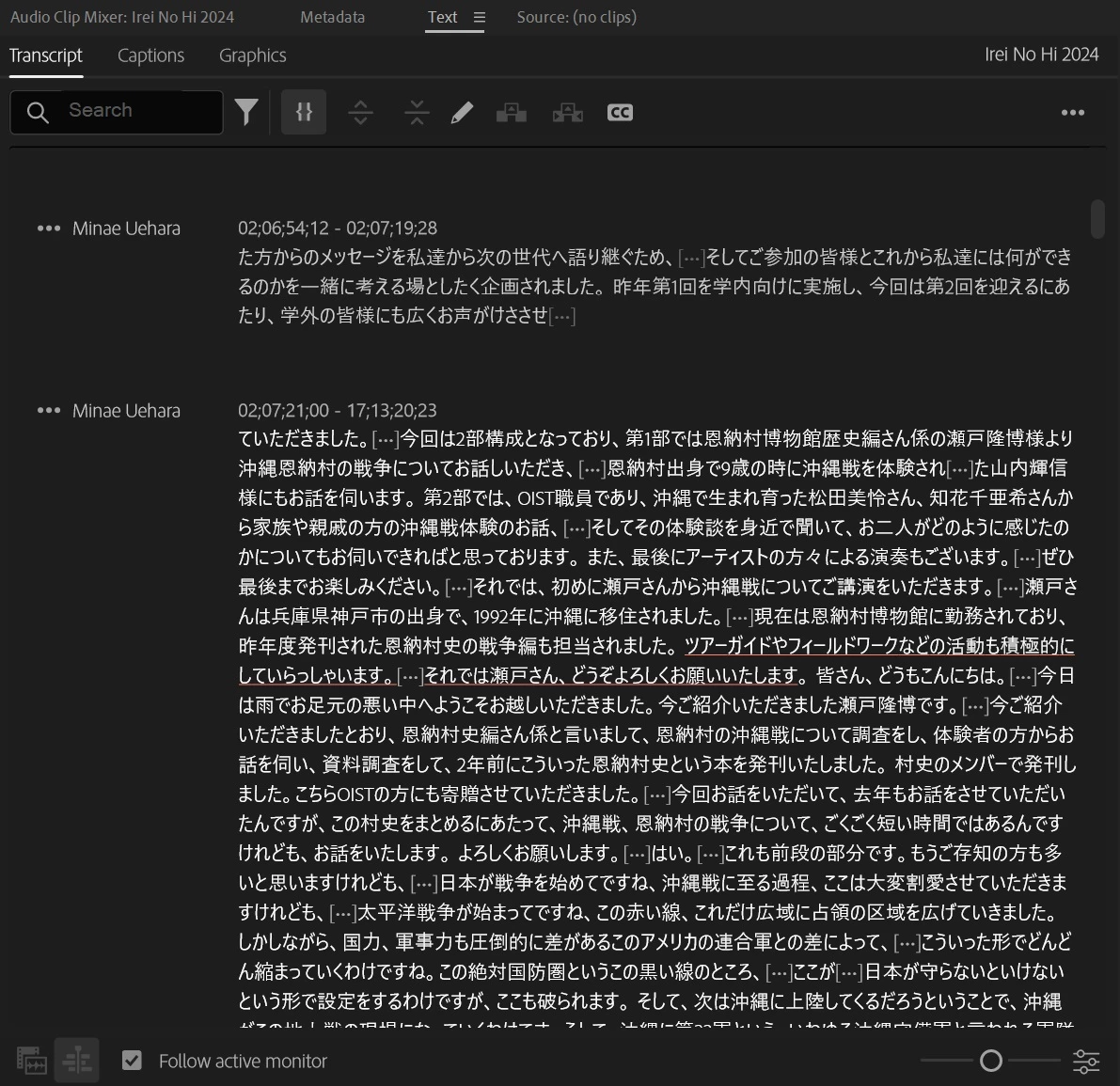
the project to screeching halt, and I'm looking at the possibility of having to manually cut and paste hundreds of line of dialogue if there's no fix for this.


I've attached the corrected transcript in case there's something I missed. All help appreciated.

This topic has been closed for replies.

12 replies

Participant
December 21, 2024

This happens when you transcribe in a language that has characters that don't match what you are pasting in the text document.  The new version (currently in beta) 25.2 has a translate feature built in so I recommend using that.

Participant
October 22, 2024

Hi, everyone, excuse me for chiming in late, but I experienced a similar issue (the only difference is it's a translated Japanese to English imported transcript).


I've been trying to solve this issue for a while. I have a foreign language I need to transcribe and translate. This is how my workflow looks like so far:


1. Transcribe the video with the original language. 

2. Export the transcript as text file

3. Translate the transcript using Google Doc into English

4. Download the translated Google doc as text file

5. Import the text file back to premiere with import corrected transcript

6. The Problem....


For some reason, the imported transcript has a weird timecode structure that's different from the original transcript. While the original transcript matched the timecode when the speakers speak, the translated one appeared as large chunks of paragraphs in one of the timecode sections. Meanwhile, the rest of the timecodes are filled with the original language transcript. Any suggestions?

Kerstin Ebert
Adobe Employee
Adobe Employee
August 27, 2024

Hi @Andrew27641742yo7k & @Stan Jones,


thanks for looking into this and sharing so many details. It's very odd what @Andrew27641742yo7k is seeing while the corrected transcript imports correctly for Stan.


@Andrew27641742yo7k did you make any changes to the timeline after you exported the transcript as text file? And did you import it for the exact same sequence for which you did the txt export? What kind of text changes did you make, was it just correcting certain characters, or did you also change the punctuation, line breaks, etc.?


Thanks,

Kerstin

Stan Jones
Community Expert
Community Expert
August 25, 2024

@Andrew27641742yo7k was able to import the .prtranscript I sent him with the corrections. That is really "as expected"; what I do not understand is why the corrected .txt imported correctly for me.


Stan


Stan Jones
Community Expert
Community Expert
August 22, 2024

Truly odd.


Sorry; I forgot to mention that I had just updated to the new Release 24.6.0 before running the test. While I would not expect that to make a difference, who knows.


I assume you have made no changes to the sequence timecode. Is the screenshot of the very first one imported? If not, what is the very first timecode?


I think we are importing from the same step: I am in the multicam target sequence, with a static transcript, in sequence view.


@Kerstin Ebert @Alexander_DVA Any thoughts?


Stan


Stan Jones
Community Expert
Community Expert
August 22, 2024

What a great idea! Let us know the result.


Stan


Participant
August 22, 2024

One other thing - if the corrected text imported OK on your end, can you send me a .prtranscript of it?

Participant
August 22, 2024

Hi, thanks for the update. I tried replicating you steps, but I got a slightly different version of the initial reult.


I aslso noticed tha the timecodes on the imported correxted transcript baear no relations to the timecodes on the original prtranscript, or the corrected .txt transcript.

Regarding workflow, I did indeed create an intitial static transcript, which I exported as a .txt for correction.


Also worth noting that scrolling through the text on the imported corrected .txt transcript causes Premiere to slow to a crawl, taking nearly a minute before the text will move once the big textdump section is on screen.

Stan Jones
Community Expert
Community Expert
August 22, 2024

@Andrew27641742yo7k,


Thanks for sharing the files.


I first tested in a non-multicam sequence.


I created a sequence from a random file (only 3 minutes long). In sequence view, Text Panel/Transcript tab, 3 dots, Import -> Import Static Transcript. (This only allows the proprietary/exported transcript .prtranscript file. This gives me your original timecodes etc.) I exported a .txt transcript (as you had done). It is (with a few minor changes) identical to yours. One test I do for importing corrected, is to simply reimport that unchanged file. Both imported correctly.


AND, your edited .txt file imported correctly also.


I assume you created a static transcription of your target multicam sequence. And that is what you are importing the corrected .txt to. Or what is your workflow?


Stan

Participant
August 22, 2024
  • Issue - Attempting to import a corrected .txt transcript file results in the majority of the transcript being dumped into a single timecode section.
  • Adobe Premiere Pro version number: 24.5.0 (build 57)
  • Operating system - Windows 10 Enterprise, x64, V. 22H2, OS build 19045.4651
  • System Info: CPU, GPU, RAM, HD:
    • Intel i7-10700

    • nVidea Quadro P2200

    • GPU driver: 552.86
    • 32GB

    • Hard Drive: Samsun PM981a, 512GB / 10Bb SSD linked via 10Gb NAS

  • Video format: HEVC 10 bit 4:2:0
  • Workflow details: Multicam Sequence (3 streams)
  • Steps to reproduce - 1. auto-transcribe from master audio track. Language is Japanese.
    2. Export transcript to .txt3. Alter exported transcript to correct text.4. Import corrected transcript (txt)
  • Expected result - Corrected transcript is re-imported with text in each individual timecode block updated to corrected version.
  • Actual result -  Text is processed for several minutes. First six timecode sections are imported correctly. All subsequent text is placed in a single timecode section.