
oscarn16161833
Participant
June 9, 2020
Question

Imported MP4 doesn't render video

  • June 9, 2020
  • 3 replies
  • 505 views

Hello,

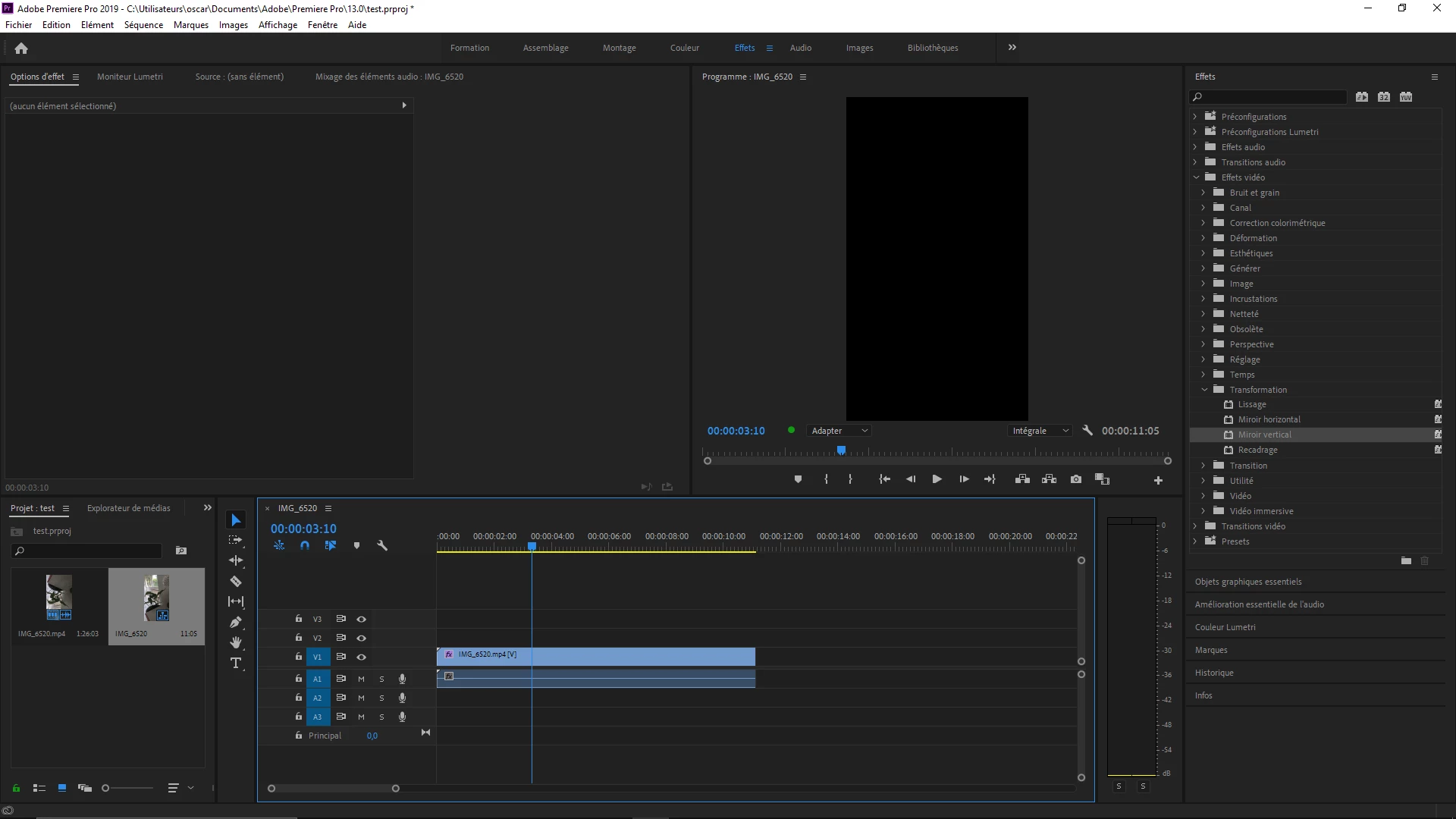
I am trying to use an mp4 that has both audio and video (it works fine with VLC), however the video only appears when the timeline is playing, when I pause the screen goes black. The same problem occurs when exporting, since only the audio is exported in the file and screen is black.

How can I fix this? Is it because of the mp4 file? 
 

This topic has been closed for replies.

3 replies

Community Expert
June 9, 2020

I'm going to assume this is phone video due to the verticle orientation. That means that it's most likely got some Variable Framerate issues. You'll probably solve your issue by transcoding that file. If audio sync is important you'll probably want to get it into constant framerate (see Peru Bob's links for VFR). Otherwise you can try transcoding in Media Encoder to a different codec. May as well make it a nice editing codec like ProRes 422 LT or even Proxy would probably have enough bitrate.

Peru Bob
Community Expert
Community Expert
June 9, 2020

Delete the Media Cache and Media Cache files:
https://community.adobe.com/t5/premiere-pro/faq-how-to-clean-delete-or-trash-media-cache-files/td-p/....

If that doesn't work,try resetting the preferences:
https://community.adobe.com/t5/premiere-pro/faq-how-to-reset-trash-preferences-in-premiere-pro/td-p/8236158?page=1

If that doesn't work, try resetting the Workspaces:
Reset a workspace
Reset the current workspace to return to its original, saved layout of panels.
1. Do one of the following:
• Click the Workspace menu icon and select Reset to Saved Layout.
• Choose Window > Workspace > Reset to Saved Layout.
from here:
https://helpx.adobe.com/premiere-pro/using/workspaces.html

If that doesn’t work, try updating or rolling back your graphics driver directly from the video card manufacturer’s site.

Also:

Please use the free MediaInfo and post a screenshot the properties of your media in tree view:
https://mediaarea.net/en/MediaInfo

If the file is variable frame rate, which although Adobe says it will support, many users are having issues with VFR.

Use Hand brake to convert to constant frame rate:
https://handbrake.fr/downloads.php
Here is a tutorial:
https://www.youtube.com/watch?time_continue=34&v=xlvxgVREX-Y

Community Manager
June 9, 2020

Hi oscarn16161833,


Sorry to hear about this. Is this happening with all the mp4 files or with specific ones? Also, switch the Renderer to Mercury Playback Engine Software Only and check if it's working properly. Let us know if it helps.


Thanks,

Sumeet