
April 22, 2020
Answered

Imported transitions not working

  • April 22, 2020
  • 4 replies
  • 5645 views

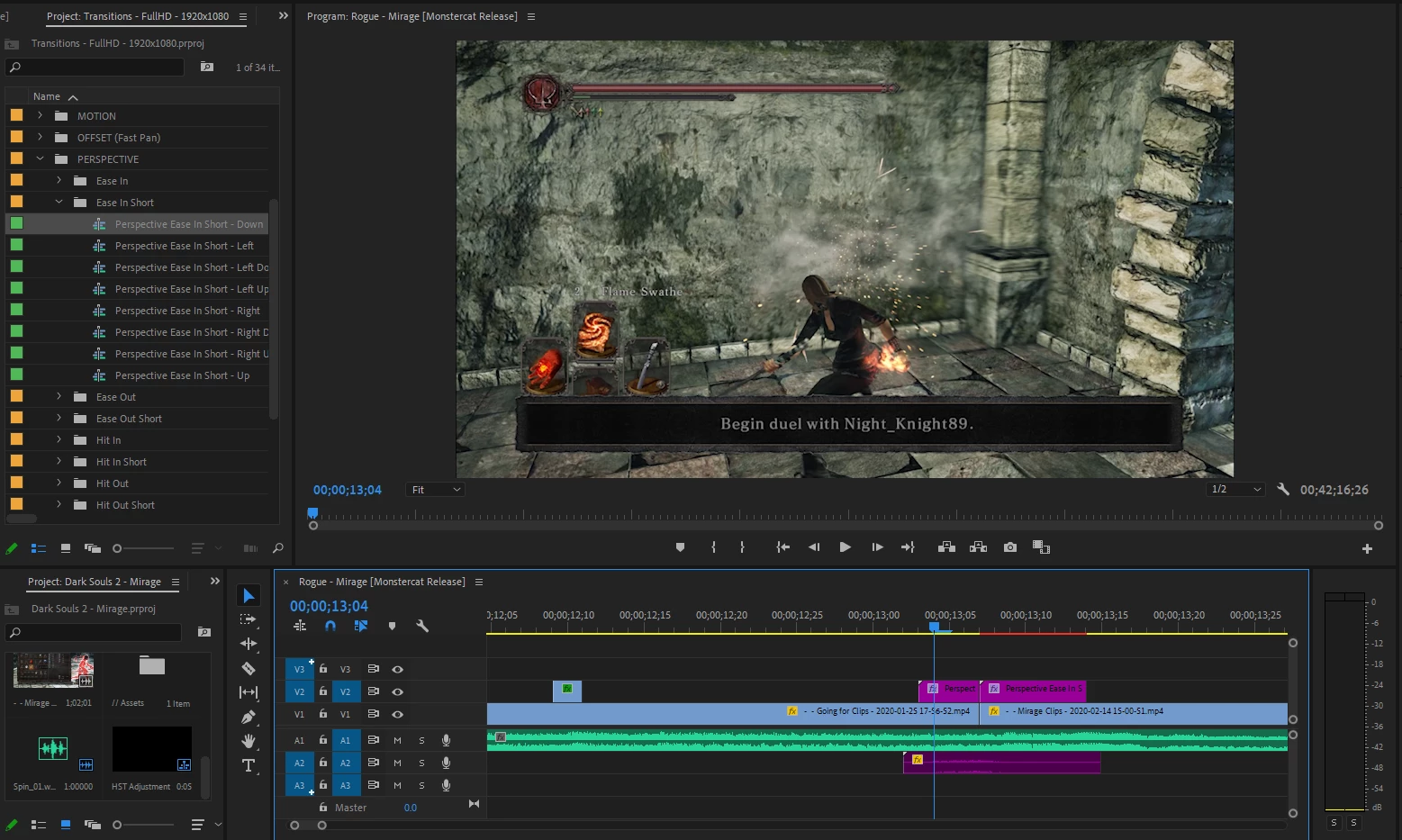
I had got this 850 different transitions for Adobe Premiere Pro. When I drag them onto my split for the transition, it doesn't do anything. I followed the tutorial provided with the transitions and I'm not sure what I'm doing wrong. Any help is appreciated. Relatively new to Premiere, easy to follow instructions are encouraged, please and thank you!
This topic has been closed for replies.
Correct answer Jeff Bugbee

Your sequence resolution is 1136 x 638. This transition pack is for 1920x1080. I'm guessing this discrepancy is what is causing this issue.

4 replies

Peru Bob
Community Expert
Community Expert
April 24, 2020

Try updating or rolling back your graphics driver directly from the video card manufacturer’s site.

If that doesn’t work, you may need to contact the transition pack vendor.

Peru Bob
Community Expert
Community Expert
April 23, 2020

You need to render the timeline by pressing enter so that the red line above the timeline turns green.

Your computer is not powerful enough to play the timeline in real time without rendering it.

April 24, 2020

Still nothing.. 


MyerPj
Community Expert
Community Expert
April 23, 2020

With the timeline window selected, (as is, in the screenshot) select SEQUENCE\Sequence Settings, you can post that screen if you like.


Most of the tranisitions I've seen similar to yours have more than one track of info, did you try a few different effects?

April 24, 2020

April 24, 2020

Your sequence resolution is 1136 x 638. This transition pack is for 1920x1080. I'm guessing this discrepancy is what is causing this issue.


That did it. Unfortunately I'm going to have to restart what I did, but it will be worth it now that I have this working. 

Inspiring
April 22, 2020

I'd read the instructions for the transitions again.  Those can be finicky.  Make sure the project settings match: use 1080 transitions in a 1080 project, etc.

April 23, 2020

So I followed the instructions to a T and they still don't seem to be working. How can i double check what resolution I'm working with? I'm very certain its FULL HD since thats what I normally render in?