Participant
February 25, 2017
Answered

Imported Video Too Small!

  • February 25, 2017
  • 2 replies
  • 17437 views

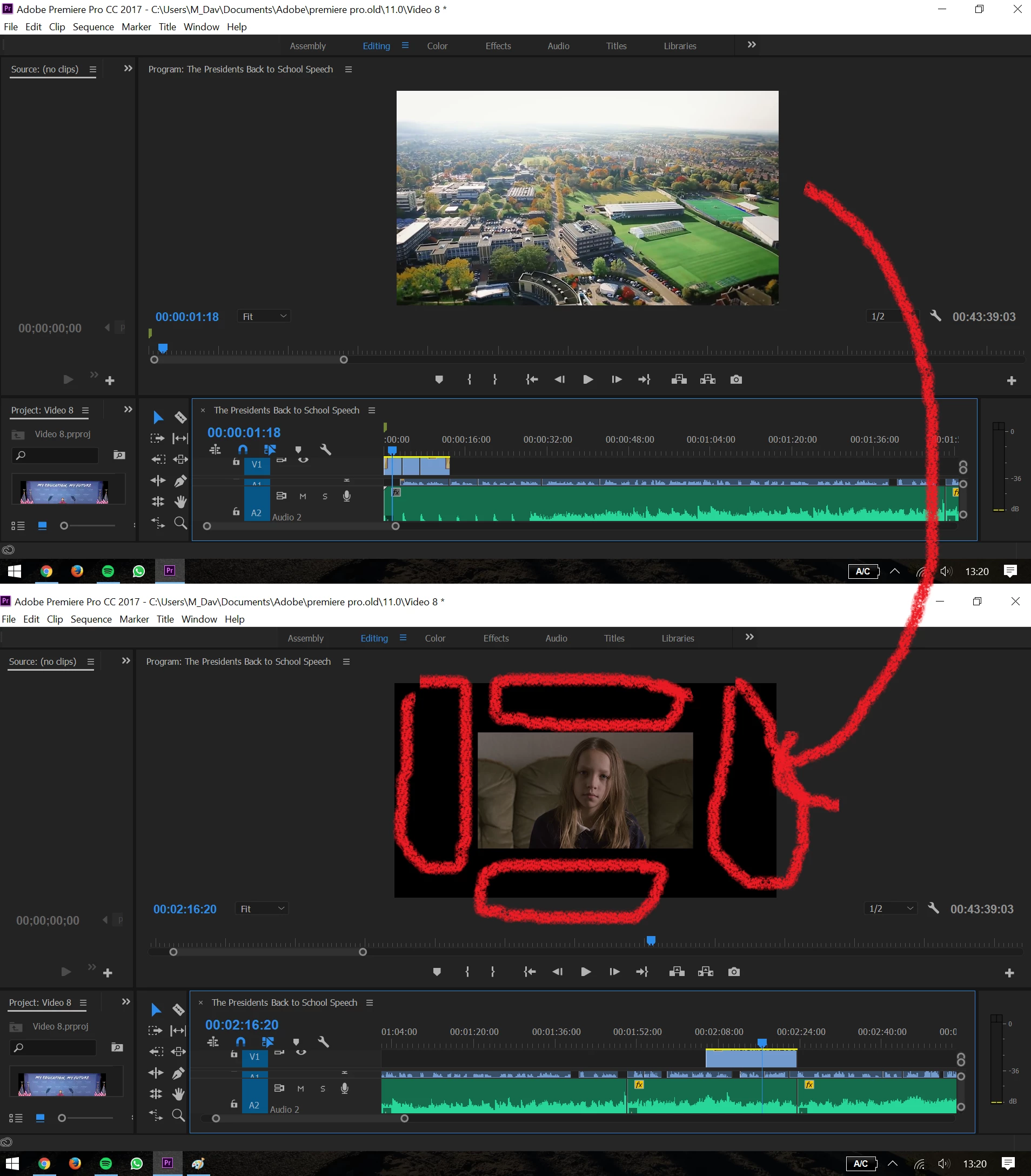
I have some video clips that I have imported to Adobe. I also have some clips from a film that I have also imported to Adobe. The end project will eventually be posted on YouTube so I changed the Sequence Settings to a frame size of 1280 x 720, however now my video clips are the right size, but the film clips are far too small. I've been pulling my hair out trying to fix it. Any ideas? Thank you

    This topic has been closed for replies.
    Correct answer excited_Genie16B8

    Increase the Scale even more.

    2 replies

    Colin Holgate
    Inspiring
    February 25, 2017

    Right-click on the video in the sequence and choose Scale to Frame Size.

    MikeZeroAuthor
    Participant
    February 25, 2017

    Thanks for the reply. I did that, and it fixed the problem 90%. There's still a tiny black bar on the top and bottom of the clips. Do you know how to get rid of the black bars? Thanks again

    excited_Genie16B8Correct answer
    Legend
    February 25, 2017

    Increase the Scale even more.

    Legend
    February 25, 2017

    Those clips are either less than 1280 x 720, or they're encoded as 4:3 letterbox in the 720 frame.