

Kyle24088721hvr2
Participant
August 8, 2022
Answered

In and Out points for exporting doesn't work

  • August 8, 2022
  • 2 replies
  • 6511 views

Wondering if anyone else is having this issue that I'm having. The way I edit on timelines is I have the edit at the beginning, and any additional interview/cover after the edit on the same timeline. When I want to export the edit, I will put an out point at the end of the edit and export. That has always just exported just the in and out points, but as of recent, I'll export with in and out points but Premiere will export the whole timeline with the extra interview and cover footage that I have on the same sequence after the edit.


To correct this, I will select all after the timeline and delete, then export the edit as is, and once it's done exporting, I'll undo the delete to bring back the interview and cover footage I have at the end of the sequence. Does anyone have a fix for this?
Correct answer Ishan Y

Hey Kyle,


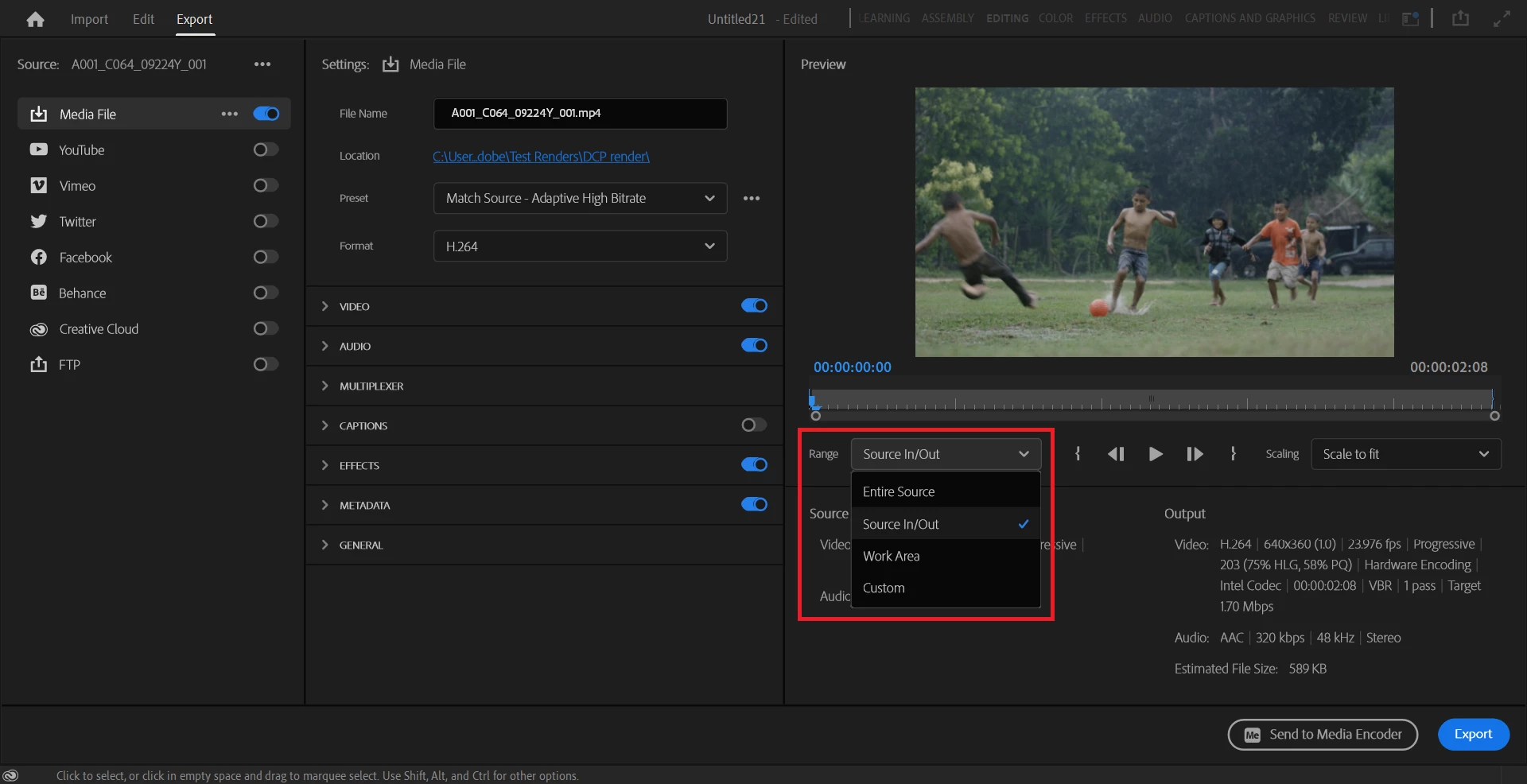
Welcome to the community, and sorry for the issue. Could you check if your Range is set to Source In/Out in your export settings? I have attached a screenshot for your reference. 


Thanks,

Ishan

2 replies

Participant
December 15, 2023

Dealing with this way too much lately and its causing a lot of problems and lost time. Why do my settings change from in/out to entire sequence? Even if im exporting with the same settings as previous? or with a sequence preset? or even the fact that ive never once exported an "entire sequence" without ins and outs?....Also even with nothing else in my sequence, it has been exporting a lot of extra black at the end. This is quite frustrating. 

Participant
January 26, 2024

Same issues and it's been that way since last year! Make it so that when In and Out is set premiere defaults to exporting only in and out. It's been that way forever and I want it back or at least give me the option to set it to that in the preferences.

I lost soo much time to that problem already it is getting really, really annoying.

Ishan Y
Community Manager
Ishan YCommunity ManagerCorrect answer
Community Manager
August 8, 2022

Hey Kyle,


Welcome to the community, and sorry for the issue. Could you check if your Range is set to Source In/Out in your export settings? I have attached a screenshot for your reference. 


Thanks,

Ishan

Participant
August 9, 2022

I think, in all previous version the export settings were automatically set to In/Out when an In and Out points existed in the timeline - which made a lot of sense. Maybe a bug to fix?

Riccardo230838048mtc
Participant
July 7, 2023

Hi, yes I don't understand the reason of changing that, if that is a change made by them and not a bug. I had a lot of problems at work lately because of this!