

In effects control keyframe don't snap to video frames time
Hello,
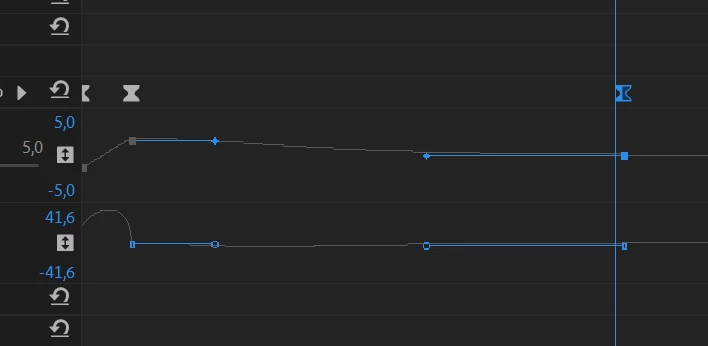
I have a strange problem with Premiere. When I'm working with effects (effects controls) when I move keyframe right or left by mouse, the keyframe can easy stands not exact on the frame time but somewhere in middle position. I know that sometimes it's good to have more precision and put keyframes not in discrete times but in the middle. But I don't want to use this feature always. On the picture you see that playhead is right from my time. But if I move slider to the next frame (+1/30 sec) then keyframe will be on the left of playhead. So how I'm working right now? If I want exact position of keyframe I move my playhead to the frame and then move by mouse keyframe there, and it snaps to playhead.
So where is a magic checkbox that I should click to make keyframes snap to time of frames position?
 AdChoices