
Inspiring
March 19, 2024
Answered

Inserting a clip between sequences is not working with Ctrl+drag

  • March 19, 2024
  • 1 reply
  • 268 views

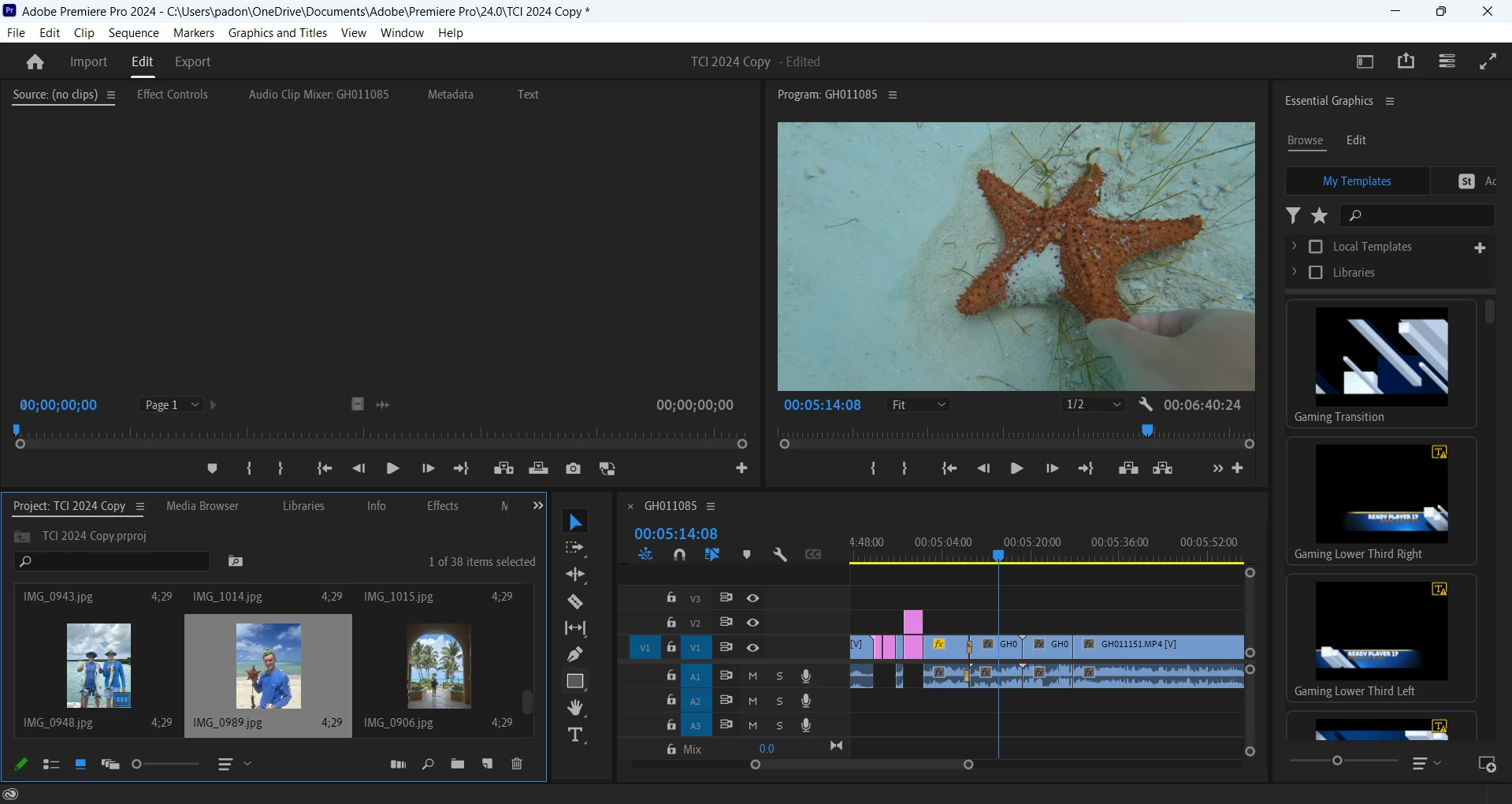
All of the sudden my project stopped letting me insert media between existing clips on the timeline using Ctrl+drag. Any tips on how to fix this? Additionally, when inserting clips to the end of the timeline, they will no longer automatically "stick" to the end of the timeline without overlapping or leaving a small space in between. I don't know what I changed that prevented this from happening. I am assuming I erronuously clikced a key that turned it off. Here is a screenshot of my project if it helps:
This topic has been closed for replies.
Correct answer Luke24620918afu6

I figured out how to turn timeline snapping back on. That fixed the problem. Thank you for your help

1 reply

MyerPj
Community Expert
Community Expert
March 19, 2024

For me the inserting is working OK, you do have timeline snapping turned off. Perhaps you are just missing the end of the sequence when you just click?


Windows 23H2, PP 24.2.1

Inspiring
March 19, 2024

How do I turn on timeline snapping? Maybe that will fix it

Luke24620918afu6AuthorCorrect answer
Inspiring
March 19, 2024

I figured out how to turn timeline snapping back on. That fixed the problem. Thank you for your help