
Participant
February 28, 2020
Answered

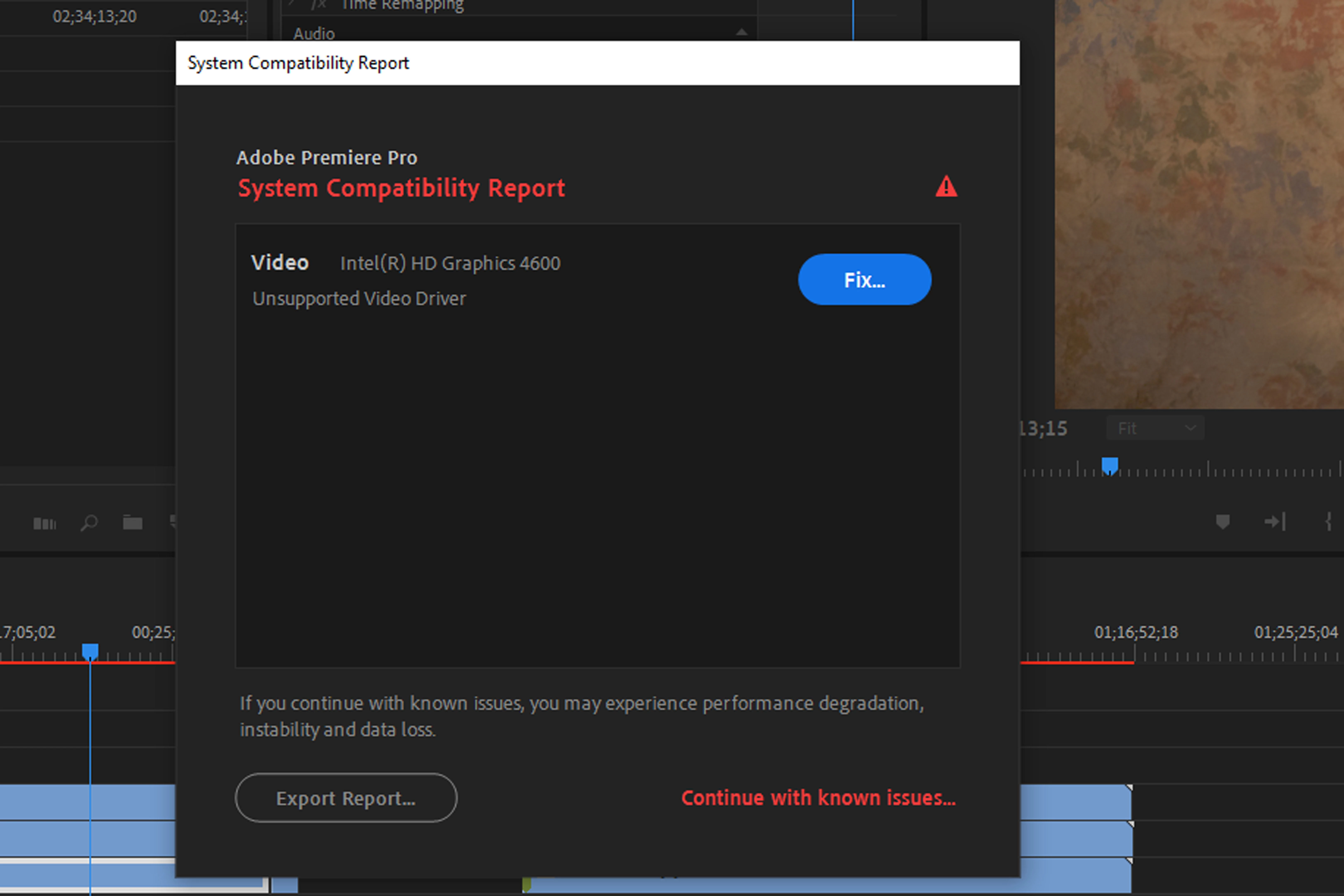
Intel HD Graphics 4600 Unsupported Video Driver

  • February 28, 2020
  • 2 replies
  • 38768 views

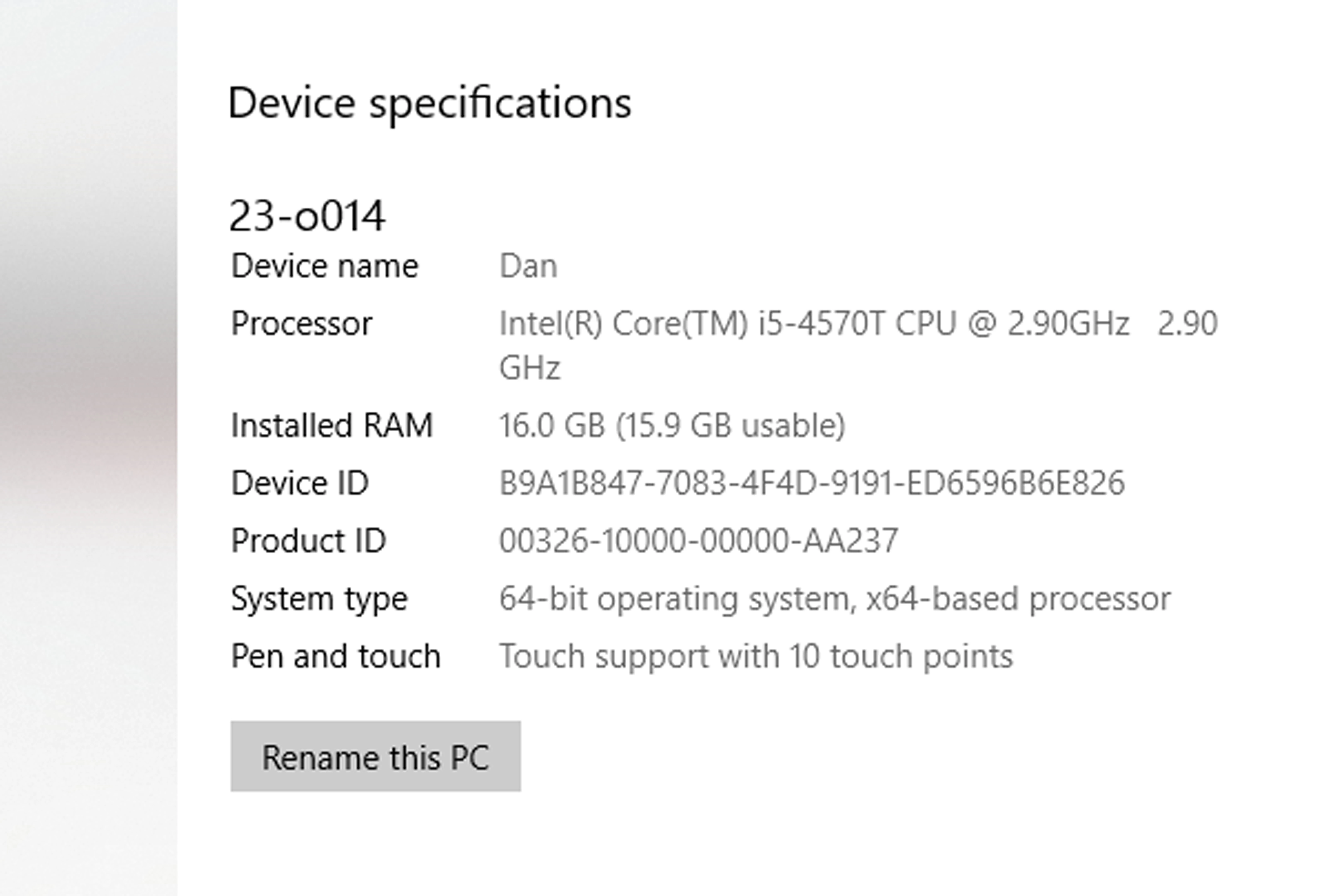
I just this week updated to PP 2020 14.0 and upon loading was greeted with this error message - see second photo. I followed the steps necessary to upgrad the driver, but when attempting to install the update it told me this computer does not meet the minimum standards required for this software. I've never had a problem running 2019 13.0 before the update. I'm not a computer whiz, but I'd like to know if anyone is aware of a solution. I'm on PC Envy 23... see system specs below.
Correct answer Warren Heaton

The Intel HD 4600 does not meet the minimum system requirements.  So, it's not the system driver, but the hardware.  Even though the dialog box presents a "Fix..." button, the issue is hardware.


It doesn't meet the requirements for CC2019 either, but that version didn't tell you like 2020 does.


You can continue to run Premiere Pro.  If you stick to editing the way you did in prior versions, you'll probably be fine.  You may even have to set your projects to Mercury Playback Engine Software Only.


Maybe I'm stating the obvious here, but to take advantage of anything that's GPU accelerated you will need a computer with a supported graphics card.


Premiere Pro system requirements

https://helpx.adobe.com/premiere-pro/system-requirements.html


2 replies

Participant
July 22, 2021

finally. Use Adobe Premiere 2019 for Edit Fast Export in Cpu Mode & Use Adobe Media Encoder 2021 if you have Nvidia Card for Best Export

Warren Heaton
Community Expert
Warren HeatonCommunity ExpertCorrect answer
Community Expert
February 28, 2020

The Intel HD 4600 does not meet the minimum system requirements.  So, it's not the system driver, but the hardware.  Even though the dialog box presents a "Fix..." button, the issue is hardware.


It doesn't meet the requirements for CC2019 either, but that version didn't tell you like 2020 does.


You can continue to run Premiere Pro.  If you stick to editing the way you did in prior versions, you'll probably be fine.  You may even have to set your projects to Mercury Playback Engine Software Only.


Maybe I'm stating the obvious here, but to take advantage of anything that's GPU accelerated you will need a computer with a supported graphics card.


Premiere Pro system requirements

https://helpx.adobe.com/premiere-pro/system-requirements.html


Participant
May 15, 2020

I have been getting the same message however I have a Geforce GTX 1070 graphics card as well but I still get the same message. Do i need to upgrade hardware anyways?

Participant
May 15, 2020

The GTX 1070 is supported but you want to make sure that you use the latest driver. Download here directly from Nvidia.


ok but I still get the same error message even if I have the intel card disabled, so quite confused.