
Interlace artifacts in a VHS capture?
- February 23, 2024
- 4 replies
- 4645 views
I'm using Premiere to compare captures from VHS tapes. A friend with a whole heap of capture equipment and software, has generated 40 captures of the opening spiel from a professional VHS tape (we assumed it would be a good place to start our investigation), using different capture techniques, so that we can judge which is the method that gives the best results when we capture our own tapes.
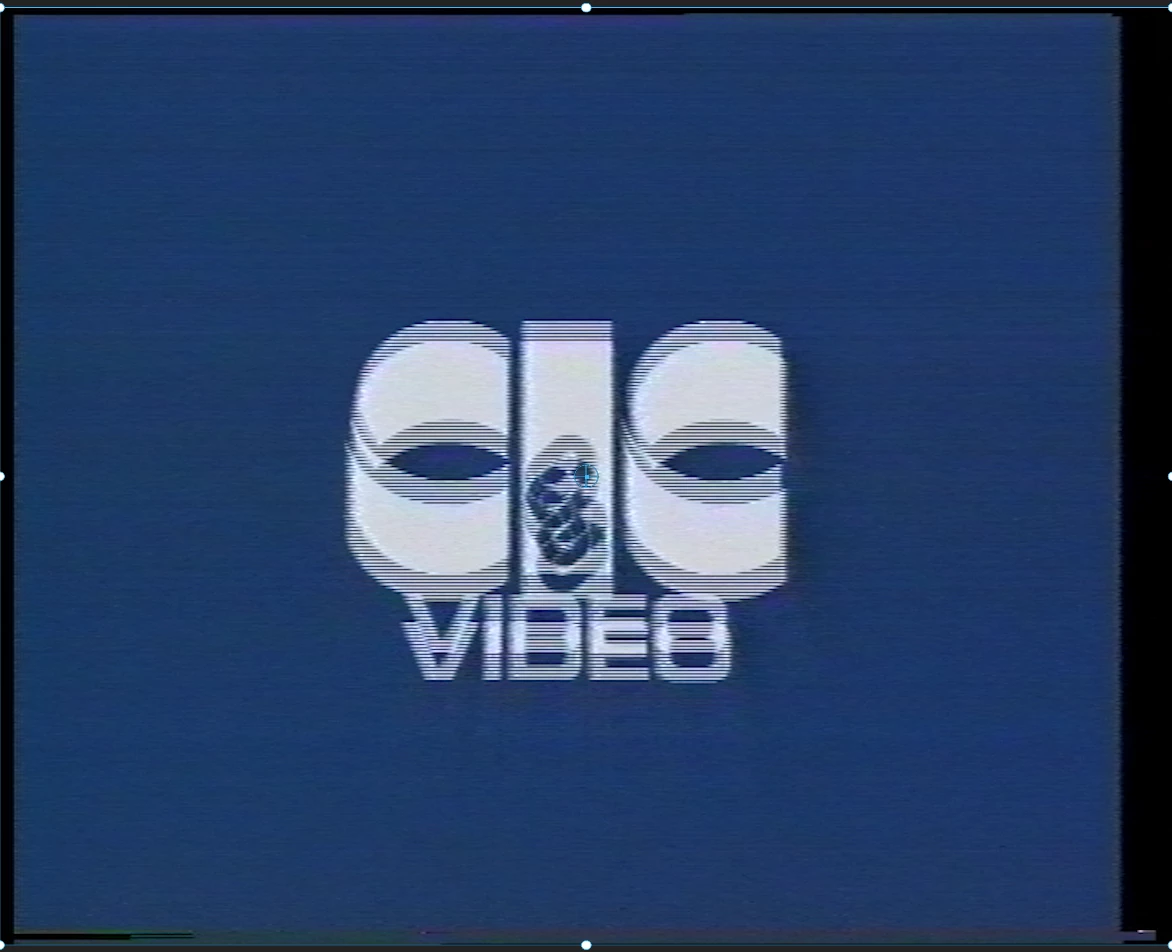
The captures have been layered and aligned so that I can immediately compare any two by turning the layer visibility on and off. Two such captures are Video 9 and Video 11 .
But something came up straight away that I can't explain. I have uploaded 6 screen shots taken from Premiere. See attachments.
Video 9a, of rolling credits, shows horizontal lines through the letters, whereas Video 11a does not. Such lines are not visible at other points of the captures.
I have posted about this on a VCR forum, where it was suggested that the lines are interlacing. I'm not convinced, so I'd like a second opinion.
1. Assuming everything was functioning properly, I would have thought that that particular film frame, Video 9a, coming out of Hollywood, would be top quality and have purely white letters; that there should be no interlacing in the letters when that frame was scanned, and then interlaced for transmission (or recording to tape).
2. Further, given that the resolution of VHS tapes has something like 200 lines vertically, how is it possible to capture, and later on view in Premiere, fine horizontal lines such as in Video 9a, lines that correspond to 576 PAL lines? The source is ~200P, but I can see lines at 576P – but only in the letters.
I want to try to understand why those horizontal lines are present.
Any suggestions most appreciated
 AdChoices