Participant
October 22, 2024
Answered

iPhone not recognising file type after PP update

  • October 22, 2024
  • 1 reply
  • 582 views

Have never posted to the forum before so bare with me. I update Premiere yesterday. This morning trying to export a short video, as I have a million times, and when airdropping tp iphone, or trying to download from dropbox, getting "unable to save this file type". 


Solution was to export in H265, whilst this gets the files across and to client, this doesnt seem right.


I normally export using match source adaptive. 


I have tried using encoder, no luck. Tried all obvious things. 


The only thing that has changed from yesterday is the new version of PP. 


Mac studio, Sonoma 14. 


Thank you. 
This topic has been closed for replies.
Correct answer Abraham Offline

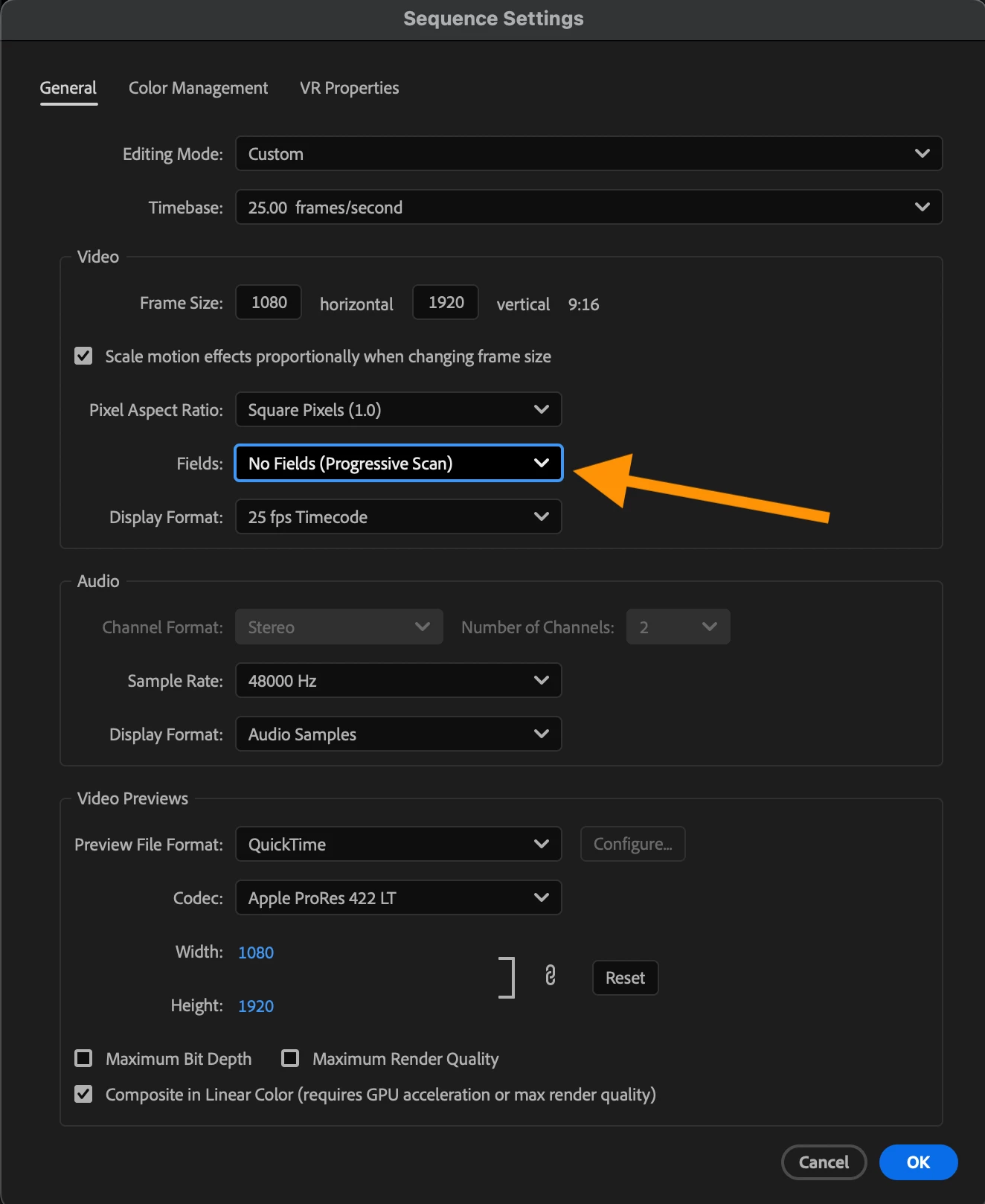
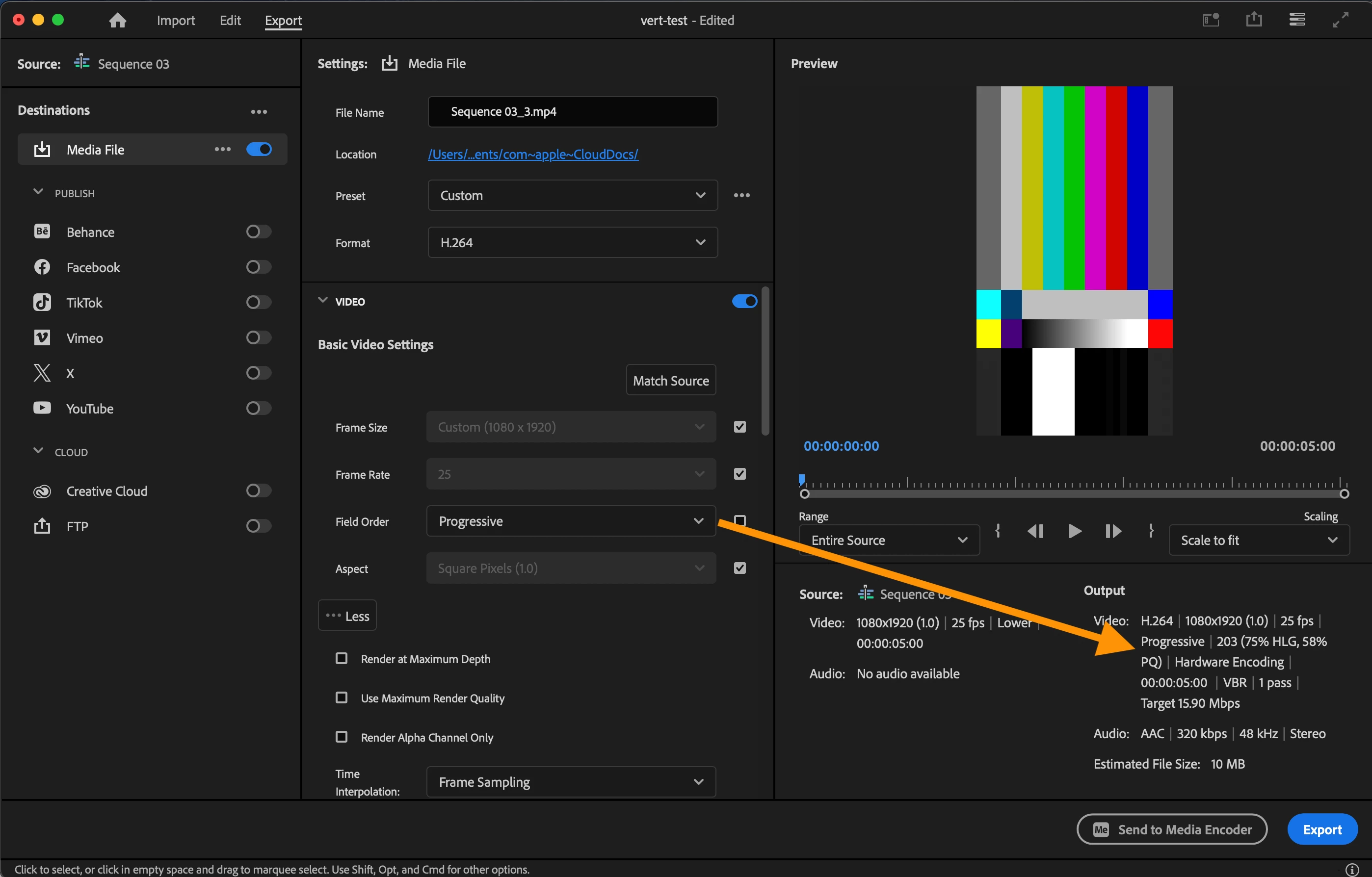
I think you gotta change your "Field Order" to "Progressive". It will let you use Hardware Encoding and your iPhone will be able to save it into Photos.


I would change my sequence settings to Progressive as well! Unless you got a special reason to use interlace.


This should sort you out 🙂

1 reply

Inspiring
October 22, 2024

I usually get "Unable to save file type" errors if the export settings are not compatible for iOS Photo app.

Might be helpful to see what your export settings are if you can screen shot and upload here.

Participant
October 22, 2024

Hi there, thanks for that. I think I know what it is looking at your screenshot. Hardware vs software encoding. If this is the case, why the hell has this changed at the update. I have always used "match source (various) bitrate" and never had an issue. Opens google to figure this thing out. Again, thank you for your time. 

Abraham OfflineCorrect answer
Inspiring
October 22, 2024

I think you gotta change your "Field Order" to "Progressive". It will let you use Hardware Encoding and your iPhone will be able to save it into Photos.


I would change my sequence settings to Progressive as well! Unless you got a special reason to use interlace.


This should sort you out 🙂