Participant
May 7, 2019
Answered

Is there a way to copy a mask from one effect to another within the same clip?

  • May 7, 2019
  • 1 reply
  • 9791 views

I recently decided to give Premiere Pro CC a try and I'm wanting to add multiple effects to a clip that I have masked, but when adding a new effect it adds it to the entire clip and not just the masked portion; is there a way in which to:

a) add multiple effects to a masked portion of a clip

b) copy a free drawn bezier and apply it to a new effect within the same clip, or do I have to draw a new bezier mask every time I add a new effect?

...or am I just being dumb?

Any input would be very much appreciated.

TD
Correct answer cessers

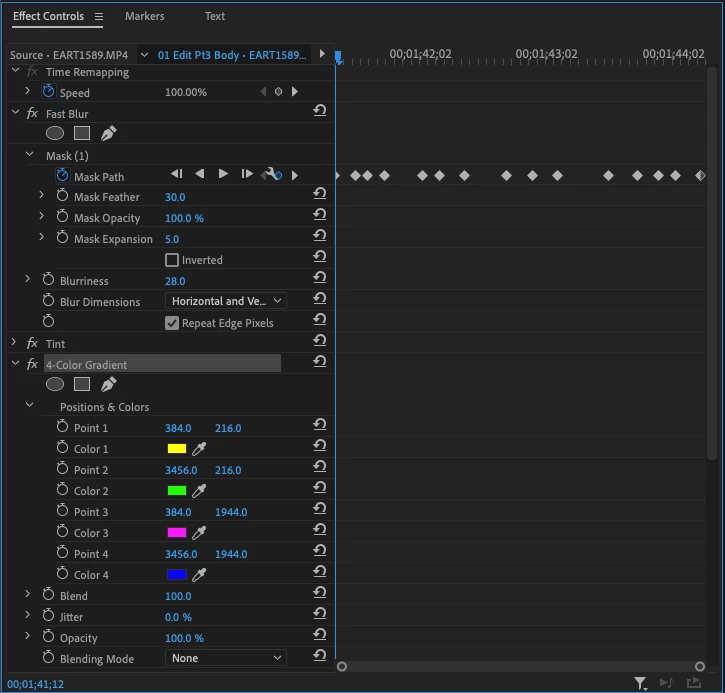
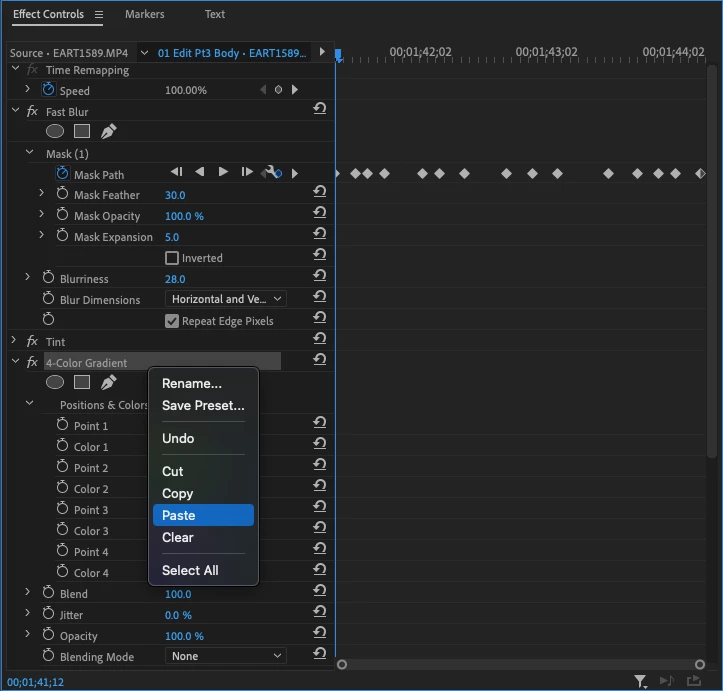
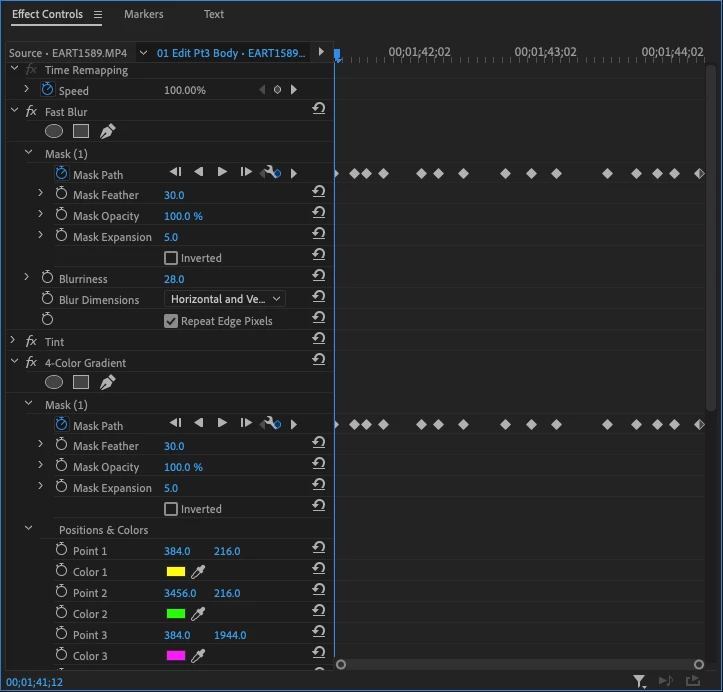
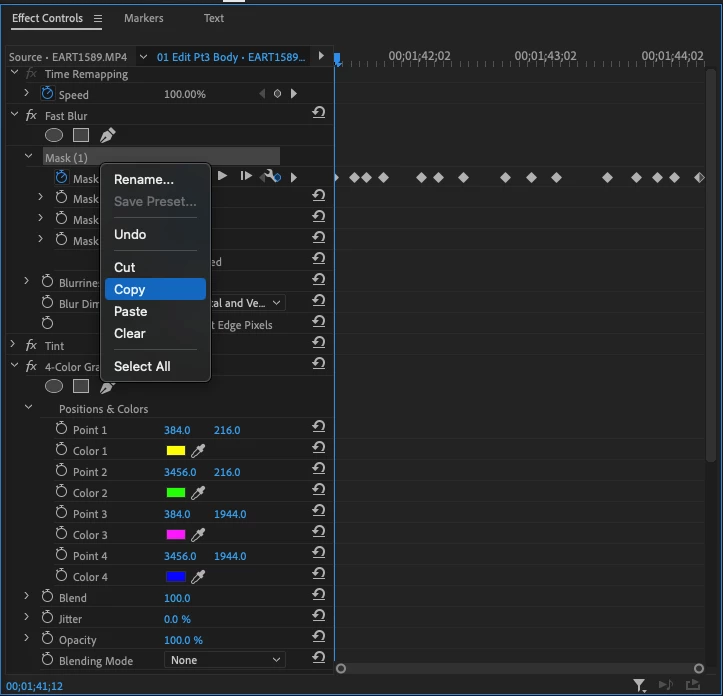
1. Click to select the NAME of your animated MASK (I have to click to the right of it)

2. Right click your selected mask name and select Copy.

3. Click the NAME of your unmasked EFFECT

4. Right click the selected effect and select Paste.

1 reply

DigitalSpatula
Inspiring
May 7, 2019

Hi TD

You just need to make sure the effect you want to copy the mask to is selected when pasting.

Steve

Inspiring
May 16, 2019

I have a situation where I have a tracked mask on the Lumetri Color FX and I want to copy that mask and all it's position over all the frames to the opacity of another track. Copy and Pasting is not working. Surely there's got to be a way to do this. Please advise.

Participant
April 22, 2023

4 years later and only one response?  How's this still not answered or a feature?  They're BOTH MASKS lol oof Adobe smdhs.