Inspiring
February 13, 2019
Answered

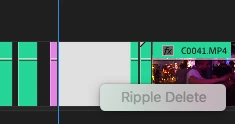
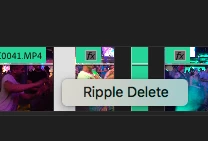
Is there a way to ripple delete all these spaces at once?

  • February 13, 2019
  • 3 replies
  • 31960 views


Thanks, and...


how come sometime we cannot ripple delete but then we can? These are both on the

same layer a few frames apart.
Correct answer timg29662854

you can select all the clips that you want to and in the menu bar find close gap. that will ripple delete all open spaces.

Yo have to make sure that there are no clips between.

3 replies

Inspiring
February 14, 2019

Steve Zeeeee

Maybe this is correct but i posted a screen shot of what it does (not) for me.

Also why can some ripple delete and some not?

Ann Bens
Community Expert
Community Expert
February 14, 2019

If you cannot ripple delete check the audio which might be blocking the action.

Inspiring
February 15, 2019

Ok thanks I dont know that.

hodeman
Participating Frequently
February 13, 2019
timg29662854
timg29662854Correct answer
Participant
February 13, 2019

you can select all the clips that you want to and in the menu bar find close gap. that will ripple delete all open spaces.

Yo have to make sure that there are no clips between.

Inspiring
February 13, 2019

timg29662854  wrote

you can select all the clips that you want to and in the menu bar find close gap. that will ripple delete all open spaces.

Yo have to make sure that there are no clips between.

here is what mine looks like AFTER doing that: