
Question
Issues Uploading Videos from DJI Mavic 2 Pro
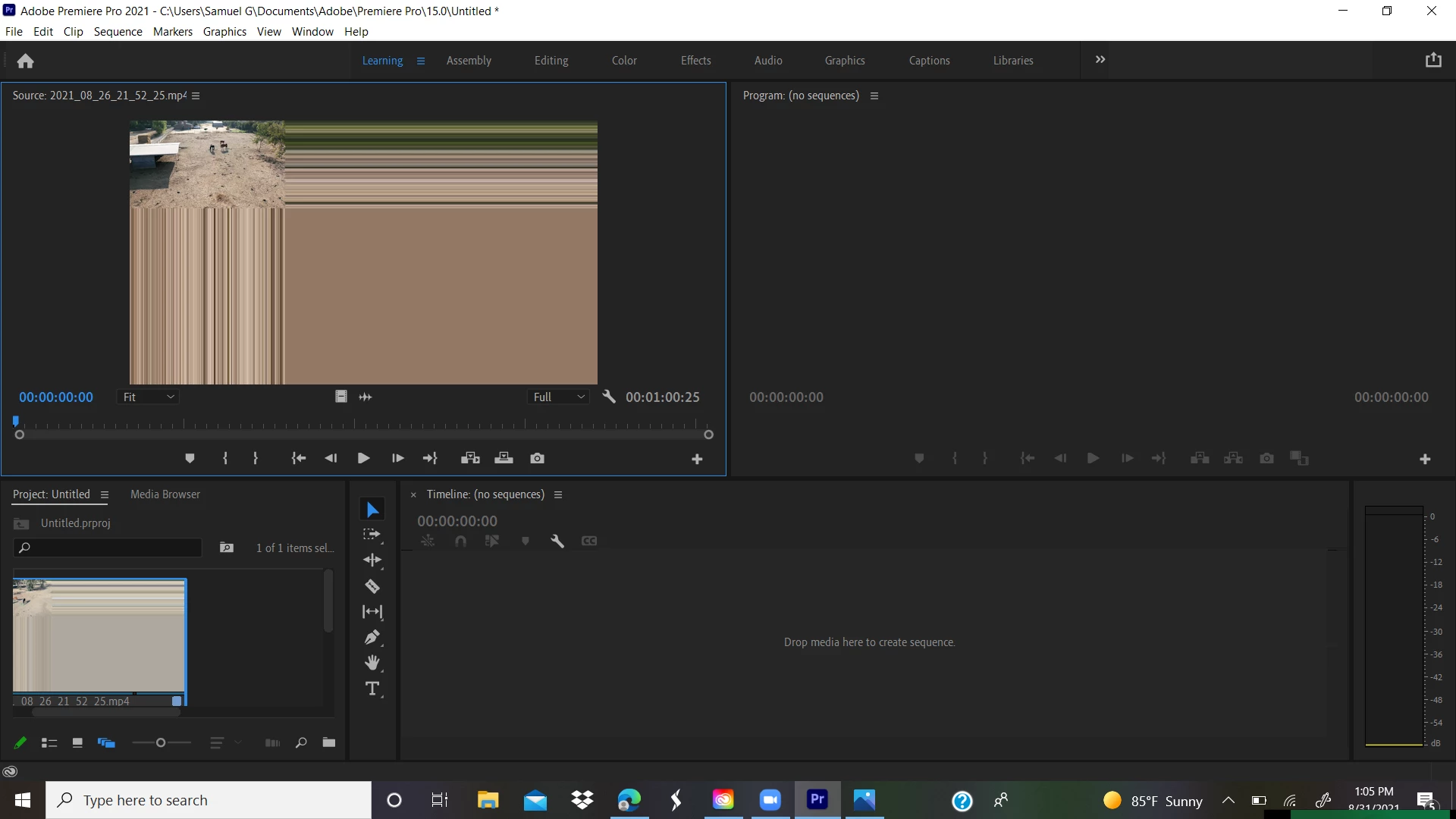
Hello everyone, I am new to Premiere Pro and was wondering if anyone has ran into the same issue. When I upload videos from my Mavic 2, the video appears in the top left corner with stratified color lines in the x-y directions. (see pictures below) When I upload stills, I do not have the same problem. Also, if I upload a video from another device, say my iphone, the video appears normally in Premiere Pro. On top of all of this, if I open the Mavic 2 Pro videos with my normal media player, the videos appear normal. I have reintalled Premiere Pro 3 times and am at a complete loss. Any help would be greatly appreciated. 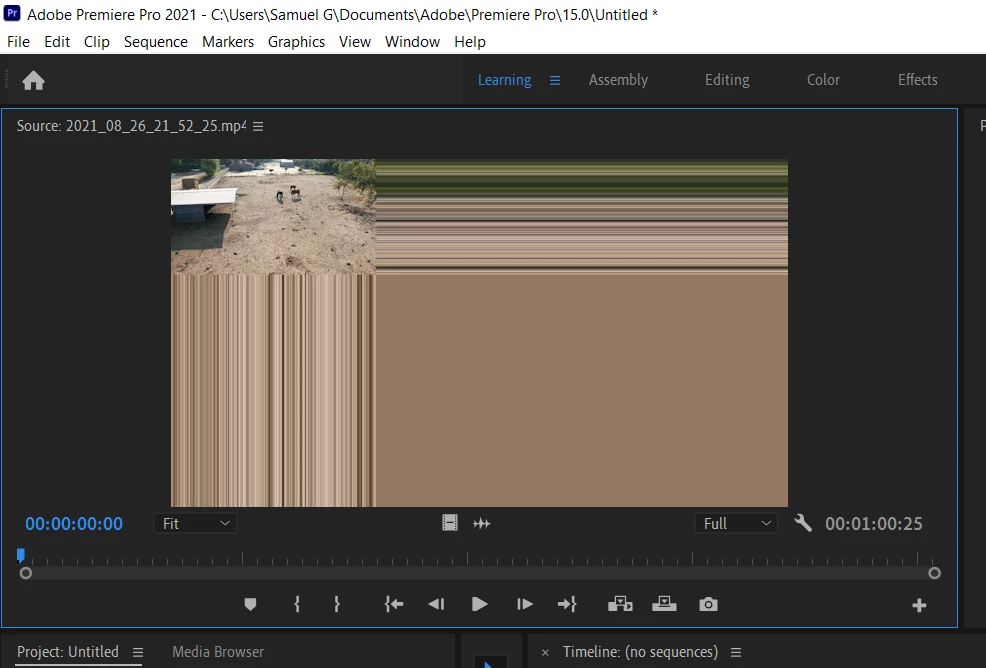
 AdChoices