
Issues with positioning and using Rulers & Guides
Hi!
I've recently started using Premier's Rulers & Guides to align some text; however, I'm getting some baffling issues. I'm using Version 14.7.0 (Build 23).
Ruler Positioning Issue ('Add Guide' box)
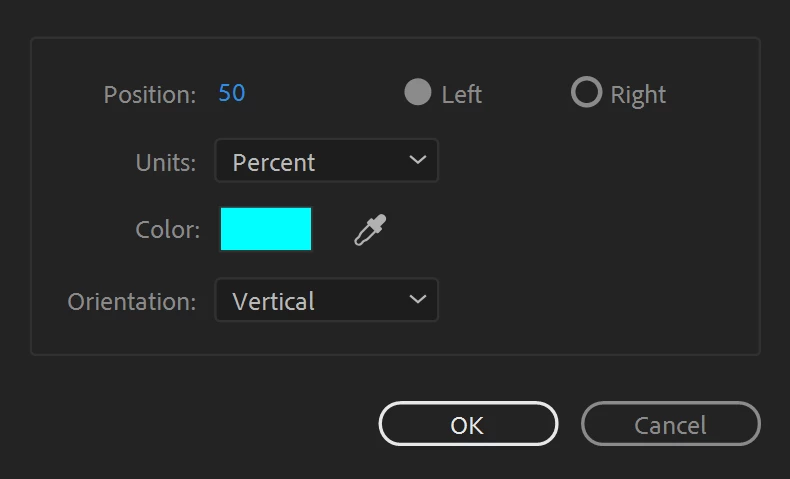
When right-clicking on a ruler and clicking 'Add Guide' and setting it to create a vertical guide at 50% (which should be the centre of the video clip displayed), it instead places it on the far right side (where it should be 100%).
This is how I had it set:
And this is the result:
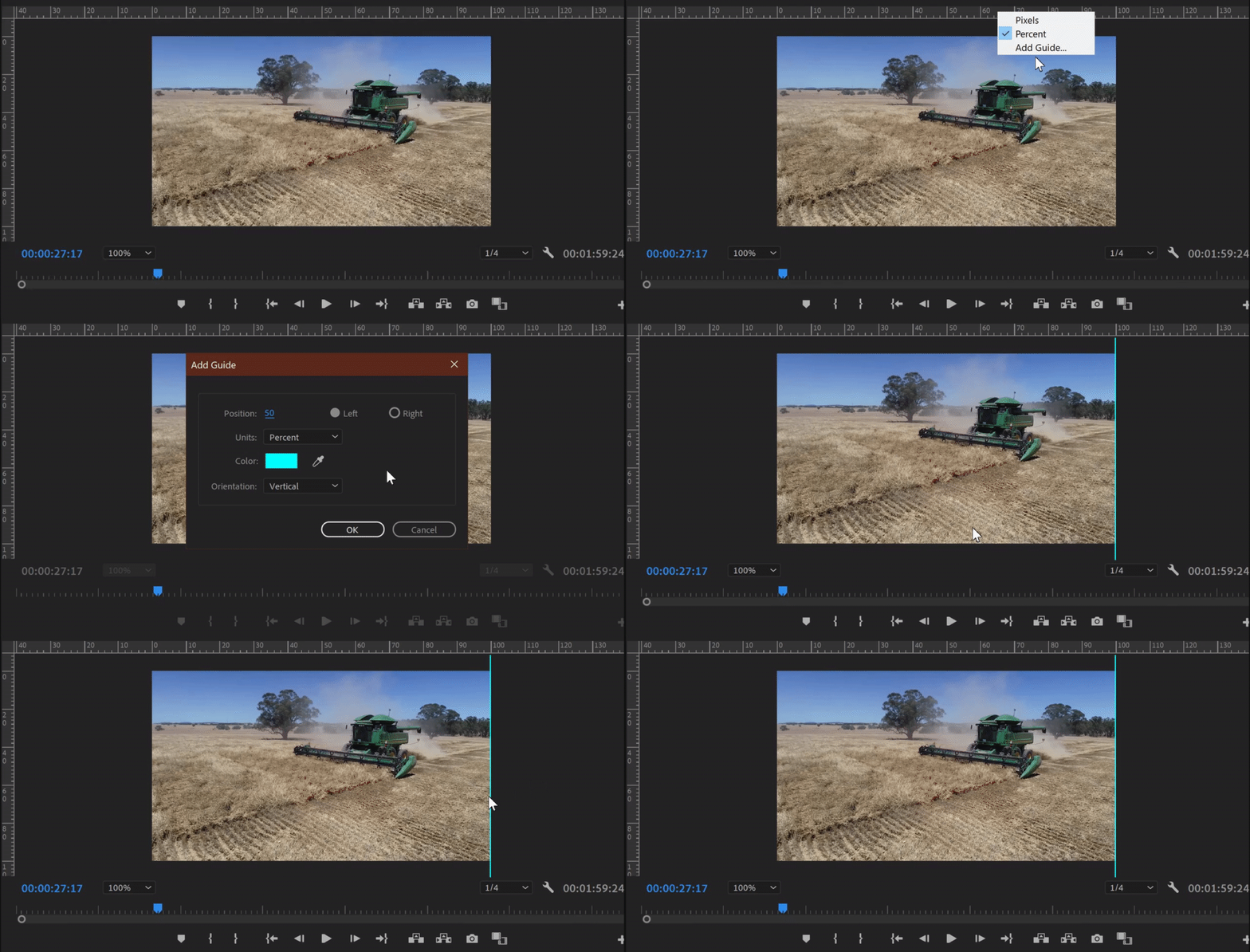
This is even more confusing since it displays 100% on the ruler.
The same thing happens when using the rulers in pixels (setting it to 500px puts the guide at 1000px according to the ruler)
Ruler Positioning Issue (Dragging from Ruler)
Similar to what happens when using the 'Add Guide' menu, when dragging the guides out from the rulers, the percentage displayed in the grey box is exactly half of what it should be:
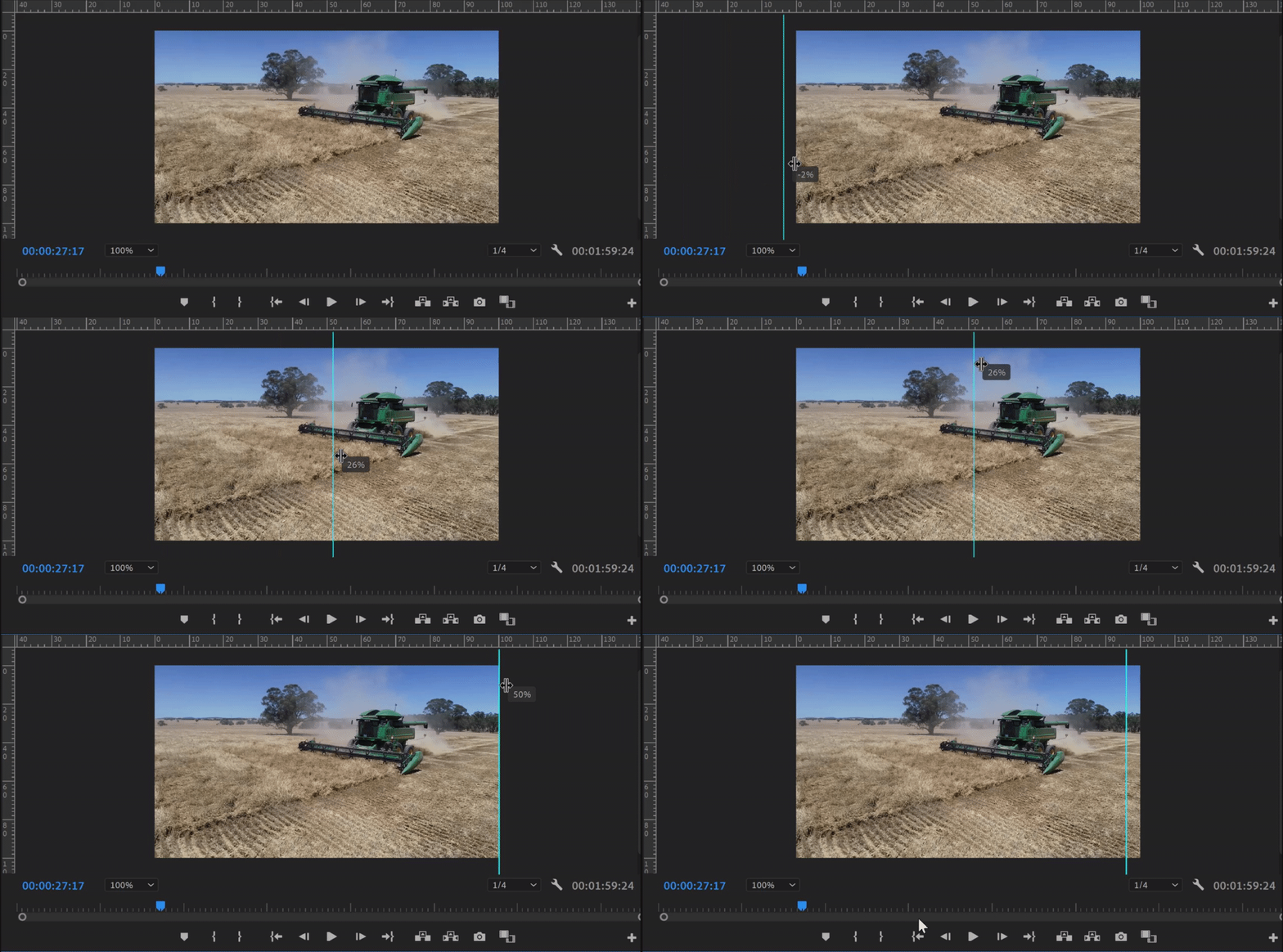
Why does the guide say it is at 25% when aligned with 50% (and the centre of the video) on the rulers?
Similarly, why is the entire width of the video shown as 50% instead of 100%?
Snapping Issue
Once placing guides on the display, they don't seem to snap correctly either. As an example, I've positioned guides at approximate visual thirds and am attempting to align the 'Harvest 2020' text to one of them. The text does not snap to the guides, but instead, I have a lot of other 'snap points' which have nothing to do with the guides.
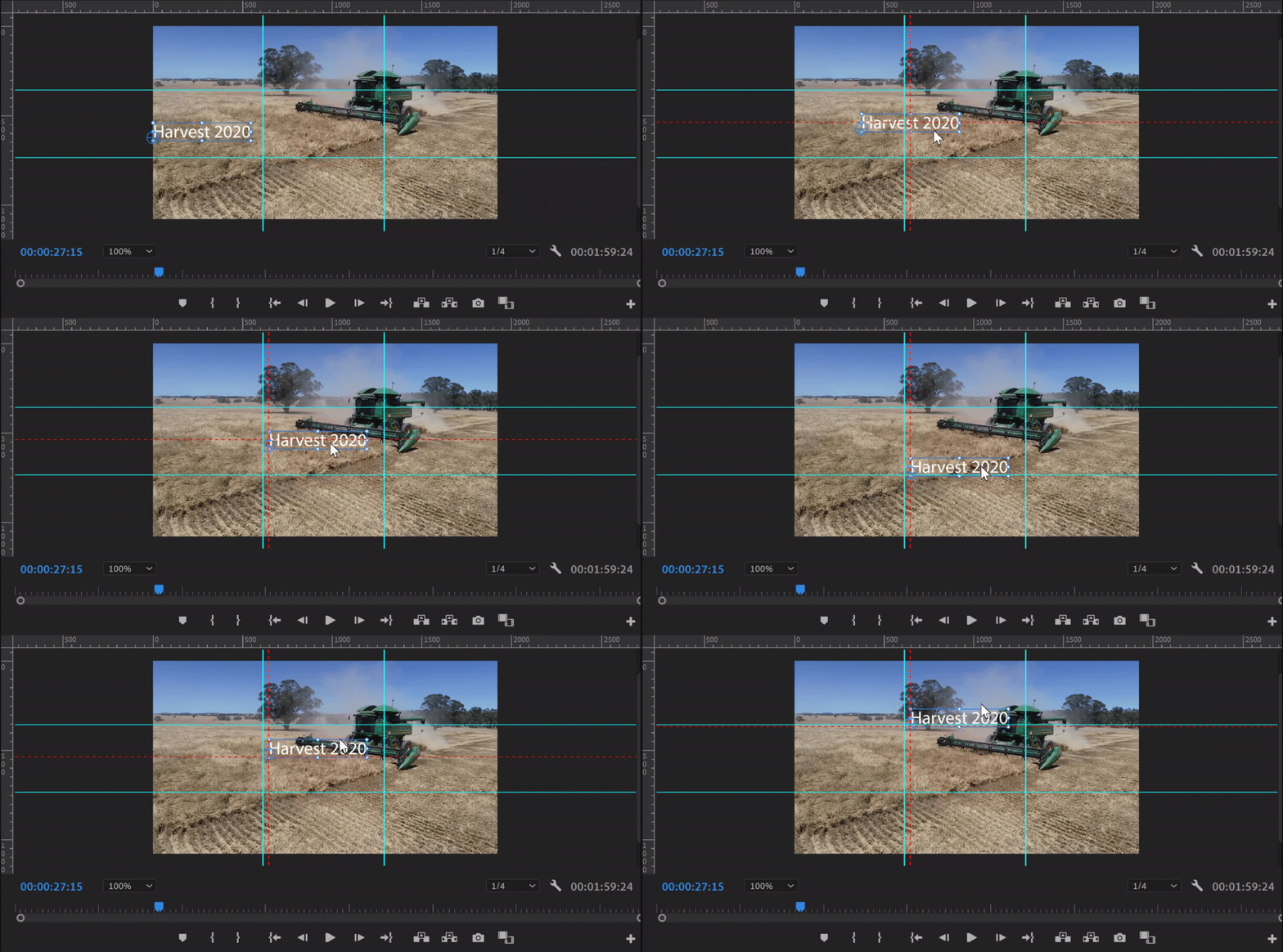
I feel like all of these issues are all interlinked. Any suggestions for a fix are highly appreciated.
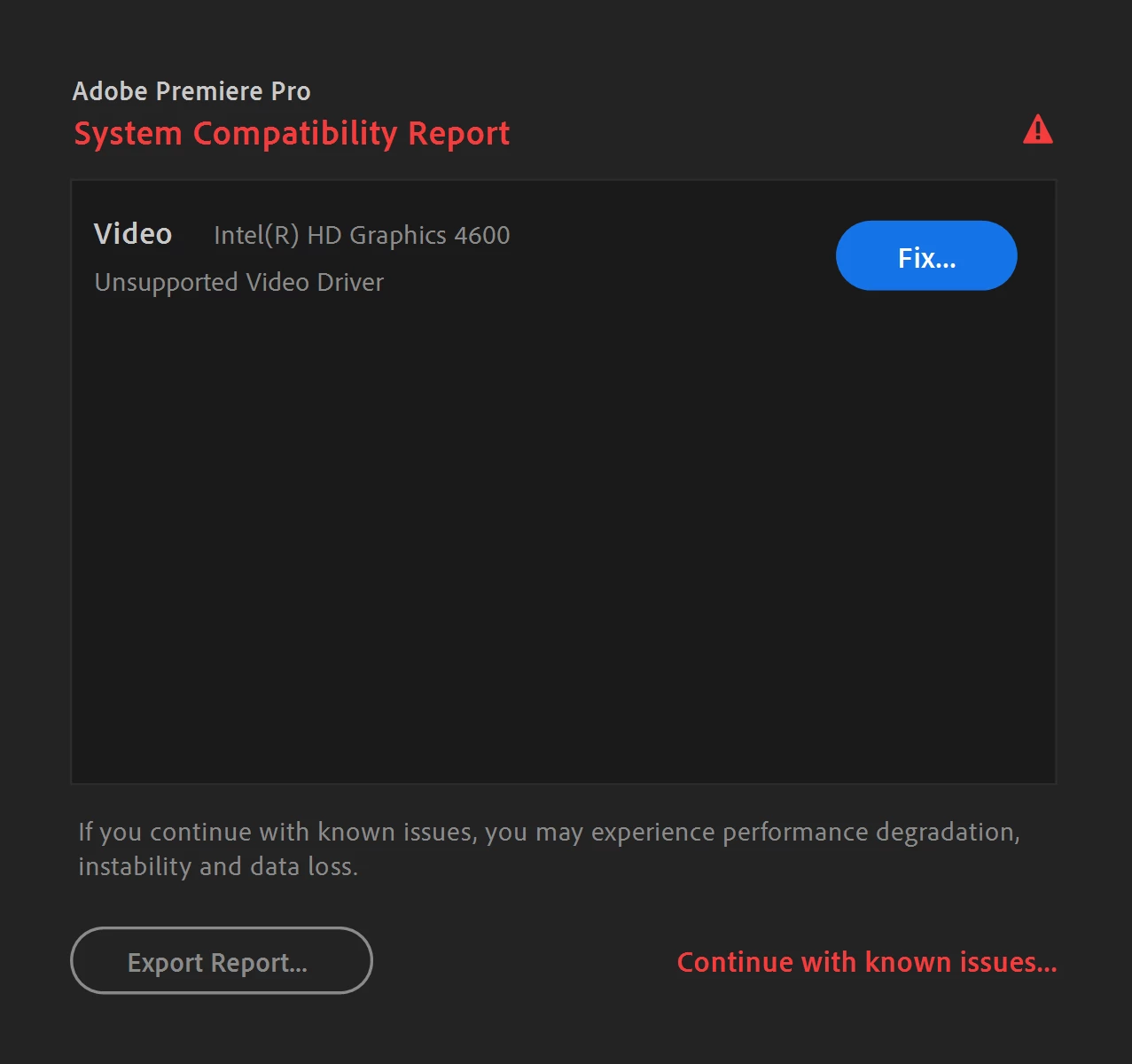
Side note: I do receive a 'System Compatability Report' dialogue when first opening Premiere to do with my graphics drivers saying they are unsupported (even though they are fully updated), and the driver recommended by Adobe does not install. Not sure if this is related or not - if it is, a fix for this would be handy.
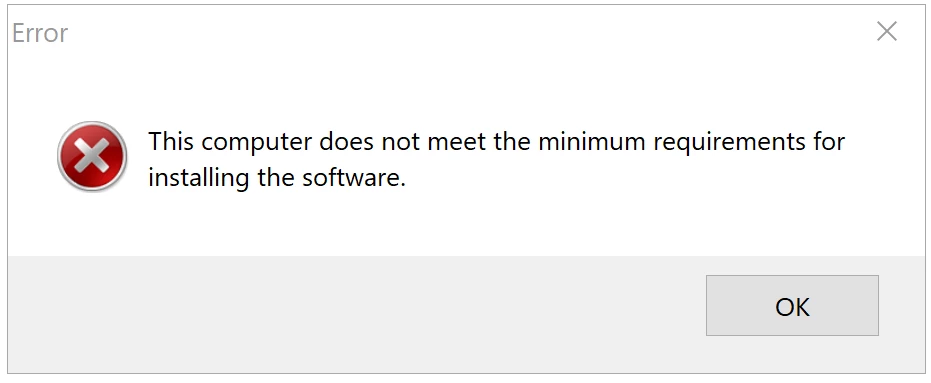
This is the error message received when installing the driver recommended by Adobe:
 AdChoices