
Participating Frequently
September 14, 2020
Question

It's 2020. Where are the basic metadata columns?

  • September 14, 2020
  • 3 replies
  • 512 views

Using Adobe Premiere 14.3.2!!!!


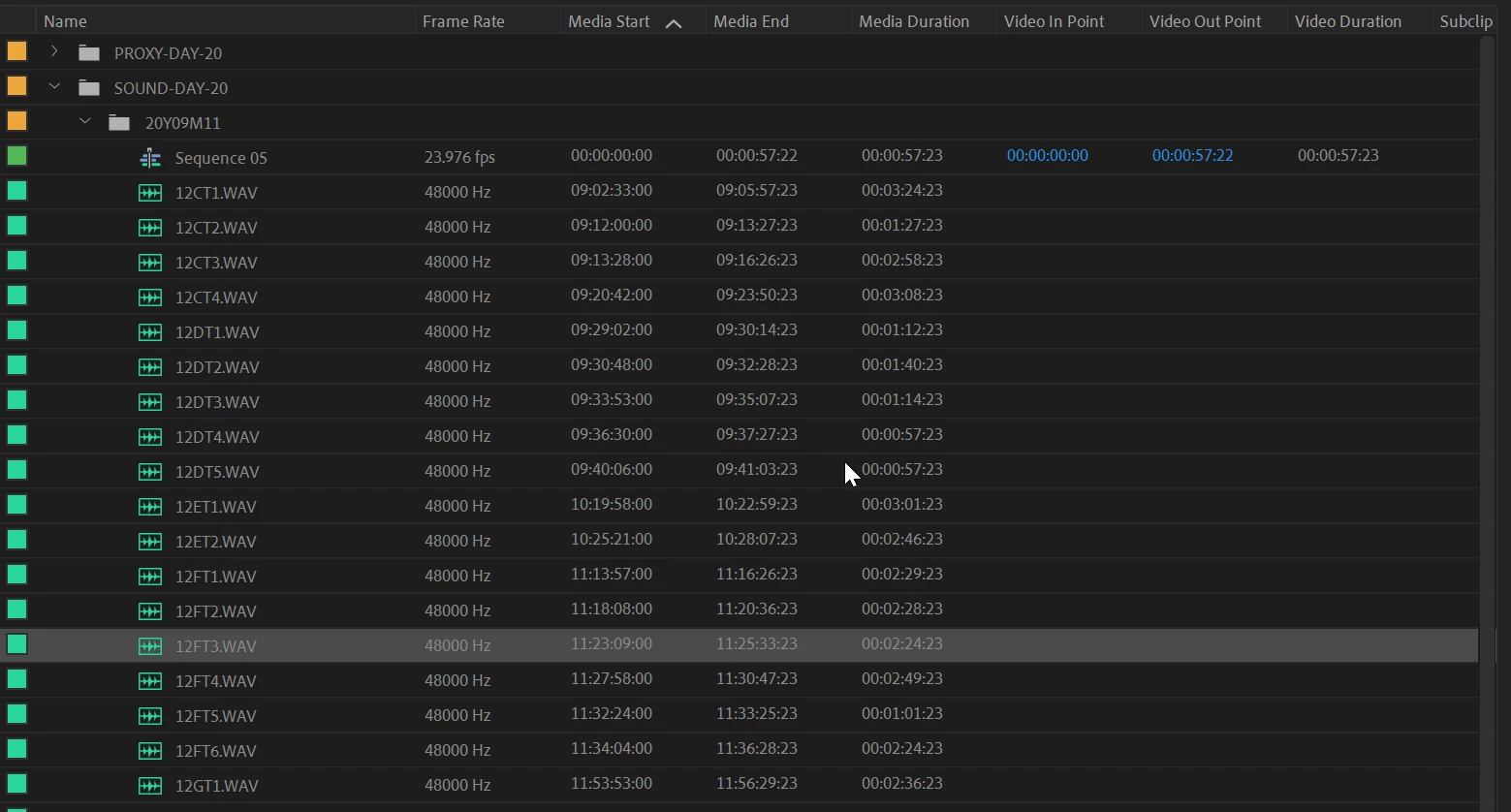
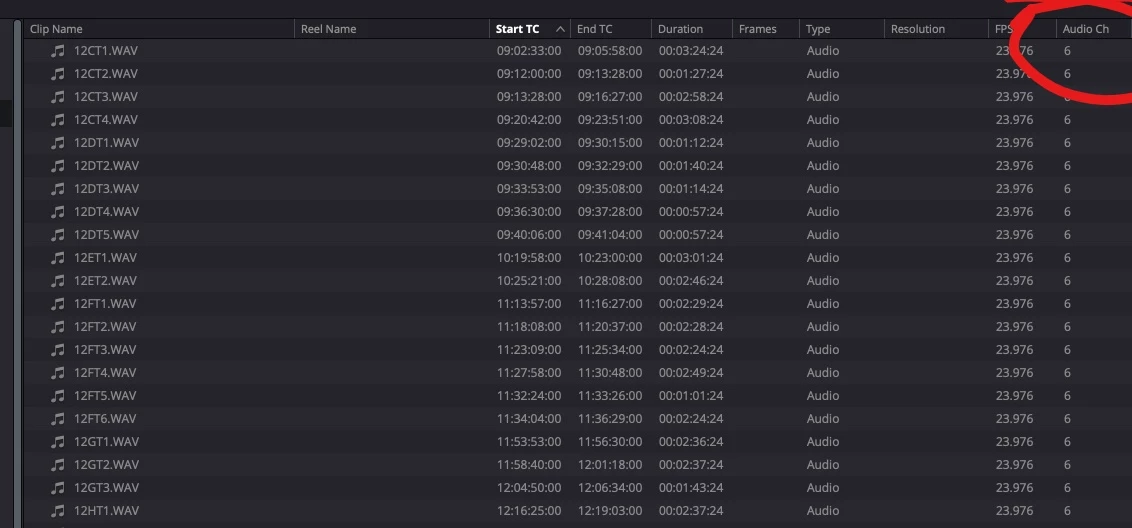
I am trying to add a metadata column for audio tracks! The total number of audio tracks my WAV files have! It does not appear I can do that! No column exists in Adobe's bizarre metadata display browser that will let me display the total number of audio tracks in a given file. WHY?! WHY IS IT SO HARD TO IMPLEMENT BASIC METADATA FEATURES???


On top of it, a metadata column that displays what codec my video is using STILL DOES NOT EXIST!!!


THIS IS LUDICROUS

PREMIERE IS A JOKE


As seen in Premiere Pro:


As seen in Davinci Resolve:


This topic has been closed for replies.

3 replies

R Neil Haugen
Legend
September 15, 2020

You can add (from the AS-11 section at the bottom of the list) the Video Codec ... but that doesn't seem to "populate" with any data from my mov, braw, or other video files.


Yea ... with what, 300+ options for metadata columns, you'd think that video format/codec and audio channels would be available. Weird.


Neil

Everyone's mileage always varies ...
Kevin J. Monahan Jr.
Legend
September 15, 2020

b3,

Right click any column to bring up > Metadata Display. Search for any that you want display and enable them.


Kevin

Kevin Monahan - Sr. Community and Engagement Strategist – Adobe Pro Video and Audio
b3filmAuthor
Participating Frequently
September 15, 2020

Kevin, yes, you would think this is the logical thing to do. So I did that first. But there is not a single checkbox I can check that will give me this very basic info regarding number of audio channels and/or codec used.


b3filmAuthor
Participating Frequently
September 15, 2020

I can't even edit my posts in this forum! What a joke!


Here's what I'm talking about re: video metadata:

In Davinci Resolve:


In Adobe Premiere:

b3filmAuthor
Participating Frequently
September 15, 2020

To really hammer my point home:

In Final Cut 7 from 2007:


In Premiere Pro in the year 2020: