
Participant
January 8, 2021
Answered

JPGs appear different in timeline

  • January 8, 2021
  • 2 replies
  • 268 views

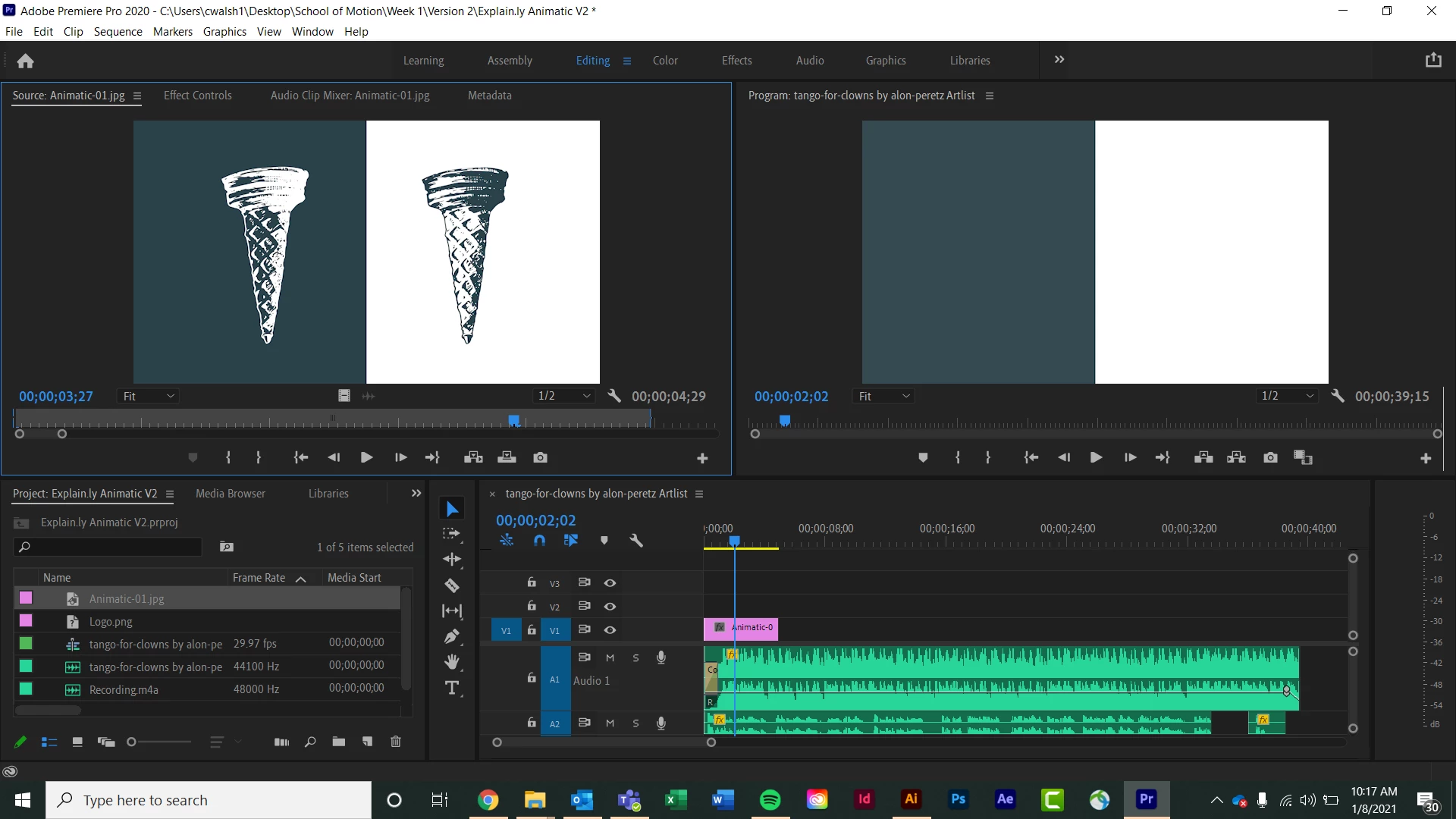
I'm trying to import 12 jpgs into my project that I exported from AI. As you can see in the screenshot, they appear normal in the source window, but then when I drag them to the timeline, everything disappears except the background. I also tried with pngs and the same thing happened. I am stumped. Help please!!
This topic has been closed for replies.
Correct answer Christa5E70

I figured it out! The jpgs were imported at such a high scale that I couldn't see anything but the background. Needed to scale them down to 25%


2 replies

Jeff Bellune
Legend
January 8, 2021
  • What are your sequence settings, please?
  • What happens if you switch the Program Monitor to full resolution instead of half resolution?
Christa5E70AuthorCorrect answer
Participant
January 8, 2021

I figured it out! The jpgs were imported at such a high scale that I couldn't see anything but the background. Needed to scale them down to 25%


Jeff Bellune
Legend
January 8, 2021

Well-spotted. Congratulations!


The frame size of your sequence vs the frame size of your media is an important relationship to keep in mind.