Participant
March 28, 2022
Answered

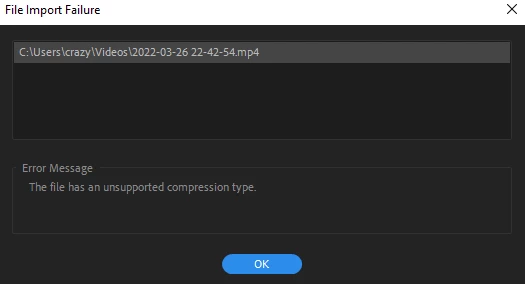
Keeps saying unsupported compression type. The file is an MP4
  • March 28, 2022
  • 3 replies
  • 1565 views

Picture above

C:\users\crazy\videos\2022-03-26 22-42-54.mp4

This topic has been closed for replies.
Correct answer Richard van den Boogaard

Apparerently, this file may have gone corrupt, or something's amiss with the codecs on your system, or your GPU needs updating.


Either transcode the file, update your GPU or re-install your codecs.

3 replies

Jeff Bellune
Legend
March 28, 2022

Examine the file with MediaInfo.

It will reveal which codec is wrapped inside that MP4 file format.

Participant
June 17, 2024

What is the solution?  I am  having the same issue with video with a 0 byte using my Canon R5 (mp4) file type.  I am getting the "unsupported compression type" error when trying to import into Premire Pro. I have tried deleting my cache, moving the file to a new folder, changing the file extension, and nothing as worked.  


John T Smith
Community Expert
Community Expert
June 17, 2024

MP4 is a wrapper, what is inside YOUR wrapper - Exactly what is INSIDE the video you are editing?
Report back with the codec details of your file, use the program below
Free program to get file information for PC/Mac http://mediaarea.net/en/MediaInfo/Download
- a MediaInfo tutorial https://youtu.be/Ivy9ckSX1M0
- when you analyze your file in MediaInfo and post a screen shot in the forum, do so in TREE view
- post your information IN your message, not as an attachment that someone would have to download

Richard van den Boogaard
Community Expert
Community Expert
March 28, 2022

Apparerently, this file may have gone corrupt, or something's amiss with the codecs on your system, or your GPU needs updating.


Either transcode the file, update your GPU or re-install your codecs.

Graeme Bull
Community Expert
Community Expert
March 28, 2022

Whatever it was compressed by for codec is incompatible. Convert it with Handbrake to something normal like h.264 perhaps.