
Key to Automatically cut where the current frame is
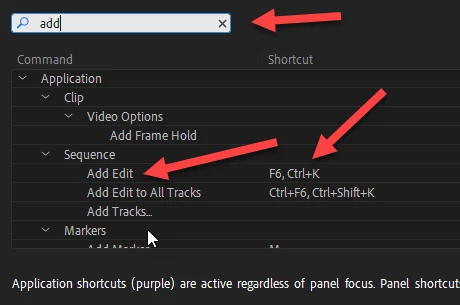
Transfering from sony vegas to premiere. In vegas i hit the s key and it automatically puts a cut or split dividing the current frame from the previous. I know you can do this in premiere by using the razor tool(c) but you actually have to do 2 extra steps than in sony vegas, this ruins my work flow as if im already on the frame i want to split then why have me go with the mouse to the frame and left click? I get its useful for other things but its faster for me to just hit a key and it automatically splits. Been searching for a week now on youtube and cant find anything. Closest thing i found was q and w for ripple delete but i just want a ripple that splits the current frame and on from whats before it. Anyone know of a way to do this. Really appreciate any feedback.
 AdChoices