
Participating Frequently
May 29, 2025
Question

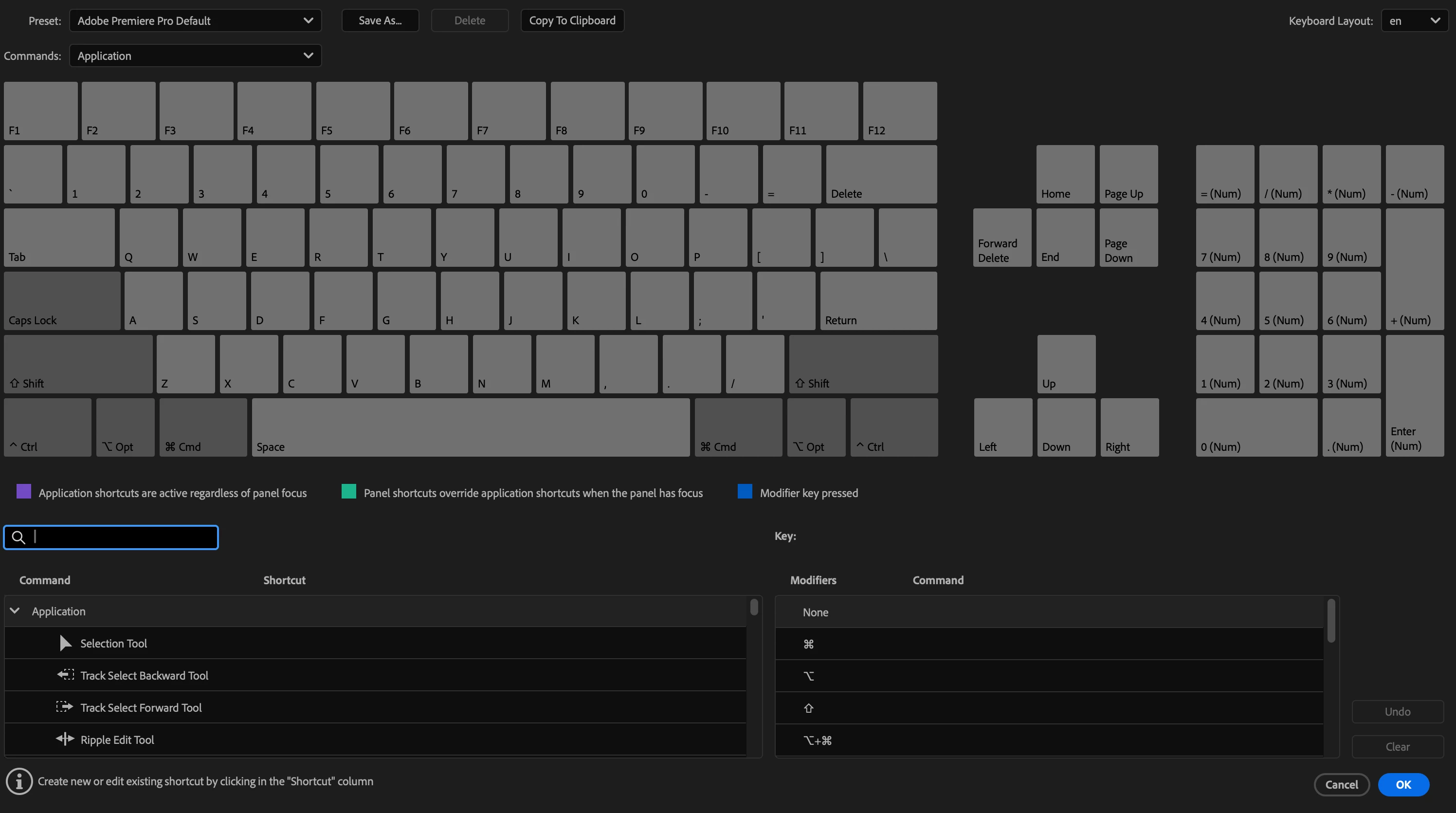
Keyboard Shortcuts presets are gone.

  • May 29, 2025
  • 2 replies
  • 222 views

I've discussed this with Adobe's tech support both on chat and phone. The preset keyboard shortcuts disappeared. I get a grey keyboard in the Keyboard Settings window. I've reinstalled the entire Adobe collection at least twice and the tech guys have done everything they could think of so far with library and preferences files, etc. I have no custom settings. It's pretty much stopped me in my tracks, I can't right click using the control key. Command Q doesn't work. Nothing. I'm using a Mac Studio M4 that's about a month old, 48GB ram. Thanks in advance.
 

2 replies

Stan Jones
Community Expert
Community Expert
May 30, 2025

@davidh24839446,


Odd. You are set for the default shortcuts, and there is nothing. In Windows, the default (English) keyboard would be here:

C:\Program Files\Adobe\Adobe Premiere Pro 2025\Keyboard Shortcuts\en


Does someone know what the Mac path would be? And what do you see there?


Stan


Kevin-Monahan
Community Manager
Community Manager
May 29, 2025

Hey @DavidH,

Try doing a search for your .kys file in your system. Hope that helps you locate it. If not, let us know if are in an enterprise or educational environment. That could also be a cause. Hope we can help you.


Thanks,
Kevin


Kevin Monahan - Sr. Community and Engagement Strategist – Adobe Pro Video and Audio
Participating Frequently
May 30, 2025

Yes, I believe the support guys replaced the .kys file at least a couple of times. This happened rather suddenly. The commands stopped working in the middle of an editing session. I am in an educational environment in that I teach, but there is no network and I'm the only person with access to the computer, ever.