Ezad
Inspiring
May 15, 2022
Answered

Lemetri and Obsolete Effects

  • May 15, 2022
  • 1 reply
  • 309 views

Hello
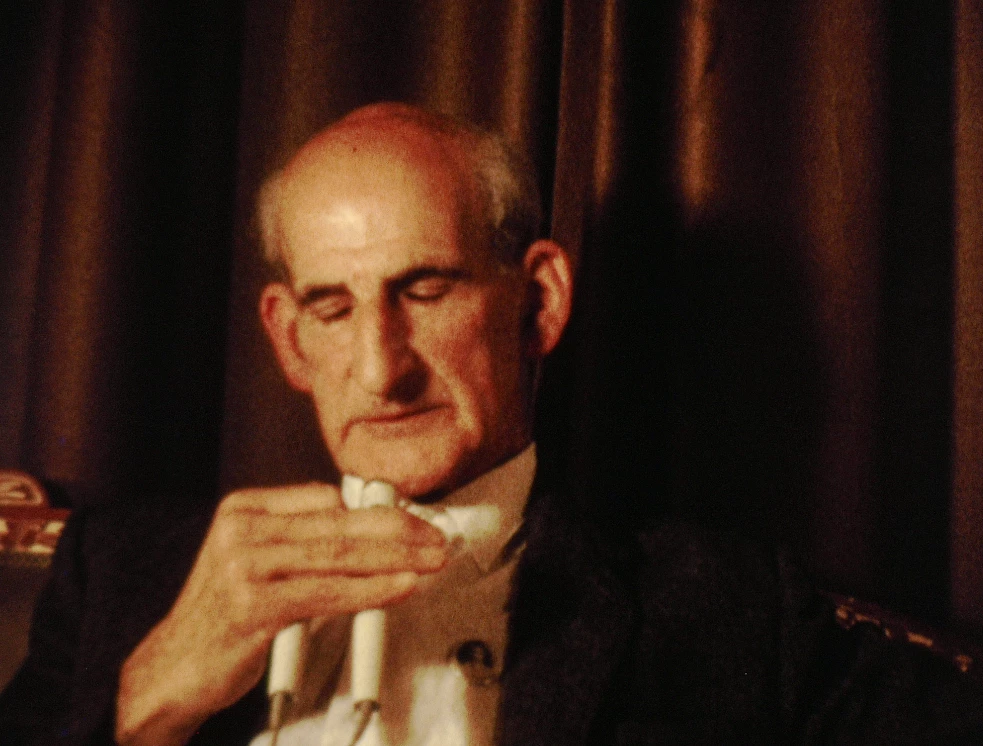
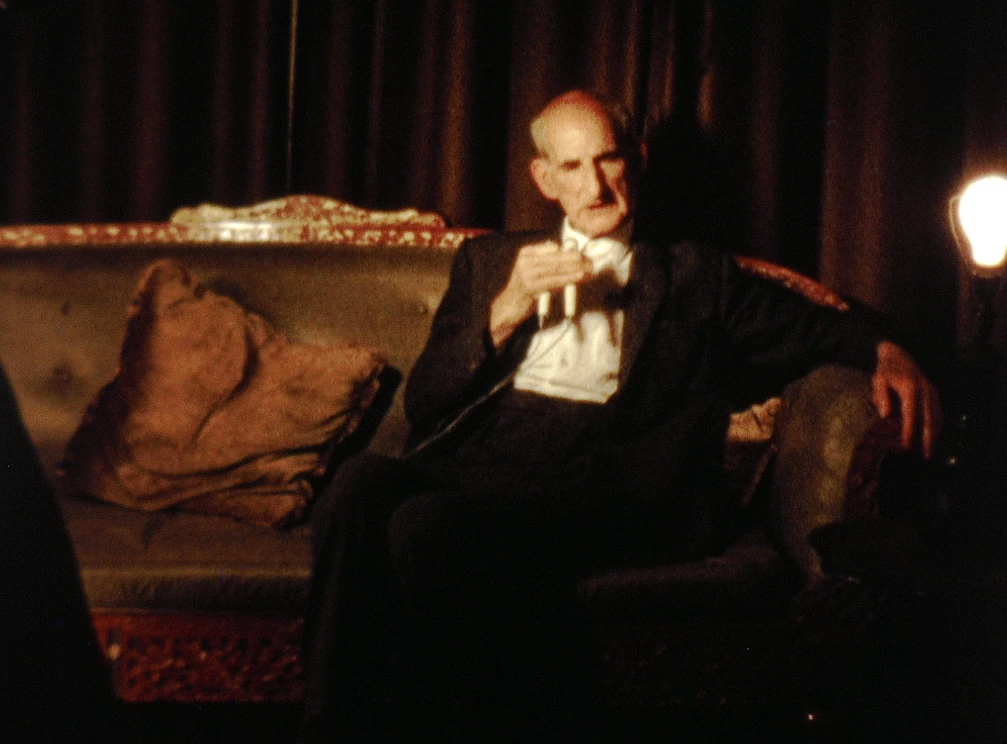
Here are two frames from the film I am working on with PP 2021.
I have had success in altering the orange cast using Lumetri Color with saturaton reduction and temparture reduction. What ever I do to fix this the orange cast prevails.

The other option was to use from the obsolete effects are few familiar tools in an attempt to give the overall tonality of this area a normal look.  (Though the shirt is white....) I thought from  the getgo it would be simple.That did not work.  What can be done to fix this? 
Thanks!
 

This topic has been closed for replies.
Correct answer R Neil Haugen

I would go to the Color workspace, and make sure the Lumetri scopes were visible. You'll want either the Waveform (in RGB) or the Parade RGB and the Vectorscope both visible. Right-click in the scopes panel to select which scopes you're working with.


In the vectorscope, "neutral" areas like white/gray/black are in the dead-center, where the two graticle lines cross. In the Waveform & parade, you can see neutrals where the signal color goes to white.


Use the various controls to get the white of that shirt into the middle of the Vectorscope is the easiest thing. You could even go to the Effects Control Panel, and set a mask for the Opacity effect so that all that shows is that shirt.


Then go to Lumetri, and it will be pretty easy to see what changes you need to make to get that to the center of the Vectorscope. I'm thinking that's to the Yellow/Red side of things, so say pullling mids and highlights both towards Cyan would be the likely fix.


Neil

1 reply

R Neil Haugen
R Neil HaugenCorrect answer
Legend
May 16, 2022

I would go to the Color workspace, and make sure the Lumetri scopes were visible. You'll want either the Waveform (in RGB) or the Parade RGB and the Vectorscope both visible. Right-click in the scopes panel to select which scopes you're working with.


In the vectorscope, "neutral" areas like white/gray/black are in the dead-center, where the two graticle lines cross. In the Waveform & parade, you can see neutrals where the signal color goes to white.


Use the various controls to get the white of that shirt into the middle of the Vectorscope is the easiest thing. You could even go to the Effects Control Panel, and set a mask for the Opacity effect so that all that shows is that shirt.


Then go to Lumetri, and it will be pretty easy to see what changes you need to make to get that to the center of the Vectorscope. I'm thinking that's to the Yellow/Red side of things, so say pullling mids and highlights both towards Cyan would be the likely fix.


Neil

Everyone's mileage always varies ...
Ezad
EzadAuthor
Inspiring
May 16, 2022

Thank you!