

Tigercam
Participant
November 2, 2020
Question

Library Images not Importing

  • November 2, 2020
  • 2 replies
  • 442 views

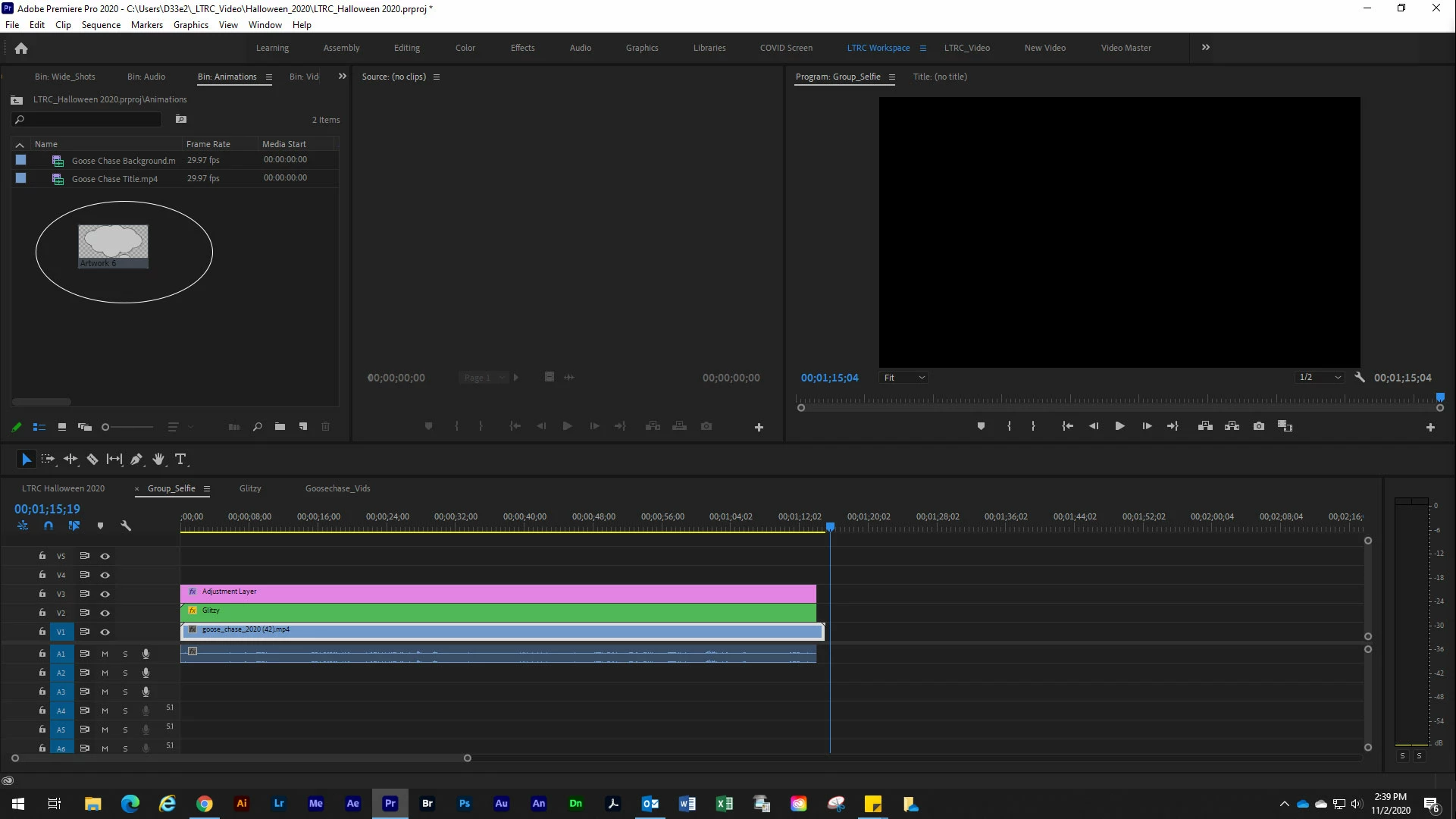
This is a new one. Premiere is the only program that wont let me drag my library images onto the project panel. It gives me the plus symbol that says I can drop the image, but when I let go of the mouse it just disappears. I've restarted, rebooted and thrown away preferences etc. Please help.
This topic has been closed for replies.

2 replies

Kevin-Monahan
Community Manager
Community Manager
November 2, 2020

Sorry about this. It's a known issue, I believe. Check out this article, TC: https://helpx.adobe.com/creative-cloud/kb/fix-broken-links-creative-cloud-libraries.html


Thanks,
Kevin

Kevin Monahan - Sr. Community and Engagement Strategist – Adobe Pro Video and Audio
Tigercam
TigercamAuthor
Participant
November 4, 2020

Hey all, thanks for the help, unfortunately it's getting nowhere. I've done all the steps, thrown away trash preferences, uninstalled, reinstalled and it's still not working. I did find a thread from two years ago with the exact same problem and it wasn't solved then either. Hopefully when the next update comes out it'll right itself.

https://community.adobe.com/t5/premiere-pro/can-t-drag-files-from-cc-library-into-premiere-pro/td-p/9676983?page=1


R Neil Haugen
Legend
November 2, 2020

You work with Libraries in Premiere Pro by taking things directly to your sequences. From Premiere's Library panel.


Neil

Everyone's mileage always varies ...
Tigercam
TigercamAuthor
Participant
November 2, 2020

Hey Neil, when I try that it gives me the no go symbol. Oddly, I can drop Essential Graphics directly into the timeline but not library images.

Ann Bens
Community Expert
Community Expert
November 2, 2020