
October 19, 2022
Answered

Logitech MX3 mouse issues with 2023

  • October 19, 2022
  • 7 replies
  • 5362 views

none of the special operations I mapped to buttons on the mouse work in Premiere 2023. Work just fine in 2022. Updated mouse firmware and remapped with no success. I realize this is a third party piece of hardware and not Adobe's issue but I thought I'd post anyway for ther others on this group who use the same mouse.
This topic has been closed for replies.
Correct answer mikesoops

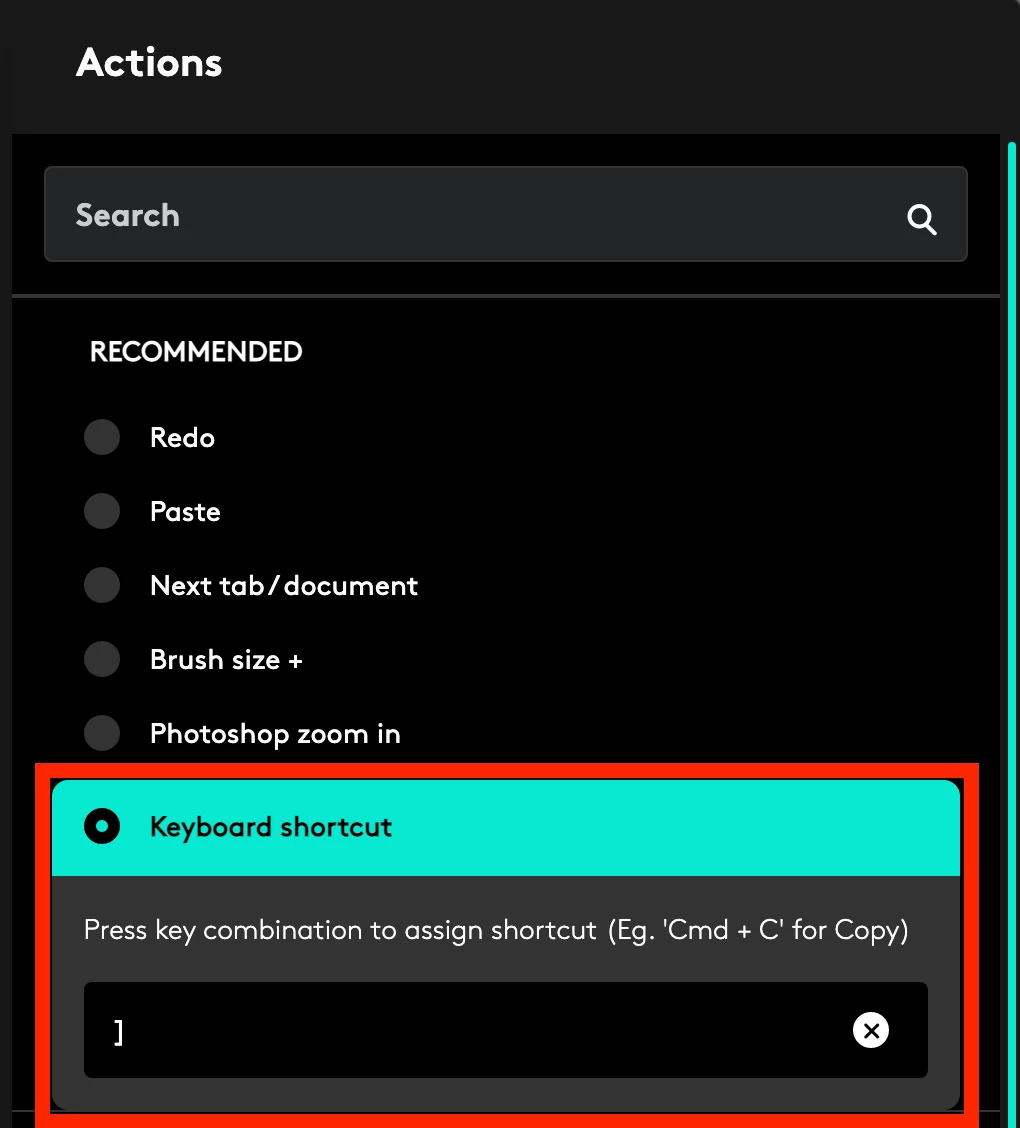
what ive been doing as a work around solution is create the keyboard shortcuts in Adobe and then input that shortcut you created into the custom keyboard shortcuts in Logi Options+. Almost all my shortcuts ive created are custom. Barely used any of the built in options they provided.


7 replies

a_life_wasted
Participant
September 1, 2023

Logi Options+ is very limited in what shortcuts it allows you to map to the MX3 buttons. There are no more than 30, and none of them allow for the functions I need. Commands like "pasting attributes" or even "shuttle right" are not given as options. This is very disappointing and severely affects my editing workflow.  Keep us posted if Adobe takes this seriously and fixes it. 

mikesoopsCorrect answer
Participant
September 1, 2023

what ive been doing as a work around solution is create the keyboard shortcuts in Adobe and then input that shortcut you created into the custom keyboard shortcuts in Logi Options+. Almost all my shortcuts ive created are custom. Barely used any of the built in options they provided.


Participant
November 13, 2022

From Crative Cloud app reinstall previous version v23.5.2 and uninstall 2023 v24 version. This fixed the logitech custom mapping preferences. Restored back to working worklfow. Thanks everyone.

Participant
October 31, 2022

With or without Options+ it doesn't work on 2023, no issues on 2022 though!

Participant
October 28, 2022

Having the same issue. Can't map the mouse at all on Premiere Pro 2023 version. I re-downloaded the 2022 version through the Creative Cloud and uninstalled the 2023 version. Back to 2022 and it works like a charm. Won't upgrade until this gets resolved, cause it really hinders the workflow not being able to use the MX Master as intended.

Participant
October 24, 2022

Same thing happens here.

DBH2022
Participant
October 26, 2022

Honestly, this appears to be a Logitech software issue. They don't have PS 2023 or the latest LR mapped correctly. Logitech CS is terrible, so we might have to wait a while. Hoping not. 

DBH2022
Participant
October 22, 2022

Running into the same issue. Using Options+, I found PS2023, but was unable to map the one feature that is critical for my workflow - middle button Pan. What gives? I cannot launch PS2022 now and I have a cripled workflow. Not cool. Help!!


Inspiring
October 19, 2022

The Logitech software assigns custom functions to a specific app. You need to go into G Hub and either add the Premiere 2023 executable or create a new set of shortcuts based on Premiere 2023. 2022 and 2023 are different apps that live in different folders, so G Hub doesn't automatically know what to do.

October 19, 2022

Not familliar with Ghub, I'm on a mac


October 19, 2022

I have logi options and I've remapped the shortcuts to the mouse with no success.