Participant
May 8, 2018
Question

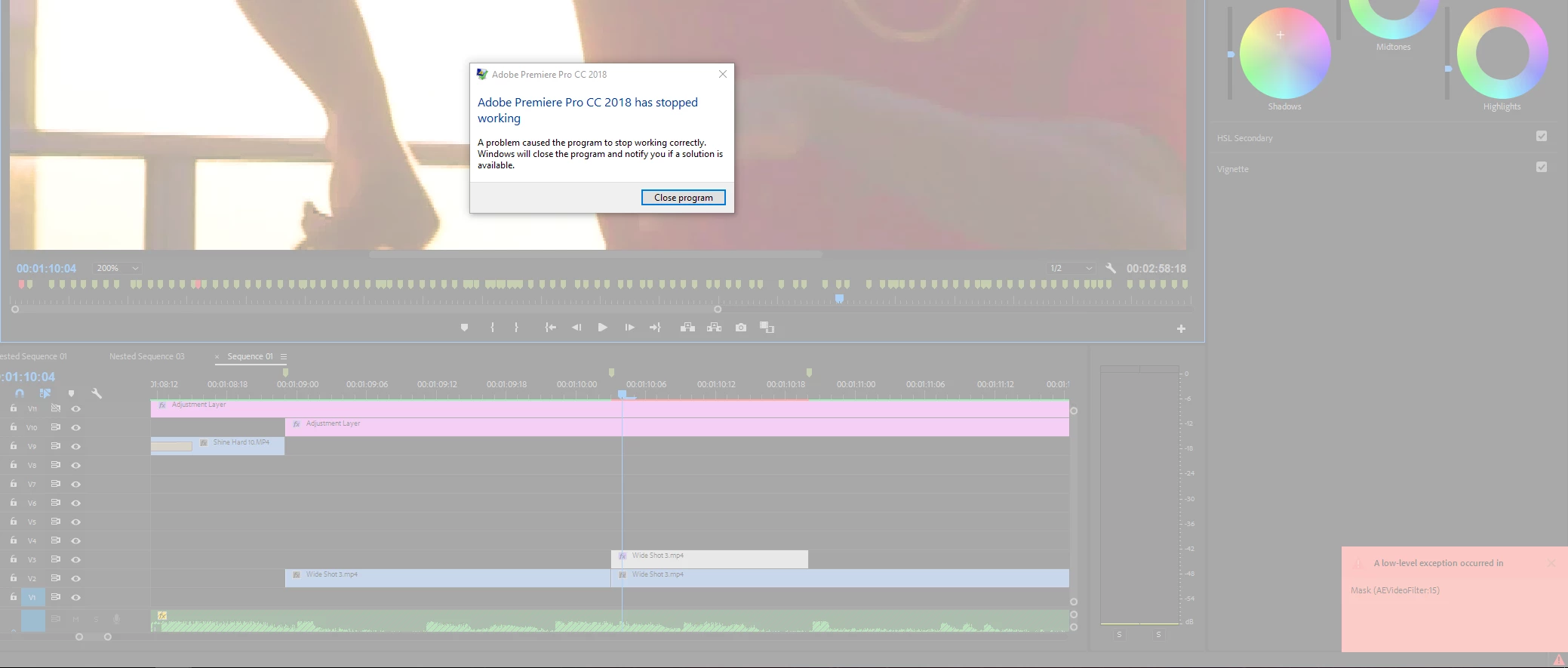
Low Level Exception in Mask (AEVideoFilter:15) keeps crashing program

  • May 8, 2018
  • 7 replies
  • 9407 views

Hi, I have been having issues with Premiere Pro constantly crashing. Below is a screenshot.

It has happened more than 10 times now and I have tried to update Premiere Pro, my GPU drivers, and I've switched to Mercury Playback Engine Software Only but it still crashes.

In fact, it runs much more slowly without GPU acceleration (expected) but still crashes.

My PC specs:

i5-7600k CPU

16GB Ram

Nvidia GeForce GTX 1070 GPU

500GB M2 SSD

I edited my whole video and started touching up some spots with a mask and then the crashes started; so I am blocked at this point.

Please help!

Thanks

This topic has been closed for replies.

7 replies

Participating Frequently
May 13, 2024

I hit undo as many times until the Premiere Pro turned back to normal functionality while I still got a lot of "Low Level Exception in Mask (AEVideoFilter:15)" alerts and it seemed to stop it.

January 15, 2020

Similar issue in Premiere 2020 (latest version in January 2020)

Currently I'm trying to apply blur using a mask (and track it). The tracking didn't work so i had to manually re-track which is when this error occured.


I get the error message and soon premiere crashes.

Working with:

intel i7 9700 @3 gHz
Nvidia geforce RTX 2060

16 gigs of RAM

Premiere installed on an SSD

Known Participant
November 28, 2022

I'm getting this error too.  When this happens, quite a bit of my work does not save (although some gets saved in the Auto-Save files).

Here are my specs:


Premiere Pro ver 22.4.0 build 57

Windows 10 Enterprise

Ver 21H1

Intel(R) Core(TM) i7-10750H CPU @ 2.60GHz 2.59 GHz

16.0 GB (15.8 GB usable)

SkyReel
Participant
July 13, 2019

Same problem here (High Spec PC, Latest version of Premiere) There seems to be far too many bugs in Premiere Its almost unusable. Its constantly moaning about something! I wish I'd gone for Final Cut.

Participant
June 24, 2018

Hi, I am also having the same issue.

All of my equipment and software is up to date.

Mac specs:

Mac Pro late 2013 (apple trash can)

Processor 2.7 ghz 12 core intel Xeon E5

Memory 64gb 1866 MHz DDR3

GFX AMD FirePro D700 6gb

Has anyone found a solution to this problem?

amon140Author
Participant
May 11, 2018

I've been able to reliably replicate the issue by removing a point on a Lumetri Color Mask with Ctrl-Click. I've also tried clearing the media cache and I checked my PC for memory issues via mdsched

yenaphe
Inspiring
May 11, 2018

Hello,

I've had this issue after long working hours, when manipulating masks. You should try to contact Adobe Tech support directly. I suspect a GPU issue, but difficult to say as your specs are more than enough for 1080p encoding/color correcting.

amon140Author
Participant
May 10, 2018

It just happened again while manipulating a mask and I got an error saying bad_module_info has stopped working.

Thanks

amon140Author
Participant
May 8, 2018

Windows 10

Premiere Pro 2018

The video is in 1080p 24 FPS