
Participant
December 4, 2023
Question

LOW QUALITY ON IMPORT AND EXPORT - I AM ABOUT TO QUIT THE APP
  • December 4, 2023
  • 2 replies
  • 186 views

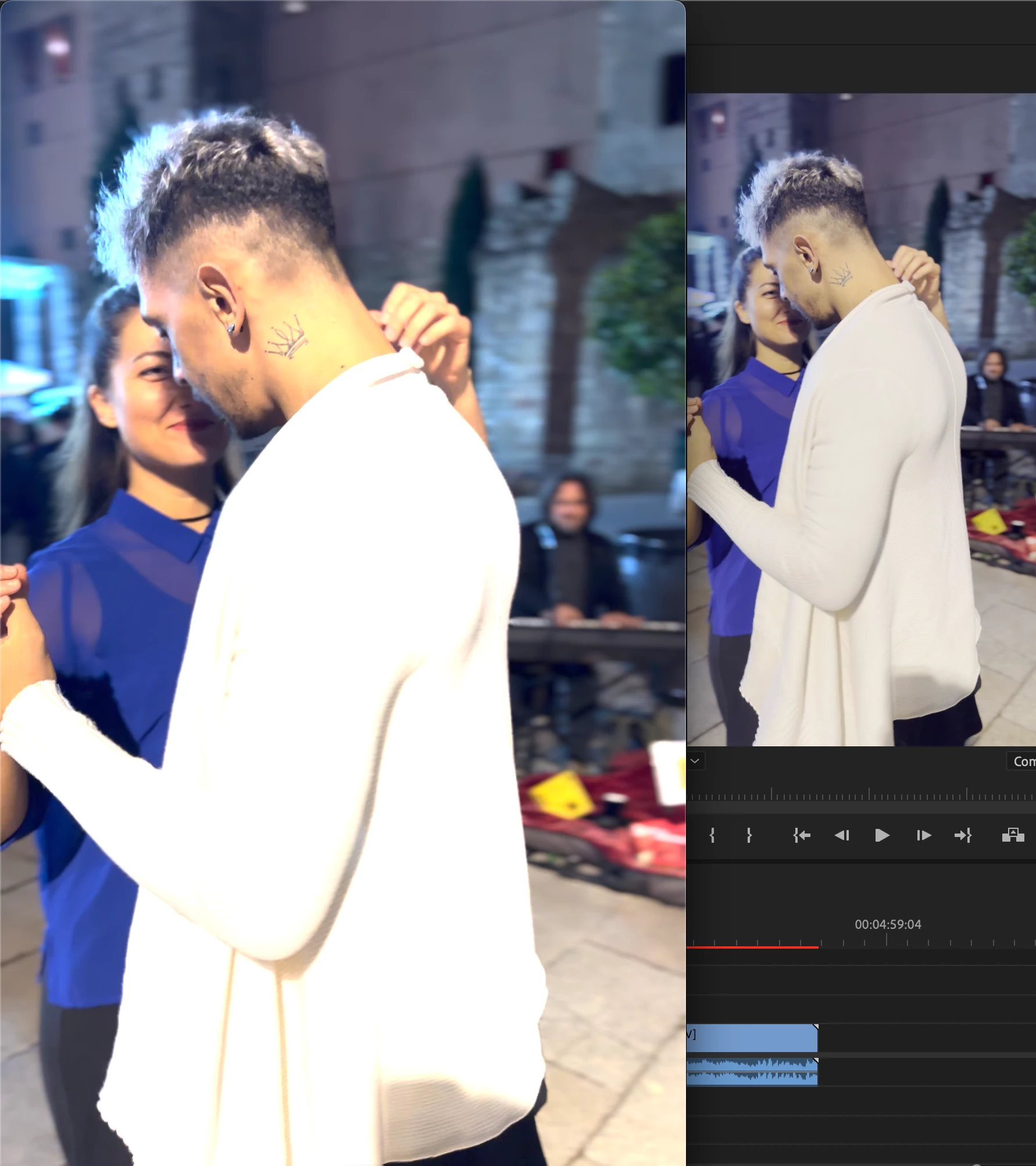
Left Quick Time. Right Premiere 2023. 

Opened a Sequence from the video matching all the presents.. 

Just from the beginning the colour is horrible, and the qulity is lower.. 


I dont know what to do, what changed in this update? I never had this problem.. 

Can anybody help?

This topic has been closed for replies.

2 replies

R Neil Haugen
Legend
December 5, 2023

We just have to get you through setting up basic color management. Wasn't necessary when everything was SDR/Rec.709, but Kevin is right ... you've got probably an HLG clip of HDR there.


With correct settings it can work on either SDR/Rec.709 sequence or HLG HDR sequence. What do you want?

Everyone's mileage always varies ...
Kevin-Monahan
Community Manager
Community Manager
December 5, 2023

Hi @marceloc47330401,

I saw your screenshots. Thanks. Can you tell us more about the source footage? Did you shoot with a Sony camera or an iPhone? Is it HDR? Can you show us a screenshot of your Lumetri Color panel > Settings so we can see what your settings for color management are? Hope we can assist!


Thanks,
Kevin

Kevin Monahan - Sr. Community and Engagement Strategist – Adobe Pro Video and Audio
Participant
December 11, 2023

Yes ,it was shooted with an Iphone 14 Pro. In 4K resolution, and in Movie Mode. So the problem is that now everytime I record myself dancing and I want to edit, I can see the real resolution, and I can export it correctly.. So I can't edit the clip.. 

I'm not sure what to show you guys, it's not about correcting a colour. Its about losing quality because it's not showing the actual quality of the file from the beginning... 

What was the change in Premiere that did this? How can I edit videos mantaining the quality of the source?

R Neil Haugen
Legend
December 11, 2023

That was probably shot as HLG, a form of HDR, high dynamic range. And your color management settings in Premiere are out of whack for that clip on that sequence.


The Settings tab of the Lumetri panel is what we need to see.


Do you want to work in HDR, or in Rec.709 standard dynamic range? You can work this in great shape either way, but you need to pick one and we can then help with your settings.

Everyone's mileage always varies ...