
Participant
June 29, 2015
Answered

Lumetri Color - Copy Settings from Local Clip to Master Clip

  • June 29, 2015
  • 5 replies
  • 89056 views

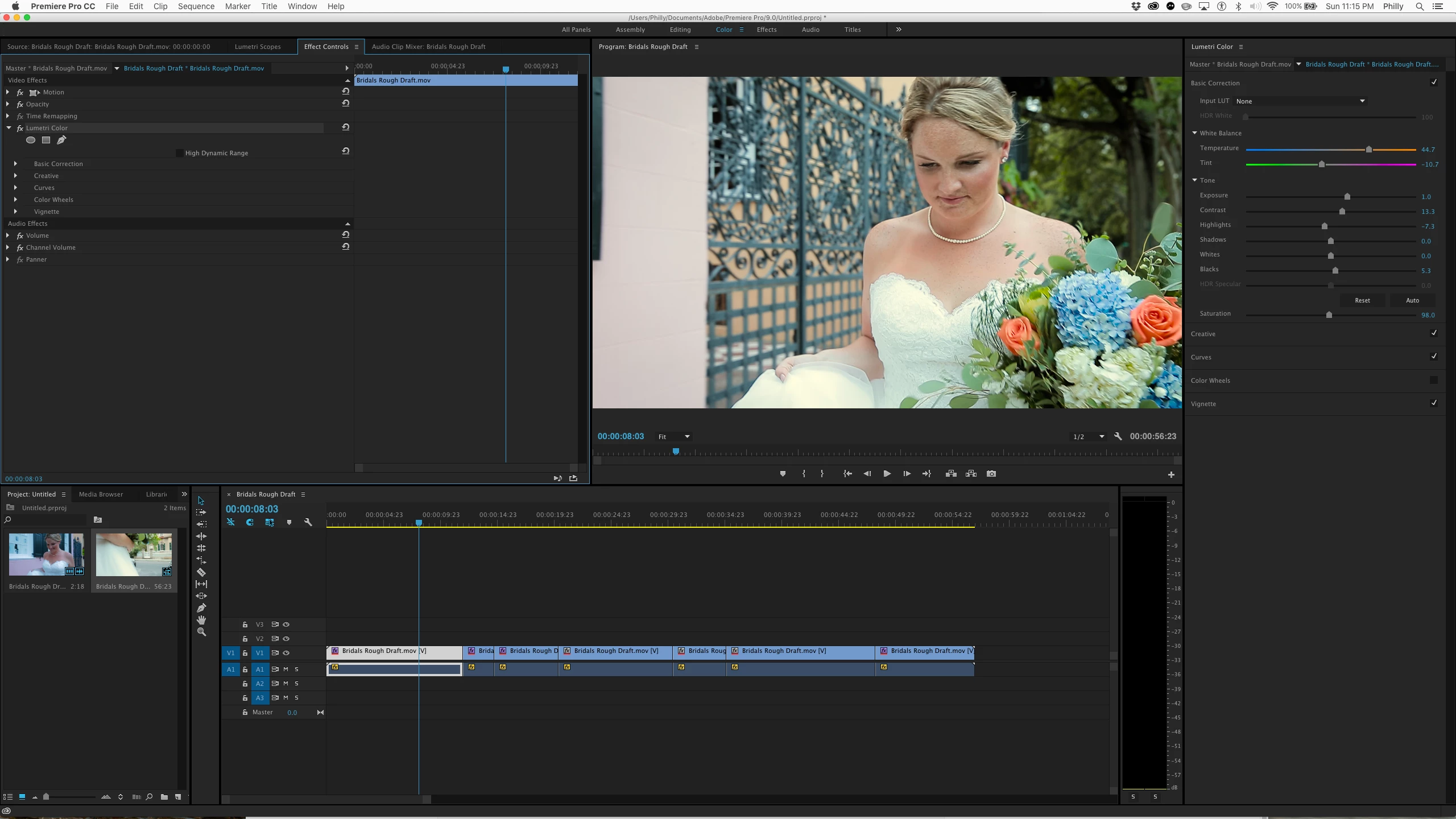
After I set up a look in the 'local' clip in lumetri, how do I copy that look over to the master to make it apply to all other clips from the same shot? I tried creating a preset and applying it to master, but for some reason it will only apply the preset to the local clip?
This topic has been closed for replies.
Correct answer philip6110572

I figured it out!  You have to also open the "Effect Controls" panel in addition to the "Lumetri Color" Panel.  Then select "Lumetri Color" from the "Effects Controls" Panel, copy (CMD+C).  Select new clip in timeline, paste. 

5 replies

December 11, 2023

There is really not shortcut to copy the correction from the previous clip the the selected one with ONE keystroke?? Like in Avid, FCPx, Resolve and so on???

R Neil Haugen
Legend
December 11, 2023

You have to yell Premiere what to copy, then paste. Or it doesn't know what you want to do. Two steps.


But a copy can be pasted multiple times of course.

Everyone's mileage always varies ...
December 11, 2023

Thanks again Neil! Thats a pity, but better than nothing.

November 5, 2017

Thanks a lot

Known Participant
October 20, 2016

I've created a Lumetri color effect to a master clip in the bin.  Now I want to take that same  effect and drop it on another clip in the bin.

How do you achieve this?   As a workaround I also have tried copy / paste attributes to a clip on timeline, but when you go to paste attributes, the Lumetri Color choice is greyed out.  on another subject:  How do you know when you look at a master clip in the bin, that an effect has been applied to it?  It seems that the only way to tell is by seeing the red fx icon in the timeline.  Thank you.

Legend
October 21, 2016

You can't apply effect in bins, only to clips in a sequence.

The Project pane menu has the option to turn on effects for thumbnails.

philip6110572Correct answer
Participant
July 18, 2016

I figured it out!  You have to also open the "Effect Controls" panel in addition to the "Lumetri Color" Panel.  Then select "Lumetri Color" from the "Effects Controls" Panel, copy (CMD+C).  Select new clip in timeline, paste. 

Legend
June 29, 2015

I was able to just Copy/Paste the Lumetri effect from the clip to the Master in the Effect Controls panel.

Participant
June 29, 2015

ah I see - copy the effect itself from the effects panel. I was trying to copy the settings within the lumetri color settings panel. They still don't make it simple through. With a preset - it still sends it to local instead of the currently selected setting (master or local). Strange. Thanks.