
Lumetri Scopes is showing different Shadows and Blacks on different Macs?
I often switch between my MacBook Pro (2021) and iMac (2017) because the MacBook is easier to use remotely, whereas I have a proper desk setup for my iMac.
I've recently noticed an issue that I'm having though when I come to colour correcting/grading my projects. Most of the time I will do this process on my MacBook, just because its a better display and more powerful in performance but sometimes I prefer the larger monitor so I'll use the iMac. I understand that these two are different displays and run of different graphic components, processors blah blah... but I'm struggling to work out why Premiere is showing different Lumetric Scopes depending on the device?
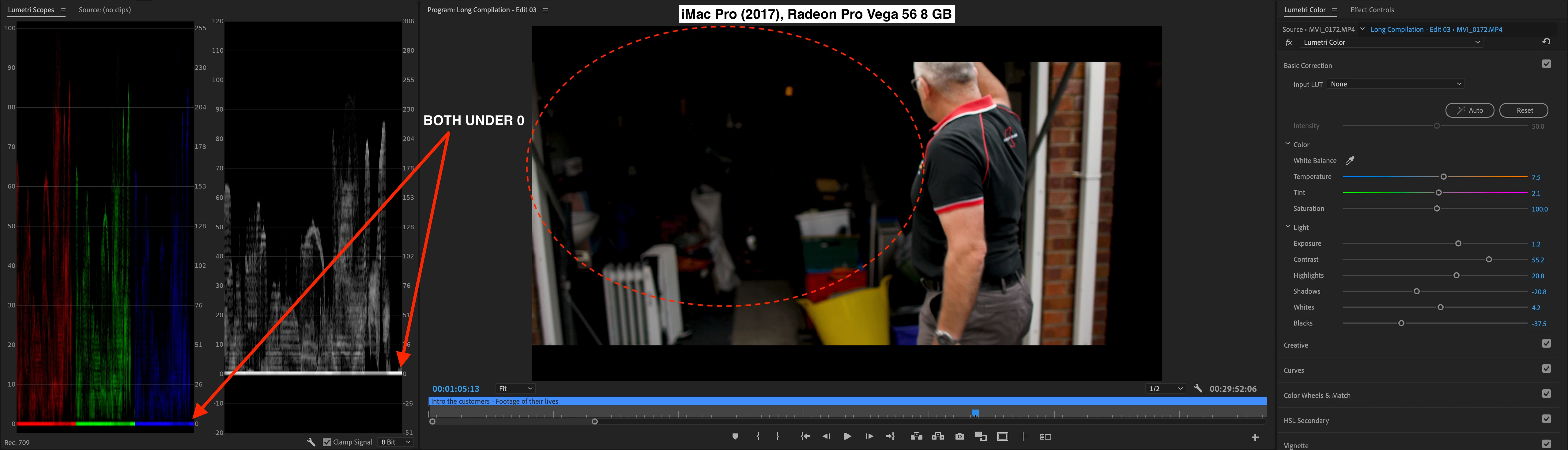
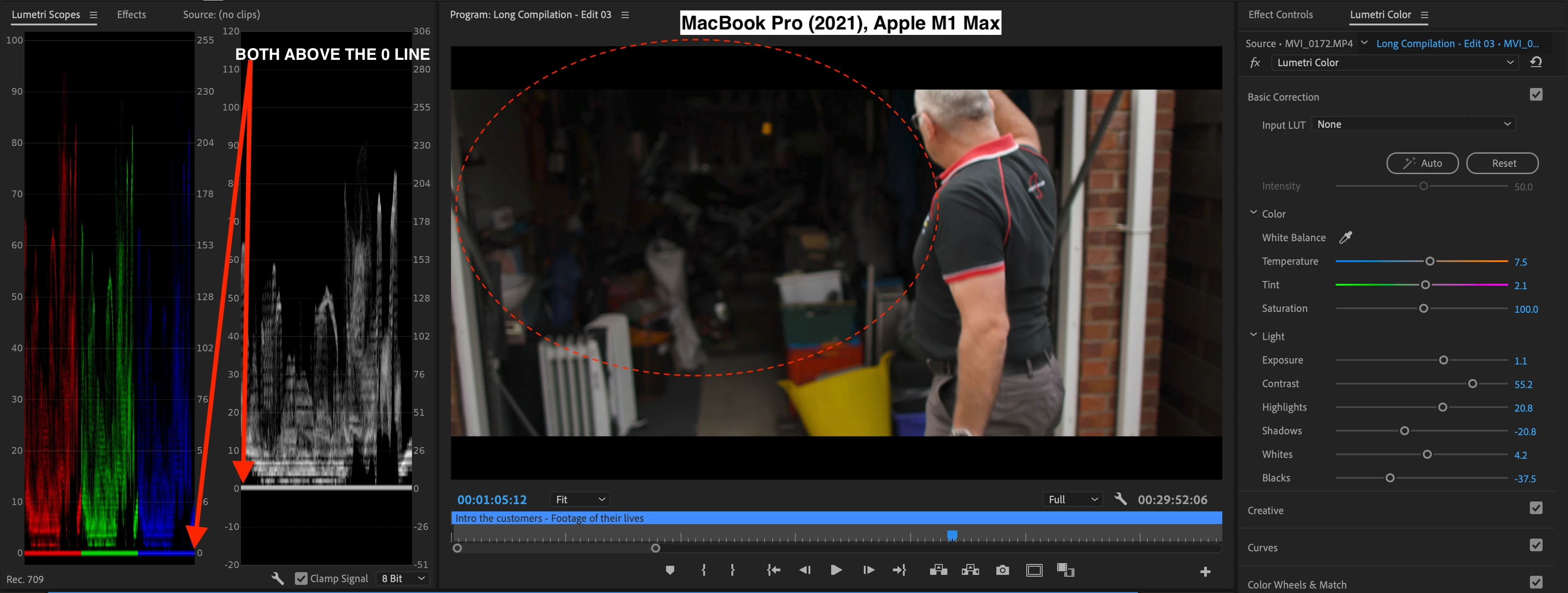
Surely both projects should keep the settings and therefore the Lumetri Colour and Scopes should both represent the same values but i'm finding that my iMac is pulling down a lot on the Shadows and Blacks from what I have edited on my MacBook, even though the Basic Correction settings are exactly the same.
Both are set to REC. 709 Colour space and all other settings seem like they match from what I have compared so i'm not sure what I am missing here...
Can anyone with more experience please help?
Thanks!
James
 AdChoices