Participant
June 3, 2020
Question

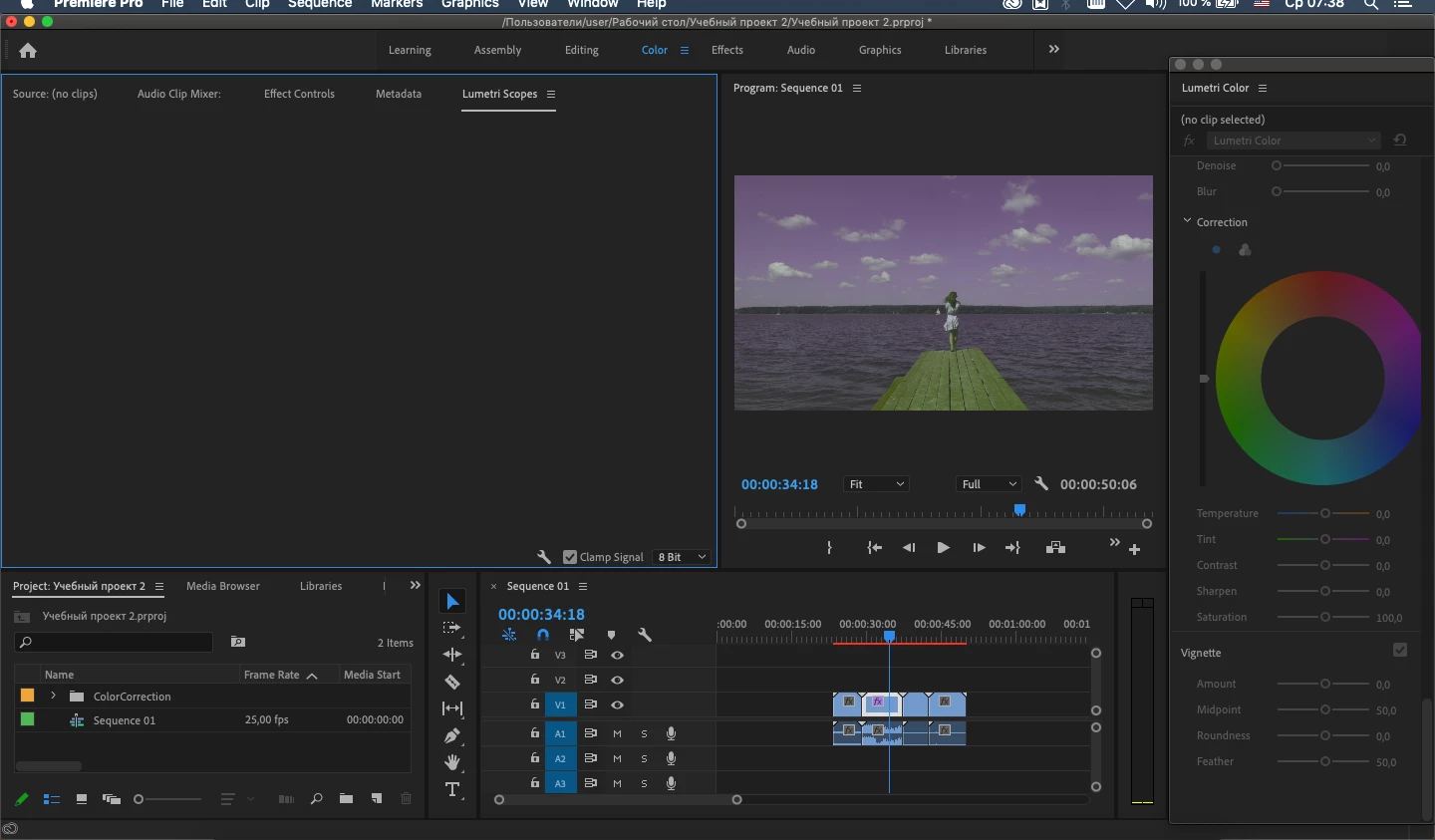
Lumetri Scopes window doesn't work

  • June 3, 2020
  • 4 replies
  • 573 views
Hello! Help me please! I’m taking a course in Premier Pro, nothing is displayed in the , even the program is configured, nothing has changed. Pp 2020 version, subscription license. Help me please !!!



This topic has been closed for replies.

4 replies

Ann Bens
Community Expert
Community Expert
July 17, 2020

Reset workspace?

Legend
July 11, 2020

the op doesn't tell us what his hardware and os are.  I've got a mid 2012 macbook pro and the scopes will not appear because my macbook pro is too old...  that may be his problem.   for Faintscrawl, I don't have a clue.

R Neil Haugen
Legend
July 11, 2020

Try clicking on the clip in the Timeline panel again, see if they come back? Also try double-clicking the workspace name at the top to reset the workspace.


If those don't help, the try going through the checking of your graphic's card settings in the project panel, then deleting all cache files, then if needed try Trash Preferences.


Neil

Everyone's mileage always varies ...
Known Participant
July 17, 2020

Thanks. I tried all the suggestions--with no success--except "checking of your graphic's card setting in the project panel". I'm not sure what I'm looking for there.

R Neil Haugen
Legend
July 17, 2020

As the top section, the Video Rendering and Playback section is greyed-out, apparently you don't have a separate (discrete) GPU card on that machine. So all video rendering/exporting is done by the CPU.


Neil

Everyone's mileage always varies ...
Known Participant
July 11, 2020

I have the same issue.


Model Name: MacBook Pro

  Model Identifier: MacBookPro9,2

  Processor Name: Dual-Core Intel Core i7

  Processor Speed: 2.9 GHz

  Number of Processors: 1

  Total Number of Cores: 2

  L2 Cache (per Core): 256 KB

  L3 Cache: 4 MB

  Hyper-Threading Technology: Enabled

  Memory: 16 GB