Exit
  • Global community
    • Language:
      • Deutsch
      • English
      • Español
      • Français
      • Português
  • 日本語コミュニティ
  • 한국 커뮤니티
1

Mac issue: Green preview of the video in Premiere Pro 23

New Here ,
Jun 09, 2023 Jun 09, 2023

Hi,

i've just uploaded the new version of Premiere Pro, but now the video's preview is totally green and the video doesn't work, while the audio it's perfect. This is how it looks like. 

Someone knows how can i fix it?

Tnx
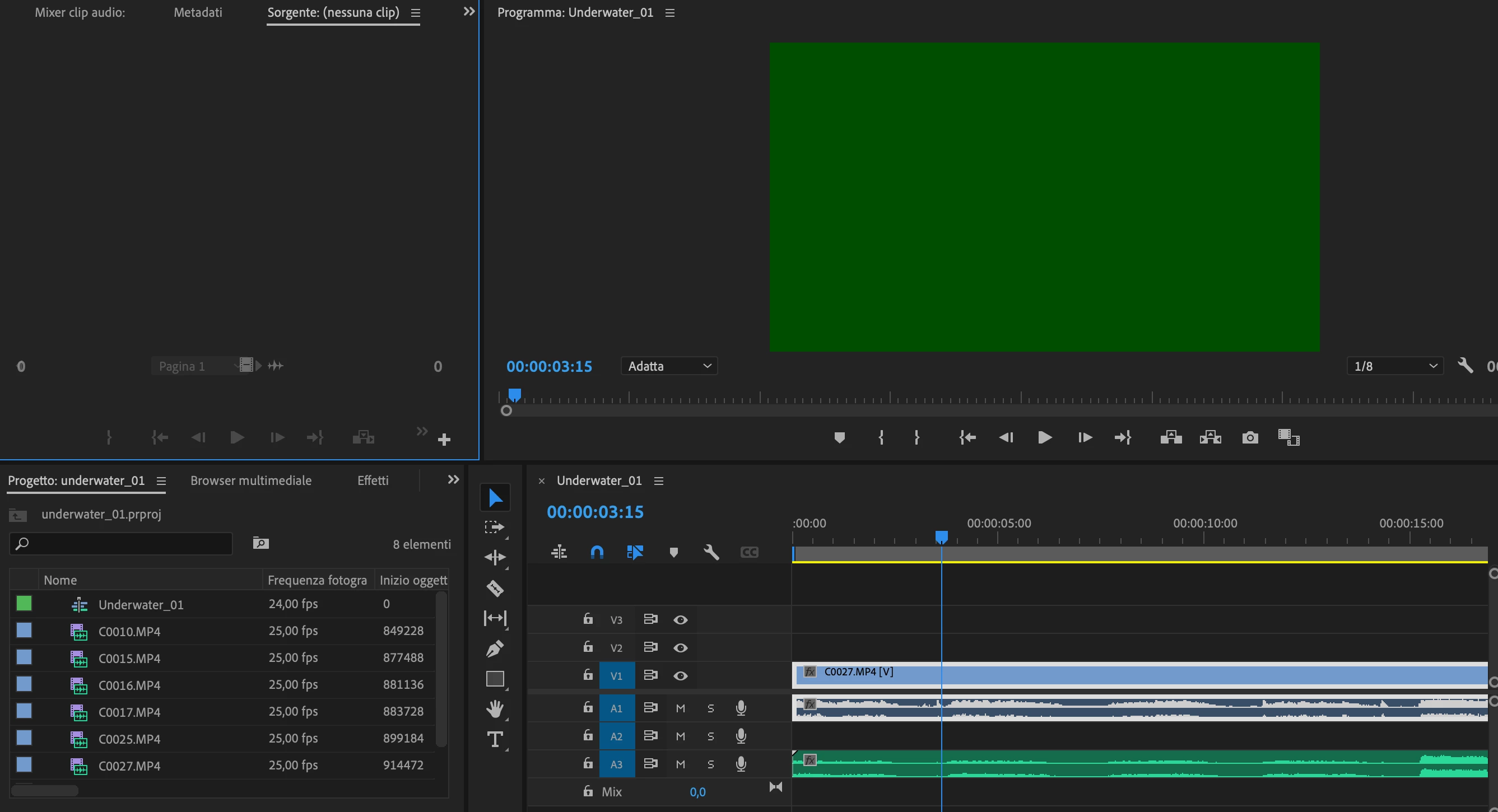
Schermata 2023-06-09 alle 18.24.23.png


[Moderator note: I modified the title for best help in getting an answer. ]

277
Translate
Report
Community guidelines
Be kind and respectful, give credit to the original source of content, and search for duplicates before posting. Learn more
community guidelines

correct answers 1 Pinned Reply

LEGEND , Jun 09, 2023 Jun 09, 2023

That's nearly always a GPU driver issue. So either a newer or older driver would be needed.


And if the GPU is by Nvidia, use ONLY the studio drivers, never the game drivers.

Translate
LEGEND ,
Jun 09, 2023 Jun 09, 2023

That's nearly always a GPU driver issue. So either a newer or older driver would be needed.


And if the GPU is by Nvidia, use ONLY the studio drivers, never the game drivers.

Translate
Report
Community guidelines
Be kind and respectful, give credit to the original source of content, and search for duplicates before posting. Learn more
community guidelines
New Here ,
Jun 10, 2023 Jun 10, 2023
Thanks
Do you know how I can upgrade the driver too? Or Where can i find it?
These are the specifics of my Mac

Thank you so much

[image: Schermata 2023-06-10 alle 16.10.03.png]
Translate
Report
Community guidelines
Be kind and respectful, give credit to the original source of content, and search for duplicates before posting. Learn more
community guidelines
LEGEND ,
Jun 10, 2023 Jun 10, 2023
LATEST

Ahh, a Mac ... you'll need a Mac user helping on that!

Translate
Report
Community guidelines
Be kind and respectful, give credit to the original source of content, and search for duplicates before posting. Learn more
community guidelines