Participating Frequently
November 11, 2024
Question

Macroblocking and banding when exporting

  • November 11, 2024
  • 1 reply
  • 425 views

Hi there!

I rendered an animation in Chaos Vantage, the output being a series of png files. I imported as an Image Sequence in Premiere, and exported it in H.264 (also tried exporting through Media Encoder, with the same results):

https://youtube.com/shorts/ySIaH_SlIg4?feature=share 


As you can see, there is very visible banding and macroblocking in the ceiling. These are the export settings (I tried to turn on Use Maximum Render Quality and Render at Maximum Depth, to no avail):
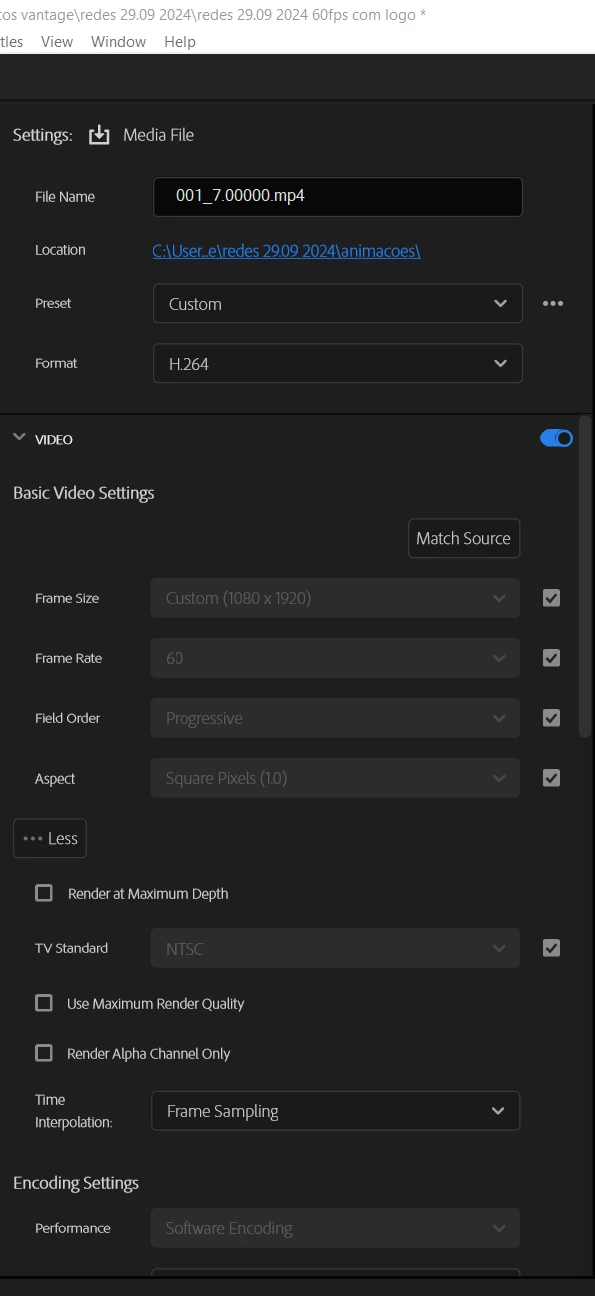
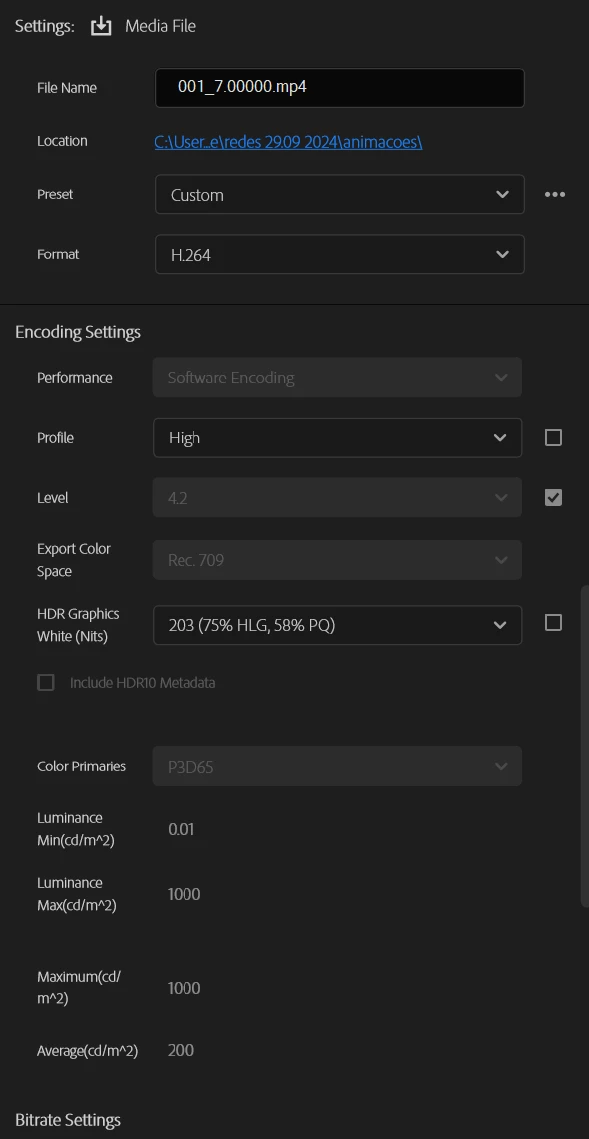
What can I change to improve my render?


Software used:

- Adobe Premiere Pro 2024 Version 24.2.1 (Build2)

This topic has been closed for replies.

1 reply

R Neil Haugen
Legend
November 11, 2024

This sort of thing is so dependent on first, how many bits per channel you are working with, and then, what color or tonal changes you make in color correction. Why?


Smooth gradients, especially in lighter areas such as walls, ceilings, and skies, are a real pain in long-GOP encoding. As the way the process gets such high bitrate reduction is by grouping similar blocks of pixels to the same value to have fewer values to store.


So one does get both macro-blocking and banding increased by encoding an image to a long-GOP codec.


If you start with 10 bit media you have a much better chance of avoiding macro-blocking and banding.


If you start with 8 bit media you will have to get good at handling the codec.


First, don't do any color or tonal changes unless absolutely necessary. And even then do the least change you can possibly live with.


Second ... work with the H.264 export settings of Profile and Levels. Going to 'higher' ones can at times fix this sort of issue.

Everyone's mileage always varies ...