
Magic Bullet Looks won't initialize in Premiere Pro CC 2018
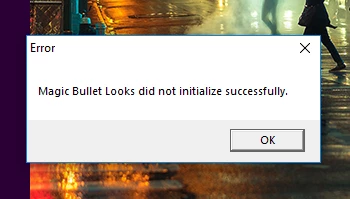
Since upgrading to CC 2018, Magic Bullet Looks gives me a 'did not initialize properly' error while Premiere is loading (see below).
Red Giant has a blog post with an upgrade for CC 2018, which I installed as a possible fix. It changed nothing. I've tried uninstalling and reinstalling both Premiere and Looks, but that doesn't help either.
I even tried re-downloading Premiere Pro CC 2017, and installing it along with the previous non-CC-2018 version of Looks, 13.0.2. And now it gives the same exact 'did not initialize' error as the 2018 version.
I can't find anything online about this issue online. I've submitted a trouble ticket to Red Giant, but it's been 5 days and they haven't even replied. Can anybody help with this? I have a project that I wanted to finish 2 days ago, but I'm waiting on getting Looks to work again.
Thanks.


 AdChoices